How to configure YARN ResourceManager high availability
YARN ResourceManager high availability keeps application scheduling available when one ResourceManager host fails. The active and standby ResourceManagers share state through ZooKeeper and use the same cluster ID and address map.
Configuration must be identical across ResourceManager hosts and clients. Set the HA flags, ResourceManager IDs, hostnames, ZooKeeper quorum, and service addresses before starting both daemons.
HA does not protect running containers from every failure. It protects ResourceManager state and scheduling control, while NodeManagers continue running containers and reconnect to the active ResourceManager.
Steps to configure YARN ResourceManager high availability:
- Enable ResourceManager HA in yarn-site.xml.
- yarn-site.xml
<property>
  <name>yarn.resourcemanager.ha.enabled</name>
  <value>true</value>
</property>
<property>
  <name>yarn.resourcemanager.cluster-id</name>
  <value>yarn-prod</value>
</property>
<property>
  <name>yarn.resourcemanager.ha.rm-ids</name>
  <value>rm1,rm2</value>
</property>
- Set the ResourceManager hostnames.
- yarn-site.xml
<property>
  <name>yarn.resourcemanager.hostname.rm1</name>
  <value>rm1.example.net</value>
</property>
<property>
  <name>yarn.resourcemanager.hostname.rm2</name>
  <value>rm2.example.net</value>
</property>
- Set the ZooKeeper quorum for failover state.
- yarn-site.xml
<property>
  <name>yarn.resourcemanager.zk-address</name>
  <value>zk1.example.net:2181,zk2.example.net:2181,zk3.example.net:2181</value>
</property>
- Distribute the same configuration to both ResourceManager hosts and all clients.
$ rsync -a $HADOOP_CONF_DIR/ rm2.example.net:$HADOOP_CONF_DIR/
yarn-site.xml
core-site.xml
mapred-site.xml
- Start both ResourceManager daemons.
$ yarn --daemon start resourcemanager
Run this on rm1 and rm2.
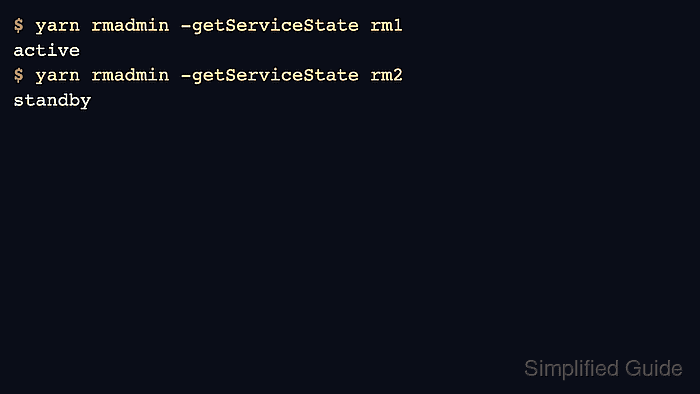
- Check the first ResourceManager state.
$ yarn rmadmin -getServiceState rm1
active
- Check the standby ResourceManager state.
$ yarn rmadmin -getServiceState rm2
standby
- List applications through the HA client configuration.
$ yarn application -list
Total number of applications (application-types: [] and states: [SUBMITTED, ACCEPTED, RUNNING]):0
Related: How to list YARN applications