How to troubleshoot Hadoop disk full errors
Hadoop disk-full errors can stop HDFS writes, fail YARN containers, or leave DataNodes marked unhealthy. The useful signal is whether the full path is an HDFS data volume, a local YARN directory, a log directory, or a temporary staging path.
Check the failing daemon first, then inspect filesystem usage on the affected host and compare it with Hadoop storage paths. Cleaning unrelated directories can hide the symptom without restoring the service that failed.
Do not delete HDFS block files directly from DataNode storage. Use HDFS commands for user data cleanup and let the NameNode manage replicas.
Steps to troubleshoot Hadoop disk full errors:
- Identify the daemon reporting the disk error.
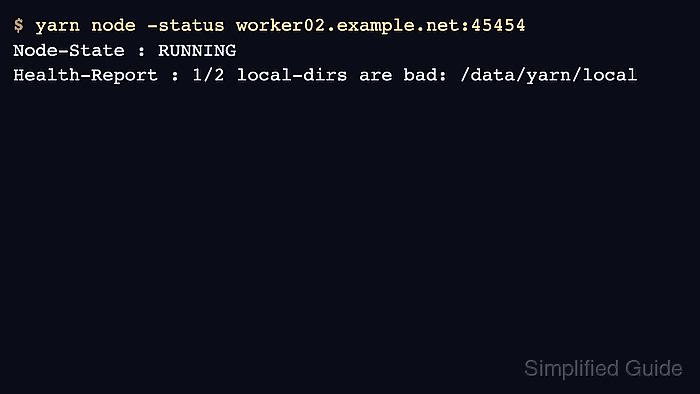
$ yarn node -status worker02.example.net:45454
Node-State : UNHEALTHY
Health-Report : 1/2 local-dirs are bad: /data/yarn/local
- Check local filesystem capacity on the affected host.
$ df -h /data /var/log/hadoop
Filesystem      Size  Used Avail Use% Mounted on
/dev/nvme1n1    200G  196G  4.0G  99% /data
/dev/nvme0n1     50G   18G   32G  37% /var/log
- Confirm the Hadoop directories using active configuration.
$ hdfs getconf -confKey dfs.datanode.data.dir
file:///data/hadoop/hdfs/data
- List HDFS usage for the application or tenant path.
$ hdfs dfs -du -h /data/events
78.4 G  156.8 G  /data/events/raw
12.1 G   24.2 G  /data/events/checkpoints
- Remove unneeded HDFS files through the filesystem shell.
$ hdfs dfs -rm -r /data/events/checkpoints/old-run-2026-05
Moved: hdfs://master01.example.net:9000/data/events/checkpoints/old-run-2026-05 to trash at: hdfs://master01.example.net:9000/user/alice/.Trash/Current/data/events/checkpoints/old-run-2026-05
Use -skipTrash only when the cluster trash policy and recovery requirements allow immediate deletion.
- Restart the affected daemon if Hadoop had already marked local directories unhealthy.
$ yarn --daemon stop nodemanager
Stopping nodemanager
Related: How to restart Hadoop services
- Verify the health report after freeing space.
$ yarn node -status worker02.example.net:45454
Node-State : RUNNING
Health-Report :