How to troubleshoot a missing Hadoop DataNode
A missing DataNode warning means the NameNode has stopped receiving heartbeats from a worker that should be part of the HDFS cluster. The failure can come from a stopped daemon, hostname mismatch, storage directory problem, or network path between the worker and NameNode.
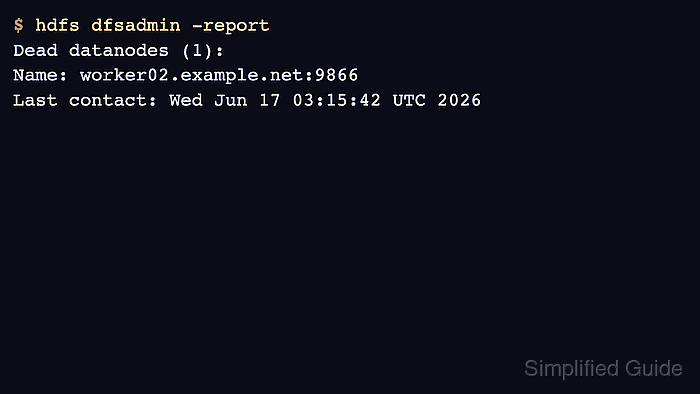
Start with the NameNode report because it shows whether the node is dead, excluded, or decommissioning. Then inspect the worker daemon, Hadoop logs, and configured data directory before changing cluster membership files.
Avoid formatting or deleting DataNode storage while troubleshooting. Those actions can remove local block replicas and turn a heartbeat problem into a data recovery problem.
Steps to troubleshoot a missing Hadoop DataNode:
- List dead and live DataNodes from the NameNode.
$ hdfs dfsadmin -report
Live datanodes (2):
Name: worker01.example.net:9866
Name: worker03.example.net:9866
Dead datanodes (1):
Name: worker02.example.net:9866
- Check the DataNode daemon on the missing host.
$ jps
2481 DataNode
2610 NodeManager
2754 Jps
Missing DataNode output here usually means the worker daemon stopped or never started.
- Read the recent DataNode log on the worker.
$ hdfs --daemon status datanode
datanode is running as process 2481.
Related: How to view Hadoop daemon logs
- Verify that the worker uses the same HDFS URI as the cluster.
$ hdfs getconf -confKey fs.defaultFS
hdfs://master01.example.net:9000
- Check the configured DataNode storage path.
$ hdfs getconf -confKey dfs.datanode.data.dir
file:///data/hadoop/hdfs/data
- Restart the DataNode after correcting configuration or storage permissions.
$ hdfs --daemon stop datanode
Stopping datanode
Related: How to restart Hadoop services
- Confirm the node returns to the live list.
$ hdfs dfsadmin -report
Live datanodes (3):
Name: worker01.example.net:9866
Name: worker02.example.net:9866
Name: worker03.example.net:9866