How to configure a multi-node Apache Hadoop cluster
A multi-node Apache Hadoop cluster fails in uneven ways when hostnames, worker lists, and daemon roles do not agree. The NameNode, ResourceManager, DataNode, and NodeManager processes need the same logical cluster settings before HDFS formatting or service startup begins.
The active configuration is the set of XML files under $HADOOP_CONF_DIR on every node. Treat the first master host as the configuration source, copy the same files to workers, and verify that each node resolves the same names before starting daemons.
The example uses one NameNode and one ResourceManager with two workers. Production clusters usually add high availability, Kerberos, rack awareness, and service supervision after this baseline is already working.
Steps to configure a multi-node Apache Hadoop cluster:
- Confirm hostname resolution from the master host.
$ getent hosts master01 worker01 worker02
10.10.20.11 master01.example.net master01
10.10.20.21 worker01.example.net worker01
10.10.20.22 worker02.example.net worker02
- Set the default HDFS URI in core-site.xml.
- core-site.xml
<property>
  <name>fs.defaultFS</name>
  <value>hdfs://master01.example.net:9000</value>
</property>
- Set the NameNode and DataNode storage paths in hdfs-site.xml.
- hdfs-site.xml
<property>
  <name>dfs.namenode.name.dir</name>
  <value>file:///data/hadoop/hdfs/name</value>
</property>
<property>
  <name>dfs.datanode.data.dir</name>
  <value>file:///data/hadoop/hdfs/data</value>
</property>
<property>
  <name>dfs.replication</name>
  <value>2</value>
</property>
- Set the YARN ResourceManager host in yarn-site.xml.
- yarn-site.xml
<property>
  <name>yarn.resourcemanager.hostname</name>
  <value>master01.example.net</value>
</property>
<property>
  <name>yarn.nodemanager.aux-services</name>
  <value>mapreduce_shuffle</value>
</property>
- List the worker hosts in the workers file.
- workers
worker01.example.net
worker02.example.net
- Copy the configuration to every worker.
$ rsync -a $HADOOP_CONF_DIR/ worker01.example.net:$HADOOP_CONF_DIR/
core-site.xml
hdfs-site.xml
yarn-site.xml
mapred-site.xml
workers
- Format HDFS once from the NameNode host.
$ hdfs namenode -format -clusterId hadoop-lab01
Storage directory /data/hadoop/hdfs/name has been successfully formatted.
Formatting an existing NameNode destroys namespace metadata for that cluster. Run it only before the first startup or after a tested recovery plan.
- Start HDFS and YARN from the master host.
$ start-dfs.sh
Starting namenodes on [master01.example.net]
Starting datanodes
Starting secondary namenodes [master01.example.net]
Related: How to restart Hadoop services
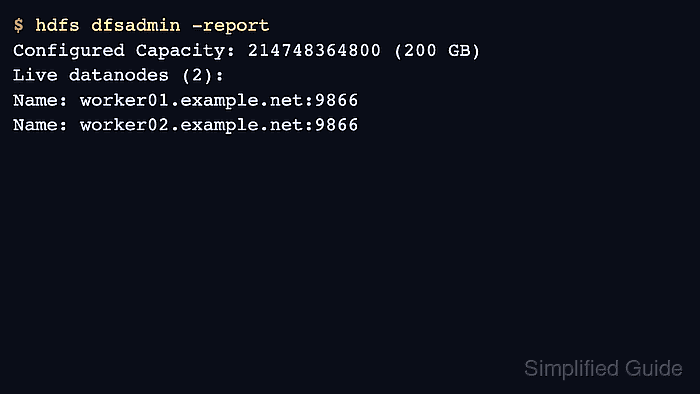
- Verify both DataNodes joined the cluster.
$ hdfs dfsadmin -report
Configured Capacity: 214748364800 (200 GB)
Present Capacity: 209715200000 (195 GB)
Live datanodes (2):
Name: worker01.example.net:9866
Name: worker02.example.net:9866