How to enable internode TLS in Apache Cassandra
Internode traffic carries gossip, repair, hints, and streaming data between Apache Cassandra nodes. Enabling internode TLS protects that node-to-node path separately from client CQL traffic, so a cluster can keep peer communication encrypted even when client encryption is handled by a different rollout.
Cassandra reads the setting from server_encryption_options in /etc/cassandra/cassandra.yaml on package-managed Linux hosts. The internode_encryption value controls which peer connections use TLS, while optional lets encrypted and unencrypted peers coexist briefly on the storage port during a rolling change.
Prepare node-specific key material before editing the cluster. Each node needs a keystore with its own private key and certificate, and the truststore must contain the issuing certificate authority or peer certificates that other nodes should trust. Internode encryption also disables entire-SSTable streaming, so plan the change during a maintenance window where bootstrap, repair, and streaming throughput can be watched.
Steps to enable Apache Cassandra internode TLS:
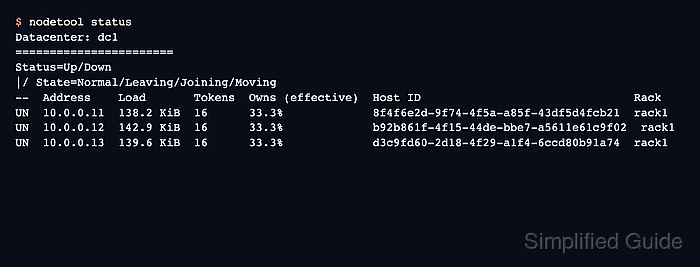
- Confirm that the cluster is normal before changing peer encryption.
$ nodetool status
Datacenter: dc1
=======================
Status=Up/Down
|/ State=Normal/Leaving/Joining/Moving
--  Address    Load       Tokens  Owns (effective)  Host ID                               Rack
UN  10.0.0.11  138.2 KiB  16      33.3%             8f4f6e2d-9f74-4f5a-a85f-43df5d4fcb21  rack1
UN  10.0.0.12  142.9 KiB  16      33.3%             b92b861f-4f15-44de-bbe7-a5611e61c9f02  rack1
UN  10.0.0.13  139.6 KiB  16      33.3%             d3c9fd60-2d18-4f29-a1f4-6ccd80b91a74  rack1
Every serving node should show UN before the first restart. Resolve down, leaving, joining, or moving nodes before adding the TLS rollout to the maintenance.
- Create a private directory for Cassandra TLS stores on each node.
$ sudo install -d -o cassandra -g cassandra -m 750 /etc/cassandra/ssl
- Install the node-specific keystore on the node being configured.
$ sudo install -o cassandra -g cassandra -m 600 db01-keystore.p12 /etc/cassandra/ssl/db01-keystore.p12
Use the keystore for the current node, not a shared private key copied to every server.
- Install the cluster truststore on the same node.
$ sudo install -o cassandra -g cassandra -m 600 cassandra-truststore.p12 /etc/cassandra/ssl/cassandra-truststore.p12
The truststore should include the CA or peer certificates used to validate the other Cassandra nodes.
- Back up the active Cassandra configuration file.
$ sudo cp /etc/cassandra/cassandra.yaml /etc/cassandra/cassandra.yaml.before-internode-tls
- Open the Cassandra configuration file.
$ sudoedit /etc/cassandra/cassandra.yaml
- Set the transitional internode TLS options for the node.
- /etc/cassandra/cassandra.yaml
server_encryption_options:
  internode_encryption: all
  optional: true
  legacy_ssl_storage_port_enabled: false
  keystore: /etc/cassandra/ssl/db01-keystore.p12
  keystore_password: "node-keystore-password"
  truststore: /etc/cassandra/ssl/cassandra-truststore.p12
  truststore_password: "cluster-truststore-password"
  require_client_auth: true
  require_endpoint_verification: false
  store_type: PKCS12
optional: true is only for the rolling transition. It lets already-restarted nodes accept both encrypted and unencrypted peers until every node has the TLS settings.
Set require_endpoint_verification: true only when each certificate has SAN entries that match the address Cassandra peers use to connect. A mismatch can stop nodes from reconnecting.
- Restart the Cassandra service on the configured node.
$ sudo systemctl restart cassandra
Restart one node at a time and wait for it to return to UN before moving to the next node.
- Check the restarted node's ring state.
$ nodetool status
Datacenter: dc1
=======================
Status=Up/Down
|/ State=Normal/Leaving/Joining/Moving
--  Address    Load       Tokens  Owns (effective)  Host ID                               Rack
UN  10.0.0.11  138.2 KiB  16      33.3%             8f4f6e2d-9f74-4f5a-a85f-43df5d4fcb21  rack1
UN  10.0.0.12  142.9 KiB  16      33.3%             b92b861f-4f15-44de-bbe7-a5611e61c9f02  rack1
UN  10.0.0.13  139.6 KiB  16      33.3%             d3c9fd60-2d18-4f29-a1f4-6ccd80b91a74  rack1
- Repeat the keystore, truststore, configuration, restart, and nodetool status checks on every remaining node.
Keep optional: true on all nodes until the whole cluster has restarted with the same internode_encryption scope.
- Disable transitional mode after every node is running with internode TLS.
- /etc/cassandra/cassandra.yaml
server_encryption_options:
  internode_encryption: all
  optional: false
  legacy_ssl_storage_port_enabled: false
  keystore: /etc/cassandra/ssl/db01-keystore.p12
  keystore_password: "node-keystore-password"
  truststore: /etc/cassandra/ssl/cassandra-truststore.p12
  truststore_password: "cluster-truststore-password"
  require_client_auth: true
  require_endpoint_verification: false
  store_type: PKCS12
Removing optional has the same effect as setting it to false after internode_encryption is enabled.
- Restart each node one more time to enforce encrypted-only internode traffic.
$ sudo systemctl restart cassandra
- Confirm that the final configuration no longer permits mixed internode traffic.
$ sudo grep -n "^  optional:" /etc/cassandra/cassandra.yaml
1620:  optional: false
- Confirm that Cassandra started with internode TLS protocols enabled.
$ sudo grep -i "Internode messaging enabled TLS" /var/log/cassandra/system.log
INFO  [main] 2026-06-17T04:18:46,281 SSLFactory.java:389 - Internode messaging enabled TLS protocols: TLSv1.3, TLSv1.2
If the log reports keystore, truststore, password, or certificate validation errors, restore the backup config or set optional: true again before retrying the failed node.
Related: How to view Apache Cassandra logs
- Verify that every node is still UN after the encrypted-only restart wave.
$ nodetool status
Datacenter: dc1
=======================
Status=Up/Down
|/ State=Normal/Leaving/Joining/Moving
--  Address    Load       Tokens  Owns (effective)  Host ID                               Rack
UN  10.0.0.11  138.2 KiB  16      33.3%             8f4f6e2d-9f74-4f5a-a85f-43df5d4fcb21  rack1
UN  10.0.0.12  142.9 KiB  16      33.3%             b92b861f-4f15-44de-bbe7-a5611e61c9f02  rack1
UN  10.0.0.13  139.6 KiB  16      33.3%             d3c9fd60-2d18-4f29-a1f4-6ccd80b91a74  rack1