How to create an Apache Cassandra snapshot
A local Apache Cassandra snapshot gives an operator a point-in-time copy of a table's immutable SSTable files before maintenance, schema changes, or recovery testing. It is a node-local backup primitive, so the command must run on every node whose replica data belongs in the backup set.
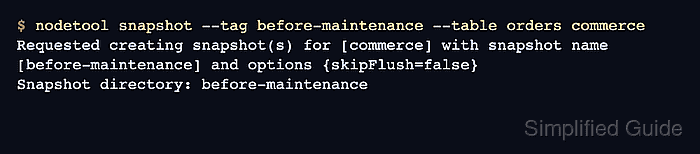
nodetool snapshot flushes the selected table by default, creates hard links under the table's snapshots directory, and writes snapshot metadata such as manifest.json and schema.cql beside the SSTable components. A named tag makes the backup easier to find and prevents timestamp-only directories from being confused across nodes.
The snapshot remains on the Cassandra data volume until it is copied away or cleared. Do not use --skip-flush for a backup that must include recent writes, and do not run clearsnapshot until the snapshot has been copied, checked, and recorded by the backup process.
Steps to create an Apache Cassandra snapshot with nodetool:
- Open a shell on the Cassandra node that holds the replica data.
The examples use one node, one keyspace, and one table. Repeat the snapshot command on every node that must contribute replica files to a cluster backup.
- Choose a snapshot tag, keyspace, and table.
Snapshot tag: before-maintenance
Keyspace: commerce
Table: orders
Data directory: /var/lib/cassandra/data
Package installs commonly store table data under /var/lib/cassandra/data. Tarball and container deployments may use a different data directory from the node's active configuration.
- Create the named snapshot for the table.
$ nodetool snapshot --tag before-maintenance --table orders commerce
Requested creating snapshot(s) for [commerce] with snapshot name [before-maintenance] and options {skipFlush=false}
Snapshot directory: before-maintenance
Do not add --skip-flush unless the table has already been flushed and the backup intentionally excludes unflushed memtable data.
- List snapshots on the node.
$ nodetool listsnapshots
Snapshot Details:
Snapshot name      Keyspace name Column family name True size Size on disk Creation time            Expiration time
before-maintenance commerce      orders             1.19 KiB  6.3 KiB      2026-06-17T04:18:33.642Z

Total TrueDiskSpaceUsed: 0 bytes
The row should show the snapshot tag, keyspace, and table that were requested. Run this check on each node where the snapshot command was executed.
- Locate the snapshot directory for the table.
$ sudo find /var/lib/cassandra/data/commerce -type d -path "*/snapshots/before-maintenance"
/var/lib/cassandra/data/commerce/orders-646717806a0311f1a35f4d5ed4a90f72/snapshots/before-maintenance
The table directory includes an internal table ID after the table name. Use the path returned by the node being backed up.
- Inspect the snapshot files before copying them off the node.
$ sudo ls -l /var/lib/cassandra/data/commerce/orders-*/snapshots/before-maintenance
total 44
-rw-r--r-- 1 cassandra cassandra  129 Jun 17 04:18 manifest.json
-rw-r--r-- 2 cassandra cassandra   47 Jun 17 04:17 nb-1-big-CompressionInfo.db
-rw-r--r-- 2 cassandra cassandra   54 Jun 17 04:17 nb-1-big-Data.db
-rw-r--r-- 2 cassandra cassandra    9 Jun 17 04:17 nb-1-big-Digest.crc32
-rw-r--r-- 2 cassandra cassandra   16 Jun 17 04:17 nb-1-big-Filter.db
-rw-r--r-- 2 cassandra cassandra   12 Jun 17 04:17 nb-1-big-Index.db
-rw-r--r-- 2 cassandra cassandra 4928 Jun 17 04:17 nb-1-big-Statistics.db
-rw-r--r-- 2 cassandra cassandra   68 Jun 17 04:17 nb-1-big-Summary.db
-rw-r--r-- 2 cassandra cassandra   92 Jun 17 04:17 nb-1-big-TOC.txt
-rw-r--r-- 1 cassandra cassandra 1093 Jun 17 04:18 schema.cql
manifest.json records snapshot file membership, and schema.cql captures the table definition needed during restore planning.
- Clear a copied or test snapshot only after the backup evidence is complete.
$ nodetool clearsnapshot -t before-maintenance commerce
Requested clearing snapshot(s) for [commerce] with snapshot name [before-maintenance]
This removes the local snapshot hard links for the named keyspace. Keep production snapshots until the off-node copy, restore plan, and retention policy say they can be deleted.
- Verify that the cleared test snapshot is gone.
$ nodetool listsnapshots
Snapshot Details:
There are no snapshots