How to decommission an Apache Cassandra node
Removing a live Apache Cassandra node should transfer its token ranges before the host is shut down. A rushed stop or a dead-node removal command can leave the ring reassigning data from surviving replicas instead of streaming from the departing node, so start with the cluster view and make sure the node is still UN.
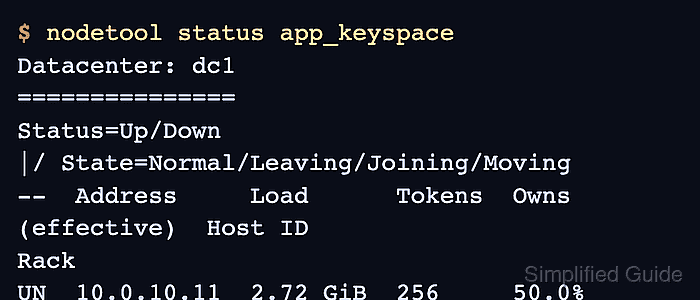
nodetool decommission runs against the node being removed. Cassandra streams the ranges that node owns to the remaining replicas, marks the node as leaving while the operation is active, and removes it from membership after the stream finishes.
The remaining cluster must still satisfy each keyspace's replication factor after the node leaves. Cassandra can refuse the command when a removal would drop a keyspace below its configured replica count, and the --force option should be reserved for an approved emergency where that data-risk tradeoff is understood.
Steps to decommission a live Apache Cassandra node:
- Check cluster status from a surviving node.
$ nodetool status app_keyspace
Datacenter: dc1
===============
Status=Up/Down
|/ State=Normal/Leaving/Joining/Moving
--  Address     Load      Tokens  Owns (effective)  Host ID                               Rack
UN  10.0.10.11  2.48 GiB  256     33.3%             8f4b4df0-38e9-4d76-8df8-609bb8e36a11  rack1
UN  10.0.10.12  2.51 GiB  256     33.3%             b11f8fb4-7cf3-40b9-a8f6-ff1b1e65ac21  rack1
UN  10.0.10.13  2.39 GiB  256     33.4%             e8b7f3c3-f0b6-44b0-a16f-5c72ad76a345  rack1
Replace app_keyspace with an application keyspace whose replication strategy matters for this removal. The target node should be UN before using decommission.
Related: How to check Apache Cassandra cluster status with nodetool - Confirm the cluster will still have enough replicas after the target node leaves.
$ cqlsh 10.0.10.11 -e "DESCRIBE KEYSPACE app_keyspace"
CREATE KEYSPACE app_keyspace
WITH replication = {'class': 'NetworkTopologyStrategy', 'dc1': '2'}
AND durable_writes = true;
Do not continue until the remaining live nodes in each datacenter can satisfy the keyspace replication factor. Cassandra may also protect internal keyspaces such as system_distributed from dropping below their configured replica count.
- Stop client traffic from being routed to the node being removed.
Remove the node from application driver contact points, load-balancer pools, or orchestration targets before starting the ring change. Existing Cassandra peers can still stream from it during decommission.
- Run decommission on the live node being removed.
$ nodetool decommission
This command removes the local node from cluster membership after streaming completes. Use nodetool removenode from another node only when the target node is dead and cannot run decommission.
Related: How to remove a dead node from an Apache Cassandra cluster - Monitor streaming progress from the decommissioning node.
$ nodetool netstats
Mode: LEAVING
Sending 2 files, 413.21 MiB total. Already sent 1 files, 208.40 MiB total
Receiving 0 files, 0 bytes total
Read Repair Statistics:
Attempted: 0
Mismatch (Blocking): 0
Mismatch (Background): 0
Pool Name                    Active   Pending      Completed   Dropped
Large messages                  n/a         0             28         0
Small messages                  n/a         0          1,842         0
Gossip messages                 n/a         0         18,604         0
nodetool netstats is the progress view for topology streaming. Repeat it until active sending and receiving streams are gone.
- Check the ring from a surviving node while the operation is active.
$ nodetool status app_keyspace
Datacenter: dc1
===============
Status=Up/Down
|/ State=Normal/Leaving/Joining/Moving
--  Address     Load      Tokens  Owns (effective)  Host ID                               Rack
UN  10.0.10.11  2.50 GiB  256     50.0%             8f4b4df0-38e9-4d76-8df8-609bb8e36a11  rack1
UN  10.0.10.12  2.55 GiB  256     50.0%             b11f8fb4-7cf3-40b9-a8f6-ff1b1e65ac21  rack1
UL  10.0.10.13  2.39 GiB  256     ?                 e8b7f3c3-f0b6-44b0-a16f-5c72ad76a345  rack1
UL means the node is up and leaving. The exact ownership values can change while token ranges are reassigned.
- Verify the node is absent after decommission finishes.
$ nodetool status app_keyspace
Datacenter: dc1
===============
Status=Up/Down
|/ State=Normal/Leaving/Joining/Moving
--  Address     Load      Tokens  Owns (effective)  Host ID                               Rack
UN  10.0.10.11  2.72 GiB  256     50.0%             8f4b4df0-38e9-4d76-8df8-609bb8e36a11  rack1
UN  10.0.10.12  2.76 GiB  256     50.0%             b11f8fb4-7cf3-40b9-a8f6-ff1b1e65ac21  rack1
- Review Cassandra logs on the remaining nodes for streaming or membership errors.
$ sudo journalctl -u cassandra --since "1 hour ago"
Jun 17 11:12:41 cassandra-01 cassandra[1842]: Node /10.0.10.13 state jump to LEFT
Jun 17 11:12:44 cassandra-01 cassandra[1842]: Stream session with /10.0.10.13 completed
Investigate stream failures, repeated gossip warnings, or a node that remains UL before powering off or repurposing the host.
Related: How to view Apache Cassandra logs - Stop Cassandra on the decommissioned host after it has left the ring.
$ sudo systemctl stop cassandra
Cassandra does not automatically delete data files from a decommissioned node. Keep the data until the maintenance window is accepted, then wipe or rebuild the host before using it as a different Cassandra node.