How to restore Apache Cassandra data with sstableloader
Restoring Apache Cassandra data with sstableloader is for cases where SSTable backup files need to be streamed into a running cluster instead of copied back under one node's live data directory. The loader reads backup files from a keyspace and table path, asks the target cluster for ring ownership, and sends each data section to the replicas that should own it.
The target keyspace and table must already exist before the load starts. sstableloader derives the table from the restore directory path, and it can override only the keyspace with --target-keyspace when the backup is being loaded under a different keyspace name.
Use a staged copy or symlink outside Cassandra's active data directories so compaction cannot change files while the loader reads them. The table does not have to be empty, but a recovery load is easier to verify when it lands in a new or intentionally prepared table and a known row can be queried afterward.
Steps to restore Apache Cassandra data with sstableloader:
- Check the target cluster ring before loading data.
$ nodetool status retail
Datacenter: dc1
===============
Status=Up/Down
|/ State=Normal/Leaving/Joining/Moving
--  Address    Load        Tokens  Owns (effective)  Host ID                               Rack
UN  10.0.0.11  128.42 KiB  16      100.0%            3d9f2e17-0b6b-4d2c-8d90-f7b8024e9f31  rack1
UN  10.0.0.12  126.91 KiB  16      100.0%            1be6ef0c-08c9-4a19-a21c-79c2a544db07  rack1
UN  10.0.0.13  130.08 KiB  16      100.0%            86f7f1c8-a92f-4a3a-b308-880fa570b53f  rack1
Every target node that should receive streams should be UN before the restore begins.
Related: How to check Apache Cassandra cluster status with nodetool - Create a staging directory that matches the target keyspace and table.
$ sudo mkdir -p /srv/cassandra-restore/retail/orders
sstableloader uses the parent directories to identify the target keyspace and table unless --target-keyspace is supplied.
- Copy the snapshot files into the staging directory.
$ sudo cp /backup/cassandra/retail/orders/snapshots/orders-before-restore/* /srv/cassandra-restore/retail/orders/
Do not run the loader directly against a live table directory under Cassandra's active data path. Use a copied or read-only staged set of backup files.
- List the staged restore files.
$ ls /srv/cassandra-restore/retail/orders
manifest.json
nb-1-big-CompressionInfo.db
nb-1-big-Data.db
nb-1-big-Digest.crc32
nb-1-big-Filter.db
nb-1-big-Index.db
nb-1-big-Statistics.db
nb-1-big-Summary.db
nb-1-big-TOC.txt
schema.cql
A snapshot includes schema.cql. Incremental backup directories contain SSTable files but do not include table DDL.
- Create the target schema from the backup DDL when the table was dropped.
$ cqlsh cassandra-a.example.net -f /srv/cassandra-restore/retail/orders/schema.cql
If schema.cql contains only table DDL, create the keyspace first with the replication strategy intended for the target cluster.
Related: How to export an Apache Cassandra schema - Confirm that the target table exists before streaming.
$ cqlsh cassandra-a.example.net -e "DESCRIBE TABLE retail.orders"

CREATE TABLE retail.orders (
    order_id int PRIMARY KEY,
    status text,
    updated_at timestamp
) WITH additional_write_policy = '99p'
##### snipped #####
The schema must match the backed-up data. A missing column, incompatible type, or wrong table name can stop the load or make verification misleading.
- Load the staged SSTables into the target cluster.
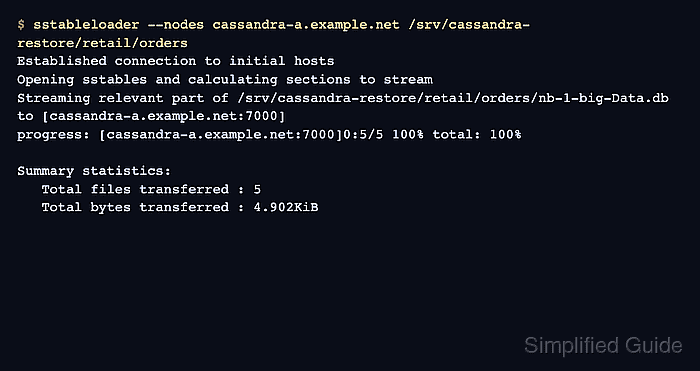
$ sstableloader --nodes cassandra-a.example.net /srv/cassandra-restore/retail/orders
Established connection to initial hosts
Opening sstables and calculating sections to stream
Streaming relevant part of /srv/cassandra-restore/retail/orders/nb-1-big-Data.db to [cassandra-a.example.net:7000]
progress: [cassandra-a.example.net:7000]0:5/5 100% total: 100%

Summary statistics:
   Total files transferred : 5
   Total bytes transferred : 4.902KiB
The node addresses returned by the ring must be reachable on the Cassandra storage streaming port, commonly 7000 or the TLS storage port when internode encryption is used. Firewalls, NAT, or wrong broadcast addresses can let the initial connection work while the stream still fails.
- Query a restored row through cqlsh.
$ cqlsh cassandra-a.example.net -e "SELECT order_id, status FROM retail.orders WHERE order_id = 1001;"

 order_id | status
----------+------------------
     1001 | ready_to_restore

(1 rows)
Use a key that should exist in the restored backup instead of scanning a large table with a broad count query.
Related: How to connect to Apache Cassandra with cqlsh - Remove the staging copy after the restored data is verified.
$ sudo rm -r /srv/cassandra-restore/retail
Delete only the temporary staging copy after confirming the original backup remains in its backup location.