Proxy environment variables let a Zsh terminal hand one outbound proxy policy to commands started from that shell. They are useful when direct Internet access is blocked or when terminal tools must leave through an office gateway, egress proxy, or temporary test relay.
Zsh only passes proxy values to child processes after they are exported. Lowercase http_proxy, https_proxy, and no_proxy work with common command-line clients such as curl and wget, while uppercase variants are best kept for applications that explicitly require them.
A current-shell export affects only the open terminal and is easy to remove with unset. Saving the same exports in ~/.zshrc makes new interactive Zsh terminals load the proxy automatically, so avoid putting long-lived proxy passwords in that file unless the account's credential policy allows it.
Related: How to configure Zsh startup files
Related: Set proxy environment variables in Bash
Related: Use proxy environment variables with cURL
Steps to set Zsh proxy environment variables:
- Choose the proxy URL and the destinations that should bypass it.
Use the form http://host:port for a normal HTTP proxy. If credentials are required, prefer a task-local secret source over saving http://user:password@proxy.example.com:8080 in shell history or a shared startup file.
- Export the HTTP proxy for commands started from the current Zsh shell.
$ export http_proxy="http://proxy.example.com:8080"
Use lowercase http_proxy for HTTP proxy settings. Some clients ignore uppercase HTTP_PROXY for security reasons.
- Export the HTTPS proxy when HTTPS requests should use the same gateway.
$ export https_proxy="http://proxy.example.com:8080"
The proxy URL often still starts with http:// because the client connects to the proxy over HTTP and opens a CONNECT tunnel for HTTPS destinations.
- Export the bypass list for local and internal destinations.
$ export no_proxy="localhost,127.0.0.1,.example.internal"
Separate entries with commas. A leading dot matches hosts under that domain for tools that implement domain-suffix matching.
- Verify the exported values in the current shell.
$ printenv http_proxy https_proxy no_proxy
http://proxy.example.com:8080
http://proxy.example.com:8080
localhost,127.0.0.1,.example.internal
- Verify that a child Zsh process receives the exported proxy environment.
$ zsh -fc 'printenv http_proxy https_proxy no_proxy'
http://proxy.example.com:8080
http://proxy.example.com:8080
localhost,127.0.0.1,.example.internal
- Open the current user's Zsh rc file.
$ nano ~/.zshrc
Use $ZDOTDIR/.zshrc instead when the account stores Zsh startup files outside the home directory. Related: How to configure Zsh startup files
- Add or update the proxy exports near the other interactive shell settings.
- ~/.zshrc
export http_proxy="http://proxy.example.com:8080"
export https_proxy="http://proxy.example.com:8080"
export no_proxy="localhost,127.0.0.1,.example.internal"
If the file already sets proxy variables, replace the old lines instead of leaving conflicting values later in the same startup file.
- Check the startup file for syntax errors.
$ zsh -n ~/.zshrc
No output from zsh -n means Zsh parsed the file without finding a syntax error.
- Reload the rc file in the current terminal.
$ source ~/.zshrc
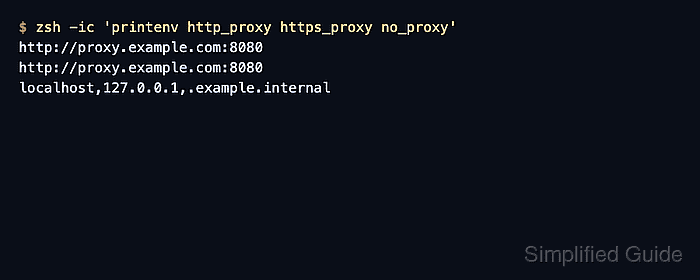
- Start a fresh interactive Zsh process and verify that the proxy variables load automatically.
$ zsh -ic 'printenv http_proxy https_proxy no_proxy'
http://proxy.example.com:8080
http://proxy.example.com:8080
localhost,127.0.0.1,.example.internal
- Run the command that should inherit the proxy from the same terminal.
$ curl --verbose http://example.com
Use client-specific proxy guides when the route itself needs proof. Related: How to use proxy environment variables with cURL
Related: How to use an HTTP proxy with wget
Tool: Proxy Server Checker - Remove current-shell proxy variables when direct access should resume.
$ unset http_proxy https_proxy no_proxy HTTP_PROXY HTTPS_PROXY NO_PROXY
Remove the same lines from ~/.zshrc when future Zsh terminals should stop loading the proxy policy.

Mohd Shakir Zakaria is a cloud architect with deep roots in software development and open-source advocacy. Certified in AWS, Red Hat, VMware, ITIL, and Linux, he specializes in designing and managing robust cloud and on-premises infrastructures.


