Installing WP-CLI on dnf-based Fedora, CentOS Stream, or RHEL-compatible Linux gives a WordPress server the wp command for maintenance tasks that are awkward through the dashboard. It is often used for backups, URL changes, plugin updates, and recovery work on hosts where shell access is already part of administration.
The WP-CLI project recommends the Phar build for most installs. This method uses the upstream Phar instead of the distro wp-cli package because Fedora package versions can lag behind the project release, while CentOS and RHEL-style base repositories do not expose one consistent package path.
WP-CLI runs on the host PHP CLI binary and reads site context from the directory that contains wp-config.php. Install it with sudo privileges, place it at /usr/local/bin/wp, and verify wp --info before using database-aware subcommands that also need the PHP MySQL extension and database client tools such as mysqldump.
Steps to install WP-CLI on Fedora or RHEL-compatible Linux:
- Install the PHP CLI runtime and support packages.
$ sudo dnf install --assumeyes ca-certificates curl php-cli php-mysqlnd less
Updating and loading repositories:
Repositories loaded.
##### snipped #####
Complete!
php-mysqlnd lets WP-CLI load WordPress database connections. On minimal RHEL-style images that already provide curl-minimal, use curl-minimal in place of curl if dnf reports a package conflict.
- Download the official WP-CLI Phar build.
$ curl -fsSLO https://raw.githubusercontent.com/wp-cli/builds/gh-pages/phar/wp-cli.phar
The WP-CLI handbook lists the Phar as the recommended install method for most users.
- Test the downloaded Phar with the host PHP binary.
$ php wp-cli.phar --info
PHP binary:        /usr/bin/php
PHP version:       8.3.31
php.ini used:      /etc/php.ini
WP_CLI phar path:  phar:///wp-cli.phar
WP-CLI version:    2.12.0
If this command fails, fix the PHP CLI installation before moving the Phar into PATH. The exact version numbers change over time.
- Make the downloaded Phar executable.
$ chmod +x wp-cli.phar
- Move the executable into a standard system-wide command path as wp.
$ sudo mv wp-cli.phar /usr/local/bin/wp
Keep the filename as exactly wp so later examples, shell completion, and automation can use the default command name.
- Verify that the final wp command is available system-wide.
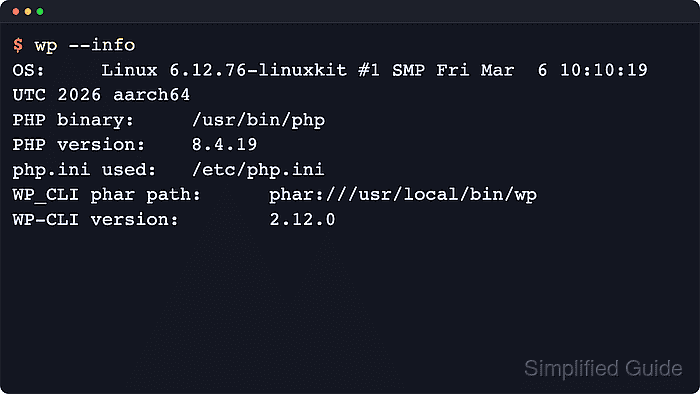
$ wp --info
PHP binary:        /usr/bin/php
PHP version:       8.3.31
php.ini used:      /etc/php.ini
WP_CLI phar path:  phar:///usr/local/bin/wp
WP-CLI version:    2.12.0
If the shell reports wp: command not found, confirm that /usr/local/bin is in PATH and that the file was moved as /usr/local/bin/wp.
- Run a site-independent WP-CLI smoke test.
$ wp cli version
WP-CLI 2.12.0
- Change into the target WordPress document root before running site-aware commands.
$ cd /var/www/example.com/public_html
Use the directory that contains the active wp-config.php file. Database commands such as wp db export also need the matching database client tools on the host.
Related: How to use WP-CLI safely on a production WordPress site
Related: How to back up a WordPress site

Mohd Shakir Zakaria is a cloud architect with deep roots in software development and open-source advocacy. Certified in AWS, Red Hat, VMware, ITIL, and Linux, he specializes in designing and managing robust cloud and on-premises infrastructures.


