A SavedModel directory carries the serving contract that clients and deployment tools use after training code is no longer in front of them. Inspecting it with saved_model_cli shows which tag set, signature name, tensor keys, shapes, and dtypes a runtime will see before the model is loaded into TensorFlow Serving or another consumer.
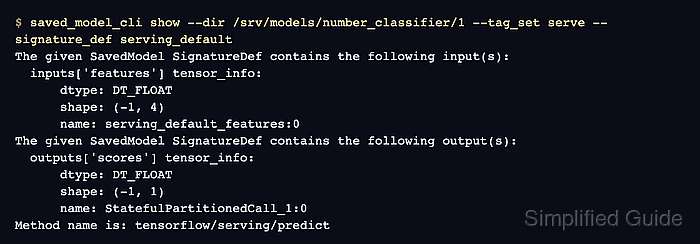
The show command reads the exported directory without running inference. It starts at the outer MetaGraphDef tag set, narrows to available SignatureDef keys for that tag, and then prints the input and output TensorInfo fields for one signature.
Serving exports commonly use serve and serving_default because TensorFlow Serving and many client integrations look for that default prediction signature. Replace /srv/models/number_classifier/1 with the directory that contains saved_model.pb, variables, and any assets for the model being handed to clients.
Steps to inspect a TensorFlow SavedModel with saved_model_cli:
- List the tag sets in the SavedModel directory.
$ saved_model_cli show --dir /srv/models/number_classifier/1
The given SavedModel contains the following tag-sets:
'serve'
Most current inference exports expose one serve tag set. A model with multiple tag sets must be inspected with the tag set that matches the runtime target.
- List the signature keys under the serving tag set.
$ saved_model_cli show --dir /srv/models/number_classifier/1 --tag_set serve
The given SavedModel MetaGraphDef contains SignatureDefs with the following keys:
SignatureDef key: "__saved_model_init_op"
SignatureDef key: "serve"
SignatureDef key: "serving_default"
__saved_model_init_op is an initialization entry, not the prediction signature to send client payloads to. Use saved_model_cli show --dir /srv/models/number_classifier/1 --all only when a handoff needs every signature and concrete function.
- Verify the default serving signature exposes the client input and output keys.
$ saved_model_cli show --dir /srv/models/number_classifier/1 --tag_set serve --signature_def serving_default
The given SavedModel SignatureDef contains the following input(s):
  inputs['features'] tensor_info:
      dtype: DT_FLOAT
      shape: (-1, 4)
      name: serving_default_features:0
The given SavedModel SignatureDef contains the following output(s):
  outputs['scores'] tensor_info:
      dtype: DT_FLOAT
      shape: (-1, 1)
      name: StatefulPartitionedCall_1:0
Method name is: tensorflow/serving/predict
The input key features and output key scores are the names client payloads and response handling should use for this export.
Related: How to deploy TensorFlow Serving with Docker

Mohd Shakir Zakaria is a cloud architect with deep roots in software development and open-source advocacy. Certified in AWS, Red Hat, VMware, ITIL, and Linux, he specializes in designing and managing robust cloud and on-premises infrastructures.


