Installing rsyslog on Ubuntu gives the host a packaged syslog daemon for local /var/log files, application logger tests, and later forwarding rules. It is the right baseline when a server needs classic syslog storage in addition to the systemd journal, or when another service expects a local syslog socket and file-backed log path.
The Ubuntu package is named rsyslog and is managed by systemd as rsyslog.service. The packaged configuration reads /etc/rsyslog.conf and drop-in files under /etc/rsyslog.d/, including the default local file rules created by the package.
After installation, check more than package state. The service should be enabled and active, rsyslogd -N1 should parse the packaged configuration, and a logger message should appear in /var/log/syslog. Minimal containers, chroots, and some WSL environments may not run systemd, so use a normal Ubuntu server or VM when the service state itself is the success condition.
Related: How to test rsyslog configuration syntax
Related: How to send a test syslog message
Related: How to manage the syslog service
Steps to install rsyslog on Ubuntu:
- Open a terminal with sudo privileges.
- Refresh the APT package index.
$ sudo apt update
- Install the rsyslog package.
$ sudo apt install --assume-yes rsyslog
The package also installs the default local logging rules, the rsyslogd daemon, and supporting log rotation files.
- Confirm the installed package version.
$ dpkg-query --show --showformat='${Package} ${Version}\n' rsyslog
rsyslog 8.2512.0-1ubuntu4
The exact version changes by Ubuntu release and update pocket. The important result is that dpkg-query returns the installed rsyslog package instead of an empty result.
- Enable rsyslog at boot and start it now.
$ sudo systemctl enable --now rsyslog
If the package post-install step already enabled the unit, this command still makes the desired boot and runtime state explicit. Related: How to manage the syslog service
- Confirm that the service is active.
$ systemctl is-active rsyslog
active
If this command cannot contact systemd, finish the install on a systemd-based Ubuntu host before relying on service-state checks.
- Validate the packaged configuration.
$ sudo rsyslogd -N1
rsyslogd: version 8.2512.0, config validation run (level 1), master config /etc/rsyslog.conf
rsyslogd: End of config validation run. Bye.
-N1 parses the effective configuration without starting another daemon. Related: How to test rsyslog configuration syntax
- Send a local syslog test message.
$ logger --tag sg-install-test "rsyslog install check"
logger writes to the local syslog path, which lets the running daemon process one known event. Related: How to send a test syslog message
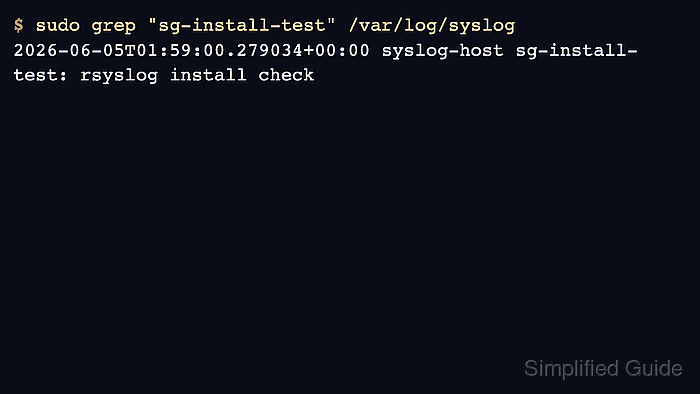
- Confirm that the test message reached the local Ubuntu syslog file.
$ sudo grep "sg-install-test" /var/log/syslog
2026-06-05T01:59:00.279034+00:00 syslog-host sg-install-test: rsyslog install check
Use the tag or another unique message token so the result cannot be confused with an older test. Related: How to find local syslog log files

Mohd Shakir Zakaria is a cloud architect with deep roots in software development and open-source advocacy. Certified in AWS, Red Hat, VMware, ITIL, and Linux, he specializes in designing and managing robust cloud and on-premises infrastructures.


