Adding a separate login in openSUSE or SLES keeps personal files, shell history, and administrative actions tied to the correct person instead of being shared through one account. Separate accounts are the normal way to onboard another administrator, prepare an application owner, or hand out shell access without exposing an existing user's home directory and credentials.
User identity data on SUSE systems is stored in /etc/passwd, /etc/shadow, and /etc/group. The useradd command creates the account entry and, with -m, the home directory, while passwd sets the initial password hash so the new login can authenticate normally.
Creating accounts requires root privileges, and the resulting primary group and login shell follow current system policy rather than a fixed universal default. On current SUSE builds, useradd -m is important because home directory creation is not guaranteed unless it is requested explicitly, so the verification steps should confirm the assigned UID, GID, home path, and password state after the account is added.
Related: Add the new account to another group
Steps to add a new user in openSUSE and SLES with useradd and passwd:
- Open a terminal on the openSUSE or SLES system with an account that has sudo privileges.
- Check that the target login name is not already present before creating the account.
$ getent passwd audituser
No output means the login name is currently unused and can be created safely.
Do not reuse service or system account names such as root, mail, or application-specific logins that may already own files and processes.
- Create the user account and home directory.
$ sudo useradd -m audituser
Successful runs are usually silent. The -m option creates /home/audituser even when automatic home-directory creation is disabled in system defaults.
- Set an initial password for the new account.
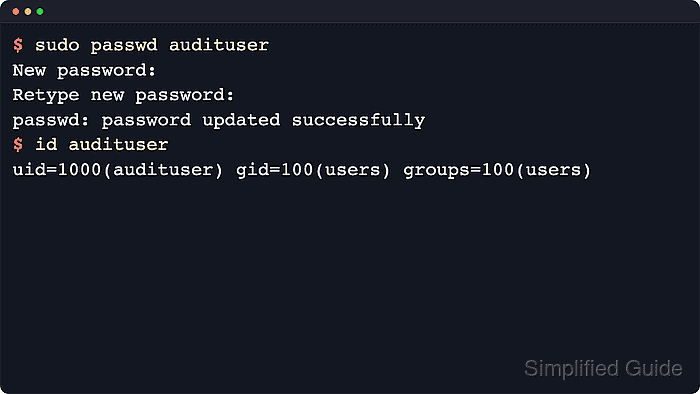
$ sudo passwd audituser
New password:
Retype new password:
passwd: password updated successfully
Use a strong unique password and avoid trying to pass it on the command line, where it can leak into shell history or process listings.
- Verify the new account's user and group identifiers.
$ id audituser
uid=1000(audituser) gid=100(users) groups=100(users)
Do not assume the primary group will match the username. SUSE policy can assign the shared users group or another configured default, so verify the actual gid returned by the system.
- Confirm the home directory path and login shell recorded for the account.
$ getent passwd audituser
audituser:x:1000:100::/home/audituser:/bin/bash
The last two fields show the home directory and shell that the account will use at login.
- Confirm that the home directory exists and is owned by the new account.
$ stat -c '%A %U %G %n' /home/audituser
drwxr-xr-x audituser users /home/audituser
If the directory is missing, the account exists but was created without its home directory; provision the directory separately or use useradd -m for future accounts.
- Check the password status for the new account.
$ sudo passwd -S audituser
audituser P 03/29/2026 0 99999 7 -1
P means a usable password is set, while L means the account is locked and NP means no password has been configured.

Mohd Shakir Zakaria is a cloud architect with deep roots in software development and open-source advocacy. Certified in AWS, Red Hat, VMware, ITIL, and Linux, he specializes in designing and managing robust cloud and on-premises infrastructures.


