Changing the system timezone keeps log timestamps, scheduled work, console output, and monitoring alerts aligned with the location where the machine is actually operating. That matters on openSUSE and SLES hosts moved between regions, deployed from generic templates, or installed with a default time zone that does not match the site.
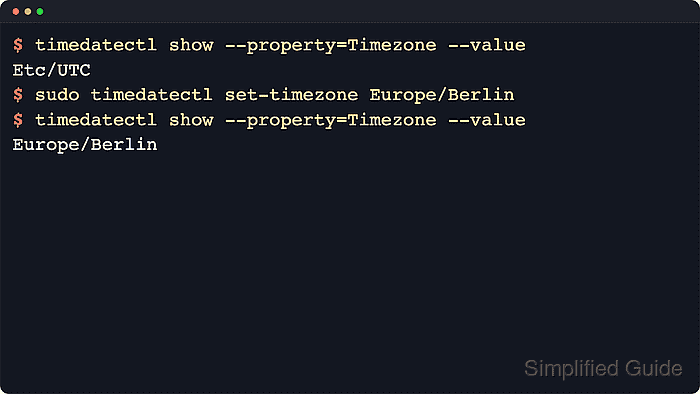
Current openSUSE and SLES releases manage the active time zone through systemd-timedated, and timedatectl is the supported command-line tool for querying and changing it. When a new zone is applied, timedatectl updates the /etc/localtime link to the matching entry under /usr/share/zoneinfo, so services and new shells immediately start presenting local time in the selected region.
Changing the time zone does not disable network time synchronization or change the underlying UTC time source, but it does change how local time is displayed right away. On Linux-only systems, the hardware clock is safest when kept in UTC, while dual-boot systems that keep the RTC in local time should be reviewed more carefully because daylight saving and time zone changes become easier to misread.
Steps to change the system timezone in openSUSE and SLES:
- Open the Terminal application.
- Check the current time-zone status before changing it.
$ timedatectl status
               Local time: Sun 2026-03-29 01:48:17 UTC
           Universal time: Sun 2026-03-29 01:48:17 UTC
                 RTC time: Sun 2026-03-29 01:48:17
                Time zone: Etc/UTC (UTC, +0000)
System clock synchronized: yes
              NTP service: active
          RTC in local TZ: no
The RTC in local TZ line shows whether the hardware clock is being maintained in local time instead of UTC.
- Search the installed zoneinfo database for the exact region and city value that should become the new system time zone.
$ timedatectl list-timezones | grep -i '^Europe/Berlin$'
Europe/Berlin
Search a broader prefix such as ^America/, ^Asia/, or ^Europe/ when the exact city name is not yet known.
- Set the new system timezone with timedatectl.
$ sudo timedatectl set-timezone Europe/Berlin
This change repoints /etc/localtime to the selected zone and does not require disabling NTP first.
Scheduled jobs, log timestamps, and time-based alerts begin using the new local timezone immediately after the change.
- Verify the stored timezone and the /etc/localtime target after the change.
$ timedatectl show --property=Timezone --value
Europe/Berlin
$ readlink -f /etc/localtime
/usr/share/zoneinfo/Europe/Berlin
- Confirm that local time now reflects the selected zone.
$ date
Sun Mar 29 03:48:22 CEST 2026
If the host dual-boots another operating system and timedatectl status shows RTC in local TZ: yes, review the hardware-clock policy separately because current SUSE guidance recommends UTC on Linux-only systems.

Mohd Shakir Zakaria is a cloud architect with deep roots in software development and open-source advocacy. Certified in AWS, Red Hat, VMware, ITIL, and Linux, he specializes in designing and managing robust cloud and on-premises infrastructures.


