Offline packet captures let Suricata analyze traffic collected from another sensor, sandbox, or incident host without touching a live interface. Running Suricata in pcap replay mode helps an analyst see which protocol records, file events, or rule alerts a saved capture produces with the local configuration.
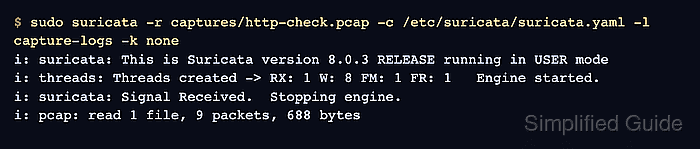
The -r option reads one pcap file or a directory of capture files, and -l writes the run output to a chosen log directory. A separate output directory keeps offline evidence away from live sensor logs under /var/log/suricata.
A small HTTP capture can produce EVE HTTP and flow records even when no alert fires. Disable checksum validation with -k none for captures copied from interfaces with checksum offload; remove it when checksum failures are part of the analysis.
Related: How to read Suricata eve.json logs
Related: How to view Suricata alert logs
Steps to run Suricata against a packet capture:
- Create a dedicated directory for the offline run logs.
$ mkdir -p capture-logs
- Run Suricata against the capture file.
$ sudo suricata -r captures/http-check.pcap -c /etc/suricata/suricata.yaml -l capture-logs -k none
i: suricata: This is Suricata version 8.0.3 RELEASE running in USER mode
i: threads: Threads created -> RX: 1 W: 8 FM: 1 FR: 1   Engine started.
i: suricata: Signal Received.  Stopping engine.
i: pcap: read 1 file, 9 packets, 688 bytes
-k none disables packet checksum validation for offline captures that contain checksum-offload artifacts. If the output warns that no rules were loaded, refresh the ruleset before repeating the run.
Related: How to update Suricata rules - List the log files created by the offline run.
$ ls capture-logs
eve.json
fast.log
stats.log
suricata.log
fast.log can stay empty when the capture does not trigger an alert. Protocol, file, flow, and statistics records can still appear in eve.json.
- Read the HTTP event from eve.json.
$ jq -c 'select(.event_type=="http") | {event_type,src_ip,dest_ip,method:.http.http_method,url:.http.url,status:.http.status}' capture-logs/eve.json
{"event_type":"http","src_ip":"192.0.2.10","dest_ip":"192.0.2.20","method":"GET","url":"/sample.txt","status":200}
Use the same file with alert, DNS, TLS, file, or flow filters when the capture contains those event types.
Related: How to read Suricata eve.json logs - Read the flow summary to confirm packet counts for the processed conversation.
$ jq -c 'select(.event_type=="flow") | {event_type,src_ip,dest_ip,proto,app_proto,pkts_toserver:.flow.pkts_toserver,pkts_toclient:.flow.pkts_toclient}' capture-logs/eve.json
{"event_type":"flow","src_ip":"192.0.2.10","dest_ip":"192.0.2.20","proto":"TCP","app_proto":"http","pkts_toserver":5,"pkts_toclient":4}

Mohd Shakir Zakaria is a cloud architect with deep roots in software development and open-source advocacy. Certified in AWS, Red Hat, VMware, ITIL, and Linux, he specializes in designing and managing robust cloud and on-premises infrastructures.


