A failing Selenium test after a front-end markup change usually leaves a narrow decision about whether the element disappeared, loaded too late, or kept the same purpose under a new locator. An AI agent can help propose the replacement selector once the failure and current HTML are isolated.
The agent should receive the old selector, exception text, and current element snippet, then return a CSS selector or XPath candidate rather than a rewritten test. Selenium treats a locator as the argument passed to element-finding methods, and its locator guidance keeps unique IDs and compact readable CSS selectors ahead of brittle DOM traversal.
An AI-suggested selector is a patch candidate, not proof. Prefer a stable attribute such as data-testid, id, name, or an accessible label that the application team intends tests to use; avoid long class chains unless the class is part of a deliberate test contract. Run the exact failing test again before touching neighboring tests.
Related: How to use explicit waits in Selenium
Related: How to run Codex exec with a prompt
Steps to update Selenium selectors with an AI agent:
- Run the failing test and capture the original locator error.
$ pytest -q tests/test_login.py
F                                                                        [100%]
=================================== FAILURES ===================================
##### snipped #####
E       selenium.common.exceptions.NoSuchElementException: Message: Unable to locate element: {"method":"css selector","selector":"button.btn.primary"}
##### snipped #####
1 failed in 0.01s
NoSuchElementException can also mean the page is wrong or the element loaded later. Keep the AI prompt focused on selector repair only after the current page state shows that the intended element exists.
- Save the current element markup in selector-context.html beside the failing test notes.
<button data-testid="sign-in" class="btn primary">Sign in</button>
- Ask the agent for one replacement selector, not a rewritten test.
$ codex exec --sandbox read-only "Given this failing Selenium locator and current HTML, return one stable Python CSS selector only. Prefer data-testid, id, name, or aria attributes before classes. Old selector: button.btn.primary. HTML: <button data-testid=\"sign-in\" class=\"btn primary\">Sign in</button>"
button[data-testid='sign-in']
- Review the returned selector against the element markup before editing the test.
Reject a candidate that depends on generated class names, element position, translated button text, or a parent chain that is not part of the test contract.
- Replace the stale selector in the test or page object.
from selenium.webdriver.common.by import By

driver.find_element(By.CSS_SELECTOR, "button[data-testid='sign-in']").click()
If the locator lives in a shared page object, update that one source instead of copying the new selector into multiple tests.
- Run the exact failing test again to prove the selector works.
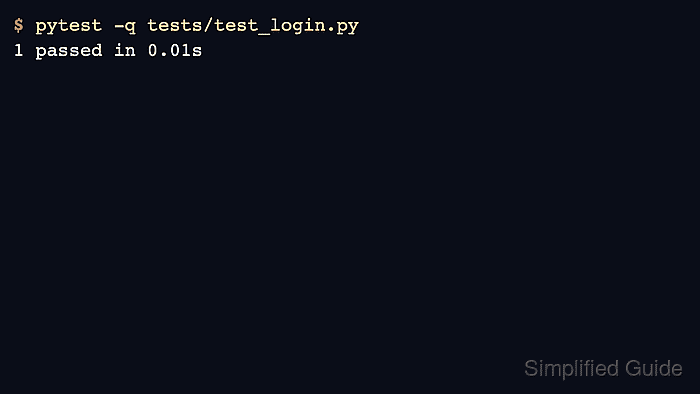
$ pytest -q tests/test_login.py
.                                                                        [100%]
1 passed in 0.01s
- Remove the temporary selector context file after the test passes.
$ rm selector-context.html

Mohd Shakir Zakaria is a cloud architect with deep roots in software development and open-source advocacy. Certified in AWS, Red Hat, VMware, ITIL, and Linux, he specializes in designing and managing robust cloud and on-premises infrastructures.


