Redmine keeps outbound notifications disabled until the running application has a mail delivery method in /config/configuration.yml. Connecting that file to an SMTP relay lets account alerts, issue updates, and test notifications leave Redmine through the organization mail service.
Current Redmine releases read outgoing mail settings from the email_delivery block for the active Rails environment. A source install commonly uses /opt/redmine/config/configuration.yml, while the official container keeps the same file at /usr/src/redmine/config/configuration.yml unless a mounted file overrides it.
Use a relay account that is allowed to send as the address configured in Administration → Settings → Email notifications. Port 587 normally uses STARTTLS, while port 25 is usually limited to trusted internal relays; keep provider passwords or app passwords out of unprotected backups and shell history.
Steps to configure Redmine SMTP email delivery:
- Open the Redmine configuration file.
$ sudoedit /opt/redmine/config/configuration.yml
Use the active application root for the deployment. In the official container, mount or edit /usr/src/redmine/config/configuration.yml instead.
- Add the production SMTP delivery settings.
production:
  email_delivery:
    delivery_method: :smtp
    smtp_settings:
      address: smtp.example.net
      port: 587
      domain: example.net
      authentication: :login
      user_name: redmine@example.net
      password: "replace-with-mailbox-password"
      enable_starttls_auto: true
For a trusted relay without login, omit authentication, user_name, and password. Use ssl: true only for providers that require implicit TLS on port 465, and use delivery_method: :sendmail only when the local mail transfer agent is already configured to deliver outbound mail for Redmine.
- Check that the YAML file parses.
$ ruby -e 'require "yaml"; YAML.load_file("/opt/redmine/config/configuration.yml"); puts "configuration.yml parsed"' configuration.yml parsed - Restart the Redmine application process.
Use the deployment's restart path, such as the systemd unit for Puma, the web server that runs Passenger, or the Redmine container service.
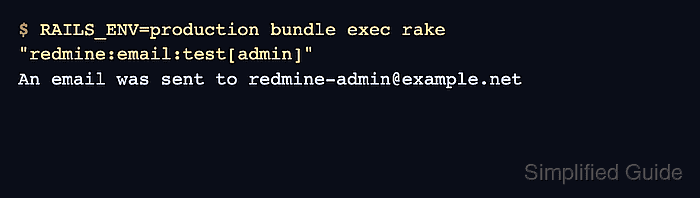
- Send a test email to a known Redmine user.
$ RAILS_ENV=production bundle exec rake "redmine:email:test[admin]"
An email was sent to redmine-admin@example.net
Run this task from the Redmine application root as the operating-system user that owns the application files.
- Confirm the mailbox or mail catcher received the test message.
From: Redmine <redmine@example.net>
To: redmine-admin@example.net
Subject: Redmine test
X-Mailer: Redmine
If Redmine reports an authentication, TLS, timeout, or recipient error, inspect /opt/redmine/log/production.log, fix the mail-provider setting named by the error, restart Redmine, and rerun the same test.
Tool: Email Header Analyzer

Mohd Shakir Zakaria is a cloud architect with deep roots in software development and open-source advocacy. Certified in AWS, Red Hat, VMware, ITIL, and Linux, he specializes in designing and managing robust cloud and on-premises infrastructures.


