Enterprise Linux uses software repositories to decide where DNF can obtain packages. The Raven repository adds a third-party package source to x86_64 systems running CentOS Stream, Red Hat Enterprise Linux, Rocky Linux or AlmaLinux.
Raven serves Enterprise Linux 8, 9 and 10 packages for x86_64, with no aarch64 repository. Older EL6 and EL7 trees are also listed on its site, but they are outside this DNF method. A root shell and access to the distribution's normal repositories are assumed.
Raven is an unofficial repository run by one maintainer and provided as is. Its packages install as root; the site disclaims warranties, and the release package warns that they may conflict with the operating system's base packages. Enabling Raven also makes its packages candidates for later DNF installations and upgrades, so adding it changes which software sources the system trusts.
Steps to install Raven repository on CentOS, Red Hat, Rocky Linux and AlmaLinux:
- Install the Raven release package for the system's Enterprise Linux major release.
# dnf install --setopt=install_weak_deps=False "https://pkgs.sysadmins.ws/el$(rpm -E %rhel)/base/x86_64/raven-release.el$(rpm -E %rhel).noarch.rpm"
##### snipped #####
Installing:
 raven-release       noarch       1.0.2-1.el9          @commandline       9.3 k
##### snipped #####
Installed:
  raven-release-1.0.2-1.el9.noarch

Complete!
The output shown is from Rocky Linux 9. The rpm -E %rhel expression selects 8, 9 or 10 for the download URL. The transaction installs repository configuration and a signing key from HTTPS; it does not upgrade the system. The install_weak_deps=False setting applies only to this transaction and omits optional recommendations, including epel-release. EPEL and CRB are not required to add Raven or resolve the package used below; other Raven packages can have additional dependencies.
The release package still prints a warning that some packages may break compatibility with base OS packages. Its repository file is /etc/yum.repos.d/raven.repo. If a later package installation offers to import the Raven key, accept only when the identity and full fingerprint match these observed values.
Importing GPG key 0x2DCD03A2:
 Userid     : "Raven <raven@sysadmins.ws>"
 Fingerprint: 3957 8A93 8FB4 A975 8428 7E7F 00BE DE30 2DCD 03A2
 From       : /etc/pki/rpm-gpg/RPM-GPG-KEY-raven
If you decide to back out, dnf remove raven-release removes the repository configuration. Removing that package does not undo packages already installed from Raven.
- Check that Raven appears in DNF's enabled repositories.
# dnf repolist --enabled
repo id                   repo name
appstream                 Rocky Linux 9 - AppStream
baseos                    Rocky Linux 9 - BaseOS
extras                    Rocky Linux 9 - Extras
raven                     Raven's RPM repo for el9-x86_64 - base
raven-multimedia          Raven's RPM repo for el9-x86_64  - multimedia
raven and raven-multimedia are enabled by default. EL8 also enables raven-modular; EL9 and EL10 leave it disabled. raven-extras and raven-testing are disabled on all three releases. All five entries use
https://pkgs.sysadmins.ws/URLs and enable package signature checks. Distribution repository names vary by system. - Confirm that DNF can find the available raven-rpm-macros package in Raven.
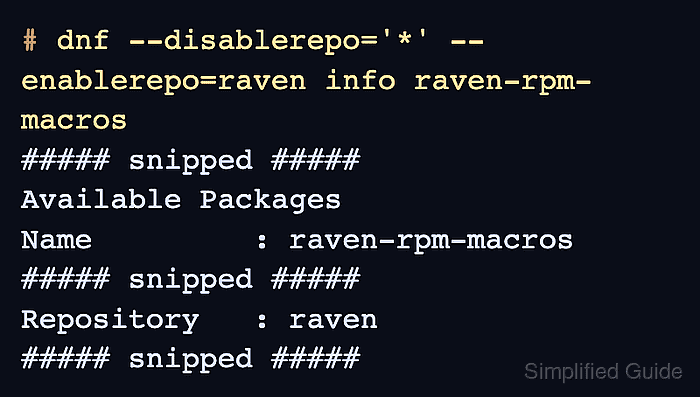
# dnf --disablerepo='*' --enablerepo=raven info raven-rpm-macros
Raven's RPM repo for el9-x86_64 - base          863 kB/s | 2.2 MB     00:02
##### snipped #####
Available Packages
Name         : raven-rpm-macros
Version      : 1.0.2
Release      : 1.el9
Architecture : noarch
Size         : 8.1 k
Source       : raven-release-1.0.2-1.el9.src.rpm
Repository   : raven
Summary      : Macros for rx- packages
##### snipped #####
Repository : raven shows that DNF retrieved package information from Raven. This lookup downloads only Raven base metadata as needed and installs no package. The repository-selection options apply to this command only; the enabled repositories remain configured. The available versions and metadata sizes change over time.