GitHub repositories often carry tagged R package releases and development builds before the same code reaches CRAN. Naming a tag during installation keeps the selected source from moving when the repository's default branch changes.
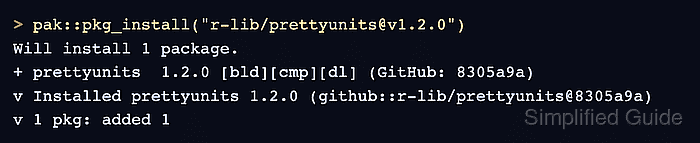
The pak package manager accepts the shorthand owner/repository@reference for a GitHub package. The reference may identify a tag, branch, or commit; the public r-lib/prettyunits@v1.2.0 tag provides a repeatable installation without requiring the reader to supply a credential.
The installed package metadata records the repository owner, requested tag, and resolved commit SHA. Loading the namespace and calling one exported function proves that R can use the package, while the metadata distinguishes this build from a package with the same version installed from another source.
Related: Install an R package from CRAN
Steps to install an R package from GitHub:
- Install the prettyunits v1.2.0 GitHub tag with pak.
> pak::pkg_install("r-lib/prettyunits@v1.2.0")

> Package library at '/usr/local/lib/R/site-library'.
> Will install 1 package.
+ prettyunits   1.2.0 [bld][cmp][dl] (GitHub: 8305a9a)
##### snipped #####
v Installed prettyunits 1.2.0 (github::r-lib/prettyunits@8305a9a) (28ms)
v 1 pkg: added 1, dld 1 (NA B) [4.3s]
>
A token written inside the repository reference or R command can be exposed through saved history. Private-repository credentials should be supplied through pak's Git credential integration outside the package reference.
- Load the installed prettyunits namespace.
> library(prettyunits)
>
- Exercise the installed package with pretty_bytes().
> prettyunits::pretty_bytes(1024)
[1] "1.02 kB"
>
- Confirm the installed prettyunits version.
> packageVersion("prettyunits") [1] '1.2.0' > - Verify the installed GitHub source against the requested repository tag.
> packageDescription("prettyunits")[c("Package", "Version", "RemoteUsername", "RemoteRepo", "RemoteRef", "RemoteSha")]
$Package
[1] "prettyunits"

$Version
[1] "1.2.0"

$RemoteUsername
[1] "r-lib"

$RemoteRepo
[1] "prettyunits"

$RemoteRef
[1] "v1.2.0"

$RemoteSha
[1] "8305a9a97d65bbbd6eb5902076bc2f3a701c43e9"

>

Mohd Shakir Zakaria is a cloud architect with deep roots in software development and open-source advocacy. Certified in AWS, Red Hat, VMware, ITIL, and Linux, he specializes in designing and managing robust cloud and on-premises infrastructures.


