An R package installation reports a 00LOCK error when another installer owns the target library or an interrupted install left its lock directory behind. A stale lock prevents the affected package, or sometimes every package in that library, from being installed even though the CRAN download succeeds.
R creates the lock before changing an installed package so concurrent installers cannot overwrite each other and a previous package version can be restored after a failure. A single-package install normally uses a name such as 00LOCK-crayon, while other install modes can lock the whole library with 00LOCK.
Delete a lock only after every R, RStudio, and build process using that library has stopped. Recovery is limited to the exact path from R's error, followed by the same CRAN installation in the same library and a namespace load that proves the package works.
Steps to fix the R package 00LOCK error:
- Run the failed package installation to expose its exact lock path.
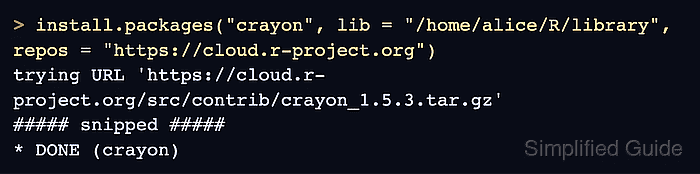
> install.packages("crayon", lib = "/home/alice/R/library", repos = "https://cloud.r-project.org") trying URL 'https://cloud.r-project.org/src/contrib/crayon_1.5.3.tar.gz' ##### snipped ##### ERROR: failed to lock directory '/home/alice/R/library' for modifying Try removing '/home/alice/R/library/00LOCK-crayon' Warning message: installation of package 'crayon' had non-zero exit status - Close every R, RStudio, and package-installation process that uses the reported library.
- Open a fresh R session after the other processes have stopped.
- Set the exact lock path reported by the failed installation.
> lock <- "/home/alice/R/library/00LOCK-crayon"
A library-wide error reports a path such as /home/alice/R/library/00LOCK instead of the package-specific example above.
- Set the affected library path from the same installation command.
> lib <- "/home/alice/R/library"
- Set the package name from the same failed installation.
> pkg <- "crayon"
- Validate that the existing lock path belongs to the selected library and matches its expected lock name.
> stopifnot(dir.exists(lock), dirname(lock) == lib, basename(lock) %in% c("00LOCK", paste0("00LOCK-", pkg)))The next command recursively deletes this directory; a wrong path can remove unrelated files from the R package library.
- Remove only the validated stale lock directory.
> unlink(lock, recursive = TRUE)
- Confirm that the selected lock directory is absent.
> dir.exists(lock)
[1] FALSE
- Retry the failed package installation in the same library.
> install.packages(pkg, lib = lib, repos = "https://cloud.r-project.org")
trying URL 'https://cloud.r-project.org/src/contrib/crayon_1.5.3.tar.gz'
##### snipped #####
* DONE (crayon)
- Load the installed package namespace from the repaired library.
> loadNamespace(pkg, lib.loc = lib)
<environment: namespace:crayon>

Mohd Shakir Zakaria is a cloud architect with deep roots in software development and open-source advocacy. Certified in AWS, Red Hat, VMware, ITIL, and Linux, he specializes in designing and managing robust cloud and on-premises infrastructures.


