API checks are easier to repeat when the requests and expected responses are stored together. The Postman CLI runs a Postman collection from disk against the target API and reports which assertions pass or fail.
A local v3 collection is a folder of YAML files that holds the collection definition and its requests. The Postman CLI can run a local HTTP collection without signing in to Postman. The target API may still require its own credentials.
A build job can use the CLI's exit status to detect a failed run. The terminal report shows what actually ran, including assertion failures on requests that received an HTTP response.
The postman command must be available in Bash.
Related: Install the Postman CLI
If run results must stay local, run the CLI with no active postman login session and no Postman API key in POSTMAN_API_KEY or passed with --postman-api-key. With credentials, the CLI may report to Postman Cloud through collection run history and API Catalog or Application Inventory events, and --no-report-events turns off event reporting.
Steps to run a Postman collection from the CLI:
- Review the methods, scripts, and effective target URLs in your local v3 collection, including the values that URL variables such as
baseUrlwill use.Use a test environment if the collection's requests or scripts can write or delete API data.
If you have a v2.1 JSON export, convert it to a local v3 folder.
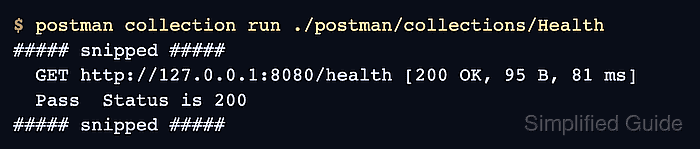
- Run the collection from the project root using your quoted collection folder path in place of
./postman/collections/Health.If the collection needs a Postman environment, add
--environmentfollowed by the quoted path to your local environment file.$ postman collection run ./postman/collections/Health ##### snipped ##### GET http://127.0.0.1:8080/health [200 OK, 95 B, 81 ms] Pass Status is 200 ##### snipped #####
- Check the run's exit status immediately in the same Bash shell.
$ printf '%s\n' "$?"
0
A request error or a failed assertion returns a nonzero status. When the health request returned
503, theStatus is 200assertion failed and that run exited with status1. - Check the terminal summary for the expected
requestsandassertionscounts underexecutedand0underfailedfor both rows.The health collection shows
1executed and0failed on both rows. An empty run can also return status0.##### snipped ##### | | executed | failed | --------------------------+--------------------+--------------------- ##### snipped ##### | requests | 1 | 0 | ##### snipped ##### | assertions | 1 | 0 | ##### snipped #####