Failed browser tests often need more than an assertion message because the page can change before anyone opens the failure report. Playwright Test can attach a browser video to a failed run so the click sequence, navigation, and visible page state remain available after the process exits.
The setting belongs in the project-level playwright.config.ts file under use. The retain-on-failure mode records video during test execution, keeps the recording for failed runs, and removes recordings from successful runs.
Use this mode when videos are needed for failed CI jobs or hard-to-reproduce local failures, but full video capture for every passing test would create too many artifacts. Videos can show signed-in pages, customer data, or tokens rendered in the UI, so store test-results/ or reporter artifacts in controlled build storage.
Related: How to record video for Playwright tests
Related: How to run Playwright tests
Steps to retain Playwright videos on failure:
- Set video to retain-on-failure in playwright.config.ts.
import { defineConfig } from '@playwright/test'; export default defineConfig({ testDir: './tests', use: { video: 'retain-on-failure' } }); - Run a test that fails under the configured project.
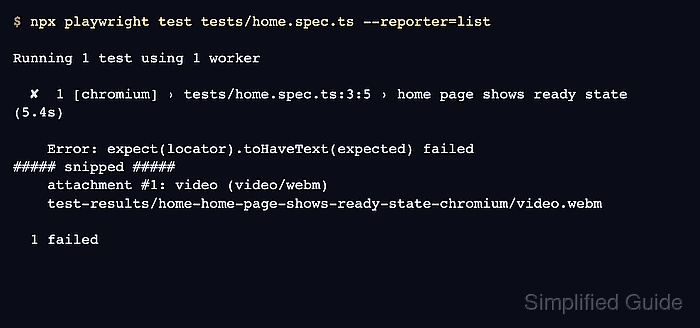
$ npx playwright test tests/home.spec.ts --reporter=list

Running 1 test using 1 worker

  ✘  1 [chromium] › tests/home.spec.ts:3:5 › home page shows ready state (5.4s)

    Error: expect(locator).toHaveText(expected) failed
##### snipped #####
    attachment #1: video (video/webm)
    test-results/home-home-page-shows-ready-state-chromium/video.webm

  1 failed
The list reporter prints the video attachment path when Playwright keeps a recording. Project names and test titles change the generated directory name.
- Check the retained video file in the test output directory.
$ find test-results -name "*.webm"
test-results/home-home-page-shows-ready-state-chromium/video.webm
Video artifacts can expose page content from the failed run. Keep retained videos in controlled CI artifacts or local failure output, not in the source repository.

Mohd Shakir Zakaria is a cloud architect with deep roots in software development and open-source advocacy. Certified in AWS, Red Hat, VMware, ITIL, and Linux, he specializes in designing and managing robust cloud and on-premises infrastructures.


