The Playwright MCP server lets an MCP client drive a browser through Playwright without starting the server as a child process. Running it as a standalone local listener fits editors, agents, and worker processes that need to connect to the same browser automation endpoint.
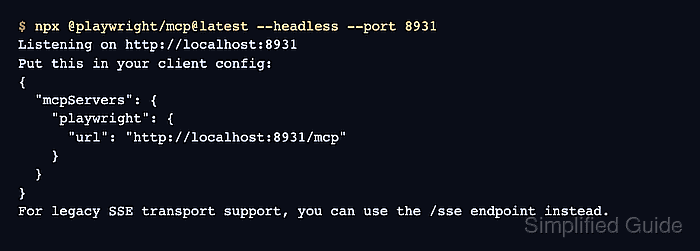
The published package runs through npx and requires Node.js 18 or newer. Starting it with a port number opens the local listener, and the startup banner prints the /mcp URL that streamable HTTP clients should use. The /sse endpoint remains available for legacy clients.
Keep the listener on localhost for normal desktop and CI-worker use. A remote bind exposes browser automation over the network and should be reserved for protected container or remote setups with an explicit access policy.
Steps to run the Playwright MCP server:
- Check that Node.js meets the server requirement.
$ node --version
v26.4.0
Playwright MCP requires Node.js 18 or newer. Install or switch Node.js before starting the server if this command prints an older major version.
- Start the standalone Playwright MCP server on a local port.
$ npx @playwright/mcp@latest --headless --port 8931
Listening on http://localhost:8931
Put this in your client config:
{
  "mcpServers": {
    "playwright": {
      "url": "http://localhost:8931/mcp"
    }
  }
}
For legacy SSE transport support, you can use the /sse endpoint instead.
Leave the terminal open while clients use the server. Add --host 0.0.0.0 only when a non-local client must connect and the network path is already protected.
- Copy the printed /mcp URL into the MCP client configuration.
- mcp-client-config.json
{
  "mcpServers": {
    "playwright": {
      "url": "http://localhost:8931/mcp"
    }
  }
}
Use localhost in the client URL unless the server was started with a different host and matching allowed-host settings. A raw browser request to /mcp can return a protocol error because MCP clients send JSON-RPC over the endpoint.
- Create a minimal initialize request in a second terminal when no MCP client is ready.
$ cat > mcp-initialize.json <<'JSON'
{
  "jsonrpc": "2.0",
  "id": 1,
  "method": "initialize",
  "params": {
    "protocolVersion": "2025-06-18",
    "capabilities": {},
    "clientInfo": {
      "name": "smoke-test",
      "version": "1.0.0"
    }
  }
}
JSON
Skip this manual probe when the real MCP client can connect and list Playwright tools.
- Send the initialize request to the local /mcp endpoint.
$ curl --silent --show-error --request POST http://localhost:8931/mcp \
  --header "Accept: application/json, text/event-stream" \
  --header "Content-Type: application/json" \
  --data @mcp-initialize.json
event: message
data: {"result":{"protocolVersion":"2025-06-18","capabilities":{"tools":{}},"serverInfo":{"name":"Playwright","version":"1.62.0-alpha-2026-06-29"}},"jsonrpc":"2.0","id":1}
A response containing "name":"Playwright" confirms that the streamable HTTP endpoint is answering MCP initialization requests.
- Remove the temporary initialize request file.
$ rm mcp-initialize.json

Mohd Shakir Zakaria is a cloud architect with deep roots in software development and open-source advocacy. Certified in AWS, Red Hat, VMware, ITIL, and Linux, he specializes in designing and managing robust cloud and on-premises infrastructures.


