Playwright tests often reach assertions before delayed browser state has finished rendering. Web-first assertions bind the expected state to a locator or page, then retry until the state appears or the assertion timeout expires.
The async matchers on Playwright's expect object include toBeVisible(), toHaveText(), toHaveURL(), and other browser-state checks. They re-resolve locators during the wait, so they fit delayed UI updates better than fixed sleeps, manual polling, or reading text into a plain value too early.
Use web-first assertions for DOM and page state, and keep non-retrying assertions for values that are already available in memory. The default assertion timeout is five seconds; raise it only for a state that can legitimately take longer, and keep the selector or expected value narrow enough to explain a timeout.
Related: How to use Playwright role locators
Related: How to set Playwright test timeout
Related: How to run specific Playwright tests
Steps to add Playwright web-first assertions:
- Open the Playwright test file that reaches the delayed state.
$ vi tests/home.spec.ts
- Import expect from Playwright Test with the test fixture.
import { test, expect } from '@playwright/test'; - Add an awaited assertion to the locator that should settle.
test('home page shows ready state', async ({ page }) => {
  await page.setContent(`
    <main>
      <p data-testid="status">Loading</p>
      <script>
        setTimeout(() => {
          document.querySelector('[data-testid="status"]').textContent = 'Playwright fixture ready';
        }, 300);
      </script>
    </main>
  `);

  await expect(page.getByTestId('status')).toHaveText('Playwright fixture ready');
});
In an application test, keep the real navigation, click, or form action before the assertion and replace fixed waits such as waitForTimeout() with the awaited matcher.
Related: How to use Playwright role locators
- Use an assertion-local timeout only when the expected state can legitimately take longer.
await expect(page.getByTestId('status')).toHaveText(
  'Playwright fixture ready',
  { timeout: 10_000 }
);
Set expect.timeout in playwright.config.ts only when most assertions in the suite need the same limit.
Related: How to set Playwright test timeout
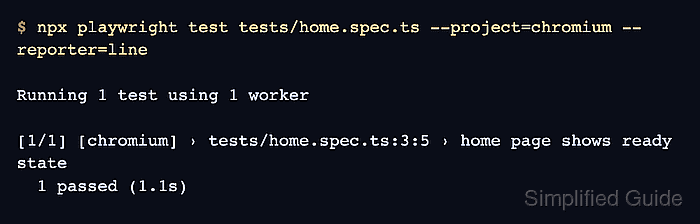
- Run the focused test in the browser project that exercises the assertion.
$ npx playwright test tests/home.spec.ts --project=chromium --reporter=line
Running 1 test using 1 worker
##### snipped #####
  1 passed (1.1s)
- Match timeout failures to the locator or expected value before increasing waits.
Error: expect(locator).toHaveText(expected) failed

Locator:  getByTestId('status')
Expected: "Playwright fixture ready"
Received: "Loading"
Timeout:  1000ms

Call log:
  - Expect "toHaveText" with timeout 1000ms
  - waiting for getByTestId('status')
  - locator resolved to <p data-testid="status">Loading</p>
  - unexpected value "Loading"
A timeout with the old text still visible usually means the app did not reach the state, the locator points at the wrong element, or the expected text is too strict for the UI copy.

Mohd Shakir Zakaria is a cloud architect with deep roots in software development and open-source advocacy. Certified in AWS, Red Hat, VMware, ITIL, and Linux, he specializes in designing and managing robust cloud and on-premises infrastructures.


