Visual changes do not always reveal when a page loses a landmark, exposes the wrong control name, or rearranges content for assistive technology. A Playwright ARIA snapshot makes those semantic changes visible as a test diff before they reach users.
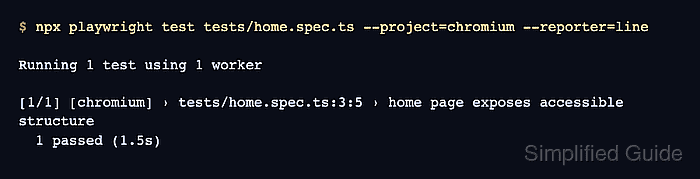
The matcher compares a YAML representation of the accessibility subtree selected by a locator. A locator scoped to main keeps the failure focused, while the default child mode allows unlisted nodes as long as the expected roles and names appear in order.
Choose roles, accessible names, and states that should remain stable across intentional UI changes. Keep click behavior, visibility, and application outcomes in targeted assertions because an ARIA snapshot checks semantic structure rather than the complete interaction.
Related: How to run Playwright tests
Related: How to use Playwright role locators
Related: How to create Playwright visual baselines
Steps to assert Playwright ARIA snapshots:
- Create the page fixture in tests/account-accessibility.spec.ts.
- tests/account-accessibility.spec.ts
import { test, expect } from '@playwright/test';

test('account navigation keeps accessible structure', async ({ page }) => {
  await page.setContent(`
    <main>
      <h1>Account overview</h1>
      <nav aria-label="Account">
        <a href="/profile">Profile</a>
      </nav>
      <button>Sign out</button>
    </main>
  `);
});
- Insert a locator-scoped ARIA snapshot assertion before the test's closing });.
  await expect(page.getByRole('main')).toMatchAriaSnapshot(`
    - main:
      - heading "Account overview" [level=1]
      - navigation "Account":
        - link "Profile":
          - /url: /profile
      - button "Log out"
  `);
The expected Log out name is deliberately different from the rendered Sign out button so the first run demonstrates a reviewable accessibility-tree failure.
- Run the test to expose the accessible-name mismatch.
$ npx playwright test tests/account-accessibility.spec.ts --reporter=line --workers=1 Running 1 test using 1 worker [1/1] tests/account-accessibility.spec.ts:3:5 › account navigation keeps accessible structure Error: expect(locator).toMatchAriaSnapshot(expected) failed Locator: getByRole('main') Timeout: 5000ms - Expected - 1 + Received + 1 - main: - heading "Account overview" [level=1] - navigation "Account": - link "Profile": - /url: /profile - - button "Log out" + - button "Sign out" ##### snipped ##### 1 failed - Replace the expected button name with Sign out in the reviewed snapshot.
- tests/account-accessibility.spec.ts
import { test, expect } from '@playwright/test';

test('account navigation keeps accessible structure', async ({ page }) => {
  await page.setContent(`
    <main>
      <h1>Account overview</h1>
      <nav aria-label="Account">
        <a href="/profile">Profile</a>
      </nav>
      <button>Sign out</button>
    </main>
  `);

  await expect(page.getByRole('main')).toMatchAriaSnapshot(`
    - main:
      - heading "Account overview" [level=1]
      - navigation "Account":
        - link "Profile":
          - /url: /profile
      - button "Sign out"
  `);
});
- Run the corrected test to confirm the selected accessibility subtree matches the reviewed snapshot.
$ npx playwright test tests/account-accessibility.spec.ts --reporter=line --workers=1

Running 1 test using 1 worker

[1/1] tests/account-accessibility.spec.ts:3:5 › account navigation keeps accessible structure
  1 passed (2.1s)

Mohd Shakir Zakaria is a cloud architect with deep roots in software development and open-source advocacy. Certified in AWS, Red Hat, VMware, ITIL, and Linux, he specializes in designing and managing robust cloud and on-premises infrastructures.


