An HTTPS connection can reach the same endpoint over HTTP/1.1 or HTTP/2, and the URL alone does not reveal which version the client will use. PHP cURL can request HTTP/2 for a transfer and report the version that the server actually negotiated.
The protocol preference belongs on the cURL handle as CURLOPT_HTTP_VERSION with CURL_HTTP_VERSION_2TLS. That value attempts HTTP/2 during TLS negotiation and permits a fallback to HTTP/1.1 when the server, proxy, or existing connection cannot use HTTP/2.
HTTP/2 availability comes from the libcurl build used by the active PHP runtime. The CURL_VERSION_HTTP2 feature bit describes build capability, while CURLINFO_HTTP_VERSION identifies the protocol negotiated for an individual transfer.
Steps to enable HTTP/2 with PHP cURL:
- Confirm the active PHP cURL build includes HTTP/2 support.
$ php -r '$v = curl_version(); printf("libcurl %s\nHTTP/2 support: %s\n", $v["version"], ($v["features"] & CURL_VERSION_HTTP2) ? "yes" : "no");'
libcurl 8.18.0
HTTP/2 support: yes
A yes result means the runtime's libcurl build can negotiate HTTP/2. A missing curl_version() function means the cURL extension is not loaded.
- Create http2-request.php with the target URL and the libcurl feature check.
- http2-request.php
<?php

$url = $argv[1] ?? 'https://nghttp2.org/httpbin/get';
$version = curl_version();

if (($version['features'] & CURL_VERSION_HTTP2) === 0) {
    fwrite(STDERR, "This PHP cURL build does not support HTTP/2.\n");
    exit(1);
}
The first command-line argument can replace the default test URL when the completed script is run.
- Enable HTTP/2 in the transfer section below the feature check.
- http2-request.php
$curl = curl_init($url);
curl_setopt_array($curl, [
    CURLOPT_RETURNTRANSFER => true,
    CURLOPT_HTTP_VERSION => CURL_HTTP_VERSION_2TLS,
    CURLOPT_TIMEOUT => 15,
]);

$body = curl_exec($curl);

if ($body === false) {
    fwrite(STDERR, 'cURL error: ' . curl_error($curl) . PHP_EOL);
    exit(1);
}
CURL_HTTP_VERSION_2TLS requests HTTP/2 for HTTPS but allows HTTP/1.1 fallback. Disabling certificate verification hides TLS failures and exposes request data to untrusted peers.
- Append the response and negotiated-protocol checks below the transfer error block.
- http2-request.php
$status = curl_getinfo($curl, CURLINFO_RESPONSE_CODE);
$httpVersion = curl_getinfo($curl, CURLINFO_HTTP_VERSION);
$protocol = $httpVersion === CURL_HTTP_VERSION_2_0 ? 'HTTP/2' : 'not HTTP/2';

echo 'HTTP status: ' . $status . PHP_EOL;
echo 'Negotiated protocol: ' . $protocol . PHP_EOL;

if ($status < 200 || $status >= 300 || $httpVersion !== CURL_HTTP_VERSION_2_0) {
    exit(1);
}
The script exits with a failure status when the response is outside the 2xx range or the transfer did not use HTTP/2.
- Run the completed script against an HTTPS endpoint that supports HTTP/2.
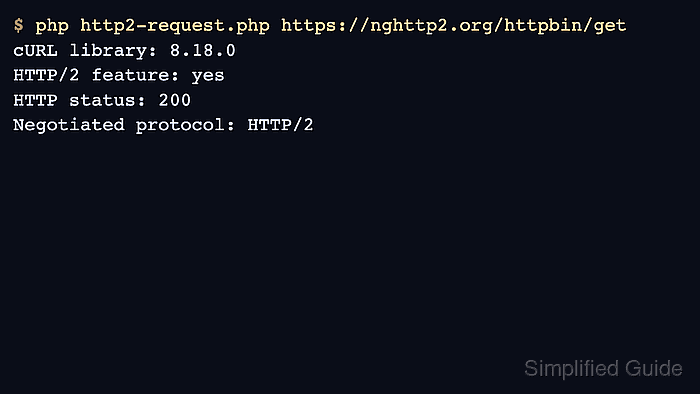
$ php http2-request.php https://nghttp2.org/httpbin/get
HTTP status: 200
Negotiated protocol: HTTP/2
Negotiated protocol: HTTP/2 proves this transfer used HTTP/2. A not HTTP/2 result indicates fallback caused by the endpoint, proxy path, or active libcurl build.
Related: How to debug PHP cURL with verbose output
Related: How to configure SSL verification in PHP cURL

Mohd Shakir Zakaria is a cloud architect with deep roots in software development and open-source advocacy. Certified in AWS, Red Hat, VMware, ITIL, and Linux, he specializes in designing and managing robust cloud and on-premises infrastructures.


