Spider requests that leave PHP with no clear User-Agent header can be blocked, misrouted, or hard to separate from anonymous traffic in server logs. Set CURLOPT_USERAGENT on the cURL handle so each crawler request identifies the application name, version, and contact URL before the transfer is executed.
PHP exposes libcurl options through curl_setopt() and curl_setopt_array(). CURLOPT_USERAGENT writes the HTTP User-Agent request header for that cURL transfer, while CURLOPT_RETURNTRANSFER keeps the response available to PHP instead of printing it directly.
Use a truthful identifier for the spider instead of copying a browser string to bypass filters. Many sites use robots policy, rate limits, and log analysis around the user agent, so include a stable product name and a contact or information URL when the crawler will request pages outside the application's own systems.
Related: Set timeouts for PHP cURL
Related: Retry PHP cURL requests
Related: Handle HTTP errors with PHP cURL
Steps to change PHP cURL spider User-Agent:
- Create a local endpoint that prints the received User-Agent header.
- echo-user-agent.php
<?php
header('Content-Type: text/plain');
echo 'Received User-Agent: ' . ($_SERVER['HTTP_USER_AGENT'] ?? 'none') . PHP_EOL;
The local endpoint gives a private proof target before the spider requests production pages.
- Start PHP's built-in server for the test endpoint in a second terminal.
$ php -S 127.0.0.1:8080 -t .
Keep this terminal open until the verification request finishes, then stop it with Ctrl+C.
- Create the spider request script with CURLOPT_USERAGENT set before curl_exec().
- spider.php
<?php
$url = $argv[1] ?? 'https://www.example.com/';
$userAgent = 'ExampleSpider/1.0 (+https://www.example.com/bot)';

$curl = curl_init($url);
curl_setopt_array($curl, [
    CURLOPT_RETURNTRANSFER => true,
    CURLOPT_USERAGENT => $userAgent,
    CURLOPT_TIMEOUT => 10,
]);

$response = curl_exec($curl);
if ($response === false) {
    fwrite(STDERR, curl_error($curl) . PHP_EOL);
    curl_close($curl);
    exit(1);
}

$status = curl_getinfo($curl, CURLINFO_HTTP_CODE);
curl_close($curl);

echo "HTTP status: {$status}" . PHP_EOL;
echo $response;
Replace ExampleSpider/1.0 and the contact URL with the spider's real name, version, and information page.
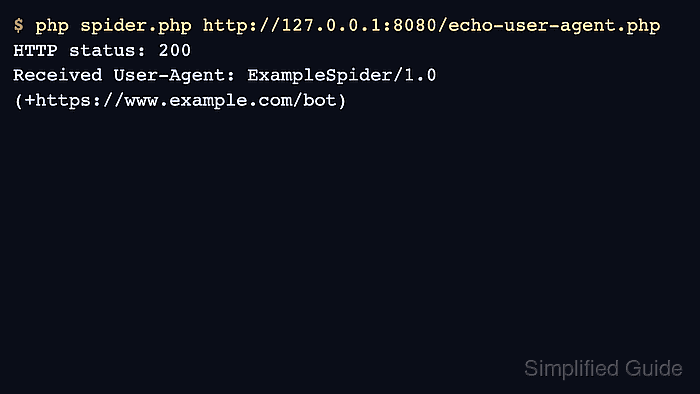
- Run the spider script against the local endpoint.
$ php spider.php http://127.0.0.1:8080/echo-user-agent.php
HTTP status: 200
Received User-Agent: ExampleSpider/1.0 (+https://www.example.com/bot)
- Use the same script against the real target after the header check passes.
$ php spider.php https://www.example.com/
Do not use a browser User-Agent string to hide automated traffic. Some sites treat misleading crawler identifiers as abusive behavior and may block the client.

Mohd Shakir Zakaria is a cloud architect with deep roots in software development and open-source advocacy. Certified in AWS, Red Hat, VMware, ITIL, and Linux, he specializes in designing and managing robust cloud and on-premises infrastructures.


