Auto-instrumenting a Kubernetes workload with the OpenTelemetry Operator adds telemetry startup settings to application pods without rebuilding the application image. It is useful when a supported .NET, Java, Node.js, Python, or Go service already runs in Kubernetes and needs traces sent to an OpenTelemetry Collector from the pod lifecycle.
The Operator reads an Instrumentation resource and mutates a workload pod template when a language-specific annotation is present. A Python workload named checkout-api in the application namespace provides a clear smoke-test target because it can send spans through OTLP/HTTP to a Collector service in the same namespace.
Create the Instrumentation resource before patching or restarting the workload. Auto-instrumentation adds init containers, volumes, environment variables, and language agent settings, so review multi-container pods and production resource limits before applying the same pattern to a busy service.
Steps to auto-instrument a Kubernetes workload with OpenTelemetry:
- Confirm the OpenTelemetry Operator custom resources are available.
$ kubectl api-resources --api-group opentelemetry.io
NAME                      SHORTNAMES   APIVERSION                    NAMESPACED   KIND
instrumentations                       opentelemetry.io/v1alpha1     true         Instrumentation
opentelemetrycollectors                opentelemetry.io/v1beta1      true         OpenTelemetryCollector
The Operator and its CRDs must exist before the workload pod can be mutated for auto-instrumentation.
Related: How to install the OpenTelemetry Operator on Kubernetes - Create a temporary Collector endpoint for the smoke test.
$ kubectl apply -n application -f - <<'EOF'
apiVersion: opentelemetry.io/v1beta1
kind: OpenTelemetryCollector
metadata:
  name: demo
spec:
  config:
    receivers:
      otlp:
        protocols:
          grpc:
            endpoint: 0.0.0.0:4317
          http:
            endpoint: 0.0.0.0:4318
    processors:
      memory_limiter:
        check_interval: 1s
        limit_percentage: 75
        spike_limit_percentage: 15
    exporters:
      debug:
        verbosity: basic
    service:
      pipelines:
        traces:
          receivers: [otlp]
          processors: [memory_limiter]
          exporters: [debug]
EOF
opentelemetrycollector.opentelemetry.io/demo created
The debug exporter prints telemetry fields to Collector logs. Use it for a short smoke test, not as a production exporter.
- Wait for the Operator-managed Collector deployment.
$ kubectl rollout status deployment/demo-collector -n application
deployment "demo-collector" successfully rolled out
- Create the Instrumentation resource that points the workload SDKs at the Collector service.
$ kubectl apply -n application -f - <<'EOF'
apiVersion: opentelemetry.io/v1alpha1
kind: Instrumentation
metadata:
  name: python-instrumentation
spec:
  exporter:
    endpoint: http://demo-collector.application.svc.cluster.local:4318
  propagators:
    - tracecontext
    - baggage
  sampler:
    type: parentbased_traceidratio
    argument: "1"
EOF
instrumentation.opentelemetry.io/python-instrumentation created
Python auto-instrumentation exports to the Collector's OTLP/HTTP listener on port 4318. Use the Collector service DNS name, not localhost, when the Collector is not inside the same pod.
- Patch the workload pod template with the Python injection annotation.
$ kubectl patch deployment checkout-api -n application --type merge -p '{
  "spec": {
    "template": {
      "metadata": {
        "annotations": {
          "instrumentation.opentelemetry.io/inject-python": "python-instrumentation",
          "instrumentation.opentelemetry.io/container-names": "web"
        }
      }
    }
  }
}'
deployment.apps/checkout-api patched
The annotation must live under spec.template.metadata.annotations so new pods inherit it. Use instrumentation.opentelemetry.io/container-names when the pod has sidecars or more than one application container.
- Wait for the workload rollout to replace old pods.
$ kubectl rollout status deployment/checkout-api -n application
Waiting for deployment "checkout-api" rollout to finish: 1 old replicas are pending termination...
deployment "checkout-api" successfully rolled out
- Check that the new pod includes the auto-instrumentation init container and SDK environment.
$ kubectl describe pod checkout-api-75bf9fdb6f-lb4nr -n application
Name:             checkout-api-75bf9fdb6f-lb4nr
Namespace:        application
Annotations:      instrumentation.opentelemetry.io/container-names: web
                  instrumentation.opentelemetry.io/inject-python: python-instrumentation
Status:           Running
##### snipped #####
Init Containers:
  opentelemetry-auto-instrumentation-python:
    State:          Terminated
      Reason:       Completed
##### snipped #####
Containers:
  web:
    Environment:
      OTEL_EXPORTER_OTLP_ENDPOINT:  http://demo-collector.application.svc.cluster.local:4318
      OTEL_SERVICE_NAME:            checkout-api
If the init container is missing, check that the Instrumentation resource existed before the new pod was created and that the injection annotation matches the workload language.
- Send one request through the workload's normal route.
$ curl -sS https://checkout.example.com/healthz
ok
Use a route that reaches the instrumented container. A pod that starts but receives no traffic may not emit a useful server span.
- Check the Collector logs for the workload span.
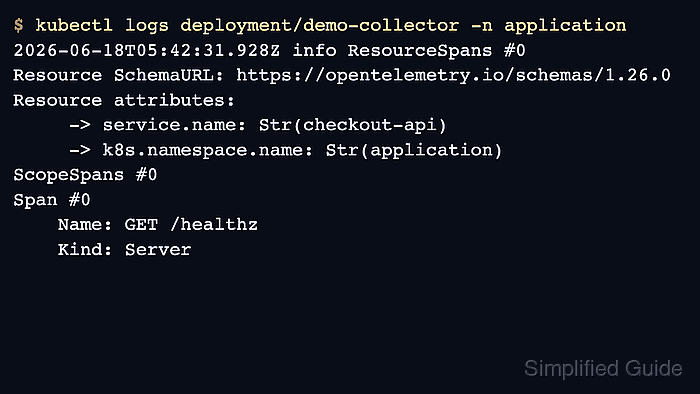
$ kubectl logs deployment/demo-collector -n application 2026-06-18T05:42:31.928Z info ResourceSpans #0 Resource SchemaURL: https://opentelemetry.io/schemas/1.26.0 Resource attributes: -> service.name: Str(checkout-api) -> k8s.namespace.name: Str(application) ScopeSpans #0 Span #0 Name: GET /healthz Kind: Server ##### snipped ##### - Replace the debug-only Collector path before production traffic uses the workload.
The debug exporter can expose span names, resource attributes, request paths, and other telemetry fields in Collector logs. Switch the Collector to the backend exporter used by the environment after the smoke test passes.

Mohd Shakir Zakaria is a cloud architect with deep roots in software development and open-source advocacy. Certified in AWS, Red Hat, VMware, ITIL, and Linux, he specializes in designing and managing robust cloud and on-premises infrastructures.


