Configuring retry and queue settings in the OpenTelemetry Collector keeps exporter delivery from failing immediately when an upstream backend returns transient errors or becomes unavailable during a short maintenance window. The settings belong on each exporter, where the Collector can buffer telemetry, retry eligible failures, and resume delivery after the backend accepts requests again.
The sending queue sits before the exporter sends a request. An in-memory queue protects against brief backend delays, while a persistent queue uses a storage extension such as file_storage so queued batches can survive a Collector restart.
Use queue size, retry intervals, and elapsed retry time that match the amount of telemetry the backend can absorb after recovery. Persistent queues need a writable local directory and enough disk space for the backlog; a full queue still drops data because the Collector cannot accept unlimited exporter backlog.
Related: How to configure an OTLP receiver in the OpenTelemetry Collector
Related: How to configure batch and memory limiter processors in the OpenTelemetry Collector
Related: How to test OpenTelemetry Collector pipelines with the debug exporter
Related: How to monitor OpenTelemetry Collector health and metrics
Steps to configure retry and queue settings in the OpenTelemetry Collector:
- Open the active Collector configuration file.
$ sudoedit /etc/otelcol/config.yaml
Packaged services commonly read /etc/otelcol/config.yaml, but the active file can be changed by a service unit, container mount, or --config argument.
- Create a writable directory for a persistent queue.
$ sudo install -d -o otelcol -g otelcol -m 0750 /var/lib/otelcol/queue
Match the owner and group to the service account that runs the Collector. Some packages use otelcol, some use otelcol-contrib, and containers usually use a mounted directory with container-local ownership.
- Add the file_storage extension, exporter retry settings, and exporter sending queue.
- /etc/otelcol/config.yaml
extensions:
  file_storage:
    directory: /var/lib/otelcol/queue
    create_directory: true

receivers:
  otlp:
    protocols:
      grpc:
        endpoint: 0.0.0.0:4317
      http:
        endpoint: 0.0.0.0:4318

processors:
  batch:
    timeout: 1s

exporters:
  otlp_http:
    endpoint: https://collector-gateway.example.net:4318
    timeout: 10s
    retry_on_failure:
      enabled: true
      initial_interval: 5s
      max_interval: 30s
      max_elapsed_time: 10m
    sending_queue:
      enabled: true
      queue_size: 5000
      storage: file_storage

service:
  extensions:
    - file_storage
  pipelines:
    traces:
      receivers:
        - otlp
      processors:
        - batch
      exporters:
        - otlp_http
    metrics:
      receivers:
        - otlp
      processors:
        - batch
      exporters:
        - otlp_http
    logs:
      receivers:
        - otlp
      processors:
        - batch
      exporters:
        - otlp_http
The otlp_http exporter, retry_on_failure block, and sending_queue block are per-exporter settings. Repeat the queue and retry block on each exporter that needs this behavior.
file_storage is available in the Collector Contrib distribution and in custom Collector builds that include the extension. If the active Collector build does not include it, omit storage: file_storage for an in-memory queue or switch to a build that includes the storage extension.
- Validate the configuration before restarting the service.
$ otelcol-contrib validate --config=/etc/otelcol/config.yaml
No output with a zero exit status means the file parsed successfully and the referenced components are available in the running Collector distribution. Use otelcol validate when the core binary owns the service instead of otelcol-contrib.
- Restart the service that owns the active Collector process.
$ sudo systemctl restart otelcol-contrib
For the core package, the unit may be otelcol. For containers, recreate the container or rollout the workload with the updated mounted configuration file.
- Confirm the persistent queue initialized.
$ journalctl -u otelcol-contrib --since "5 minutes ago"
Jun 18 06:36:54 host otelcol-contrib[1234]: Extension started. component=file_storage
Jun 18 06:36:54 host otelcol-contrib[1234]: Initializing new persistent queue component=otlp_http signal=logs
Jun 18 06:36:54 host otelcol-contrib[1234]: Everything is ready. Begin running and processing data.
The startup log should show the storage extension and a queue for each signal exported through otlp_http.
- Watch the exporter during a controlled backend outage or maintenance window.
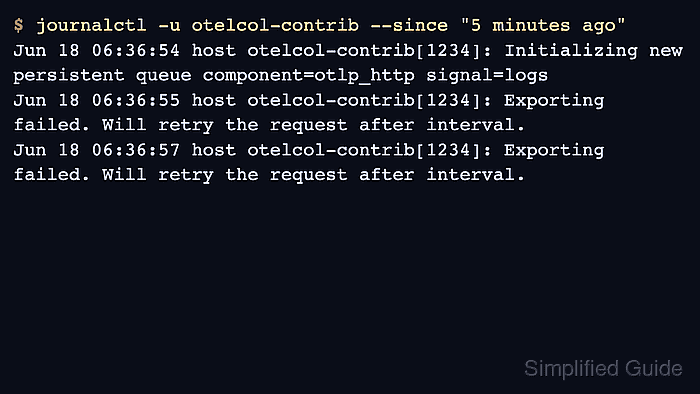
$ journalctl -u otelcol-contrib --since "5 minutes ago"
Jun 18 06:36:55 host otelcol-contrib[1234]: Exporting failed. Will retry the request after interval. error="request to https://collector-gateway.example.net:4318/v1/logs responded with HTTP Status Code 503"
Jun 18 06:36:57 host otelcol-contrib[1234]: Exporting failed. Will retry the request after interval. error="request to https://collector-gateway.example.net:4318/v1/logs responded with HTTP Status Code 503"
Retry messages should stop after the backend recovers and accepts queued batches. If they continue until max_elapsed_time is reached, the backend is still failing or the exporter configuration points at the wrong endpoint.
- Confirm the recovered backend accepted a retried batch.
$ cat retry-backend-requests.jsonl
{"path": "/v1/logs", "status": 503, "request": 1, "body_bytes": 100}
{"path": "/v1/logs", "status": 503, "request": 2, "body_bytes": 100}
{"path": "/v1/logs", "status": 200, "request": 3, "body_bytes": 100}
The first two attempts were retryable failures, and the third request was the same queued batch accepted after recovery. In production, confirm the matching signal in the destination backend or through Collector exporter queue metrics.
Related: How to monitor OpenTelemetry Collector health and metrics

Mohd Shakir Zakaria is a cloud architect with deep roots in software development and open-source advocacy. Certified in AWS, Red Hat, VMware, ITIL, and Linux, he specializes in designing and managing robust cloud and on-premises infrastructures.


