Public keys are the shareable half of a private-key pair, used by certificate portals, verification systems, and teammates that need to compare identity without receiving secret material. OpenSSL can derive that public half from an existing private key and write it as a separate .pem file.
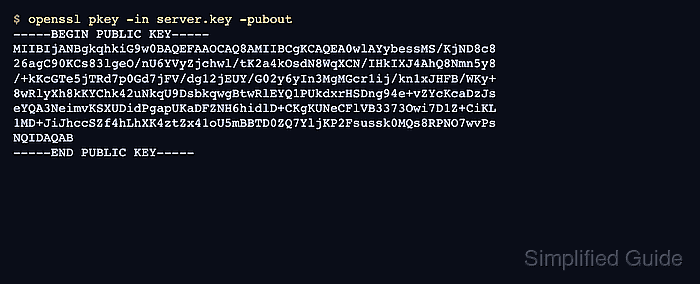
The openssl pkey command reads private keys by default. Adding -pubout changes the output to the public components, while -out writes those components to a separate file instead of printing them to the terminal.
Start from a private key that OpenSSL can parse, and keep the source and output paths distinct. The public key can be shared where public key material is expected, but the original private key should remain protected and should still parse after extraction.
Steps to extract a public key using OpenSSL:
- Open the private-key directory.
$ cd ~/tls-keys
- Check that OpenSSL can parse the source private key.
$ openssl pkey -in server.key -check -noout
Key is valid
If the key is encrypted, OpenSSL prompts for its passphrase. For unattended runs, use a protected passphrase source such as -passin file:key.pass instead of putting the passphrase text in shell history.
- Write the public key to a separate .pem file.
$ openssl pkey -in server.key -pubout -out server-public.pem
Do not reuse the private-key path as the -out value. OpenSSL truncates the output file before writing, so using server.key as the output path can replace the private key with public-key content.
- Validate the extracted public key.
$ openssl pkey -pubin -in server-public.pem -pubcheck -noout
Key is valid
-pubin tells OpenSSL to read server-public.pem as a public key. Without it, openssl pkey expects private-key input.
- Inspect the public-key details when a receiving system asks for the key type or size.
$ openssl pkey -pubin -in server-public.pem -text_pub -noout
Public-Key: (2048 bit)
Modulus:
    00:d4:fd:c1:29:a8:9c:08:e0:3f:ef:1a:3f:66:9d:
    dd:35:ba:6d:b8:56:76:29:d6:5f:ab:7c:e4:fe:a5:
##### snipped
Exponent: 65537 (0x10001)
RSA keys show a modulus and exponent. Elliptic-curve keys show curve and point details instead.
- Confirm the private key still parses after extraction.
$ openssl pkey -in server.key -check -noout
Key is valid
Keep server.key private. Only server-public.pem is appropriate to share or paste into a public-key field.

Mohd Shakir Zakaria is a cloud architect with deep roots in software development and open-source advocacy. Certified in AWS, Red Hat, VMware, ITIL, and Linux, he specializes in designing and managing robust cloud and on-premises infrastructures.


