Sorting is often the boundary between raw measurements and the rankings or threshold views built from them. A two-dimensional NumPy array can be ordered within rows, down columns, or across all values, so the chosen axis has to match the question the result will answer.
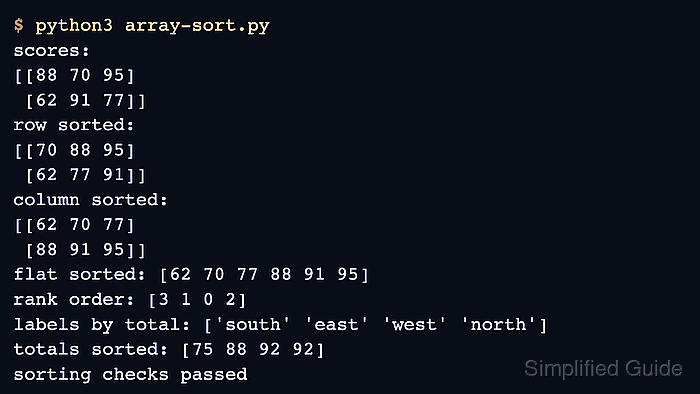
The np.sort() function returns a new array, which leaves the original order available for comparison. axis=1 sorts each row, axis=0 sorts down each column, and axis=None flattens the input before sorting.
Values that share a second array, such as labels, timestamps, or IDs, need indirect sorting. np.argsort() returns positions rather than values; a stable sort preserves the original order of equal keys while those positions reorder every matching array.
Related: Index and slice arrays
Related: Check view or copy state
Related: Find unique values
Steps to sort a NumPy array:
- Create array-sort.py with the score matrix, ranking totals, matching labels, and an untouched comparison copy.
- array-sort.py
import numpy as np

scores = np.array(
    [
        [88, 70, 95],
        [62, 91, 77],
    ]
)
labels = np.array(["west", "east", "north", "south"])
totals = np.array([92, 88, 92, 75])
original_scores = scores.copy()
- Append the row, column, and flattened copy-returning sorts below the input arrays.
row_sorted = np.sort(scores, axis=1)
column_sorted = np.sort(scores, axis=0)
flat_sorted = np.sort(scores, axis=None)
axis=1 sorts values within each row, axis=0 sorts values within each column, and axis=None returns one flattened result. The original scores array remains unchanged.
- Append stable ranking indices below the copy-returning sorts.
rank_order = np.argsort(totals, kind="stable")
labels_by_total = labels[rank_order]
totals_sorted = totals[rank_order]
The two 92 totals keep their input order, so west remains before north after indirect sorting.
- Append result output below the ranking indices.
print("scores:")
print(scores)
print("row sorted:")
print(row_sorted)
print("column sorted:")
print(column_sorted)
print("flat sorted:", flat_sorted)
print("rank order:", rank_order)
print("labels by total:", labels_by_total)
print("totals sorted:", totals_sorted)
- Append fail-capable array comparisons below the output statements.
np.testing.assert_array_equal(scores, original_scores)
np.testing.assert_array_equal(row_sorted, [[70, 88, 95], [62, 77, 91]])
np.testing.assert_array_equal(column_sorted, [[62, 70, 77], [88, 91, 95]])
np.testing.assert_array_equal(flat_sorted, [62, 70, 77, 88, 91, 95])
np.testing.assert_array_equal(labels_by_total, ["south", "east", "west", "north"])
np.testing.assert_array_equal(totals_sorted, [75, 88, 92, 92])

print("sorting checks passed")
A mismatched result raises an AssertionError before the success line appears.
- Run the completed array-sort.py script.
$ python3 array-sort.py
scores:
[[88 70 95]
 [62 91 77]]
row sorted:
[[70 88 95]
 [62 77 91]]
column sorted:
[[62 70 77]
 [88 91 95]]
flat sorted: [62 70 77 88 91 95]
rank order: [3 1 0 2]
labels by total: ['south' 'east' 'west' 'north']
totals sorted: [75 88 92 92]
sorting checks passed

Mohd Shakir Zakaria is a cloud architect with deep roots in software development and open-source advocacy. Certified in AWS, Red Hat, VMware, ITIL, and Linux, he specializes in designing and managing robust cloud and on-premises infrastructures.


