Small HTTP endpoints often begin before a project needs routing, middleware, or a framework dependency. The built-in node:http module is enough to establish the request-and-response boundary and return a predictable local result.
Every request listener receives an incoming request object and a response object. The handler can inspect the method and URL, set the status and content type, and finish the response without installing another package.
The listener uses 127.0.0.1:3000 so only programs on the same machine can reach it. Exposing a Node.js process to other hosts also requires deliberate network controls, production process management, and application hardening beyond this local server.
Steps to create an HTTP server in Node.js:
- Create server.js with the built-in HTTP import and loopback listener settings.
- server.js
const http = require("node:http");

const host = "127.0.0.1";
const port = 3000;
- Add the request handler below the listener settings in server.js.
function handleRequest(request, response) {
  response.setHeader("Content-Type", "text/plain; charset=utf-8");

  if (request.method === "GET" && request.url === "/") {
    response.statusCode = 200;
    response.end("Node HTTP server ready\n");
    return;
  }

  response.statusCode = 404;
  response.end("Not found\n");
}
The fallback response gives every unsupported method or path an explicit 404 result instead of silently returning the root content.
- Append the server construction and startup callback below handleRequest().
const server = http.createServer(handleRequest);

server.listen(port, host, () => {
  console.log(`Server listening at http://${host}:${port}/`);
});
- Verify server.js matches the completed file.
- server.js
const http = require("node:http");

const host = "127.0.0.1";
const port = 3000;

function handleRequest(request, response) {
  response.setHeader("Content-Type", "text/plain; charset=utf-8");

  if (request.method === "GET" && request.url === "/") {
    response.statusCode = 200;
    response.end("Node HTTP server ready\n");
    return;
  }

  response.statusCode = 404;
  response.end("Not found\n");
}

const server = http.createServer(handleRequest);

server.listen(port, host, () => {
  console.log(`Server listening at http://${host}:${port}/`);
});
- Start the HTTP server from the directory containing server.js.
$ node server.js
Server listening at http://127.0.0.1:3000/
The running Node.js process keeps the listener available for the request checks.
- Open a second terminal for the HTTP requests while node server.js remains running in the first terminal.
- Request an unknown path to confirm the fallback response returns 404.
$ curl -sS -i http://127.0.0.1:3000/missing
HTTP/1.1 404 Not Found
Content-Type: text/plain; charset=utf-8
##### snipped #####

Not found
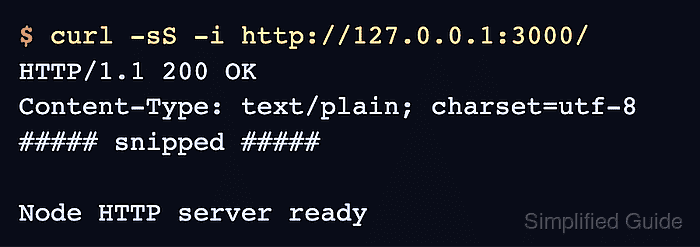
- Request the root path to confirm the server returns 200 and the expected response body.
$ curl -sS -i http://127.0.0.1:3000/
HTTP/1.1 200 OK
Content-Type: text/plain; charset=utf-8
##### snipped #####

Node HTTP server ready