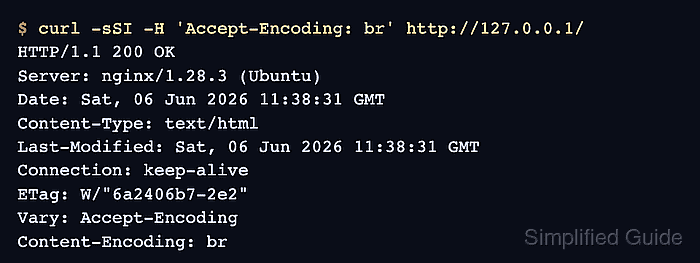
Configuration alone does not prove that Brotli is working in Nginx. A client request that advertises Accept-Encoding: br should receive a text response with Content-Encoding: br; otherwise the module may be missing, the response may be too small, or the MIME type may be outside the Brotli list.
When a request advertises Accept-Encoding: br, the ngx_brotli filter module can compress eligible responses on the fly. The static module is separate; it serves precompressed /file.br/ assets when those files exist and brotli_static on is enabled.
Current Debian and Ubuntu packages ship Brotli as dynamic Nginx modules instead of built-in core directives. Installing the packaged modules creates load stubs under /etc/nginx/modules-enabled/, so packaged builds usually do not need manual load_module lines. Keep compression levels moderate, add Vary: Accept-Encoding for cache-safe variants, and verify a real text URL after reloading.
Related: How to improve Nginx performance
Related: How to enable gzip compression in Nginx
Steps to enable Brotli compression in Nginx:
- Install the Brotli dynamic modules from the distro packages.
$ sudo apt update
$ sudo apt install --assume-yes libnginx-mod-http-brotli-filter libnginx-mod-http-brotli-static
Current Debian and Ubuntu packages place /usr/lib/nginx/modules/ngx_http_brotli_filter_module.so/ and /usr/lib/nginx/modules/ngx_http_brotli_static_module.so/ on disk, then create /etc/nginx/modules-enabled/50-mod-http-brotli-filter.conf/ and /etc/nginx/modules-enabled/50-mod-http-brotli-static.conf/ so the modules load automatically.
Install only the filter package if you want on-the-fly Brotli but do not plan to serve precompressed /file.br/ assets.
- Add Brotli directives inside the http block of /etc/nginx/nginx.conf or an included file loaded from that block.
http {
    brotli on;
    brotli_comp_level 5;
    brotli_min_length 256;
    brotli_static on;
    brotli_types text/plain text/css text/javascript application/javascript application/json application/xml text/xml application/rss+xml application/atom+xml image/svg+xml;
    add_header Vary "Accept-Encoding" always;
    ##### snipped #####
}
text/html is compressed by default; brotli_types adds additional MIME types.
If another layer already sets Vary for values such as Origin, keep those values and include Accept-Encoding so shared caches separate compressed and uncompressed variants.
If a child server or location block defines any add_header directive, repeat the Vary header there because lower-level add_header directives stop inheriting the parent header set.
brotli_static on serves precompressed /file.br/ siblings when they exist. If you did not install the static module or do not generate precompressed assets, leave that directive out.
- Test the Nginx configuration for syntax errors before reloading the service.
$ sudo nginx -t
nginx: the configuration file /etc/nginx/nginx.conf syntax is ok
nginx: configuration file /etc/nginx/nginx.conf test is successful
If unknown directive "brotli" appears, the Brotli module is not loaded by the current build or the package install did not match the installed Nginx variant.
Related: How to test Nginx configuration
- Reload Nginx so the updated compression settings take effect.
$ sudo systemctl reload nginx
Use sudo nginx -s reload when the daemon is running without systemd, such as in some containers or hand-started test environments.
Related: How to manage the Nginx service
- Confirm that a text response is actually served with Brotli compression.
$ curl -sSI -H 'Accept-Encoding: br' http://127.0.0.1/
HTTP/1.1 200 OK
Server: nginx/1.28.3 (Ubuntu)
Date: Sat, 06 Jun 2026 11:38:31 GMT
Content-Type: text/html
Last-Modified: Sat, 06 Jun 2026 11:38:31 GMT
Connection: keep-alive
ETag: W/"6a2406b7-2e2"
Vary: Accept-Encoding
Content-Encoding: br
If Content-Encoding: br is missing, test a text URL that matches the active server block. Brotli will not be used for binary assets, responses smaller than brotli_min_length, or content types outside brotli_types.
If the target uses name-based virtual hosts, add -H 'Host: example.com' to the curl command and replace example.com with the server name for that block.
Tool: Gzip Compression Checker

Mohd Shakir Zakaria is a cloud architect with deep roots in software development and open-source advocacy. Certified in AWS, Red Hat, VMware, ITIL, and Linux, he specializes in designing and managing robust cloud and on-premises infrastructures.


