Linux database and table names can distinguish objects by lettercase. MySQL or MariaDB table-name case rules change through a fresh instance initialized with the required lower_case_table_names value, followed by logical restoration.
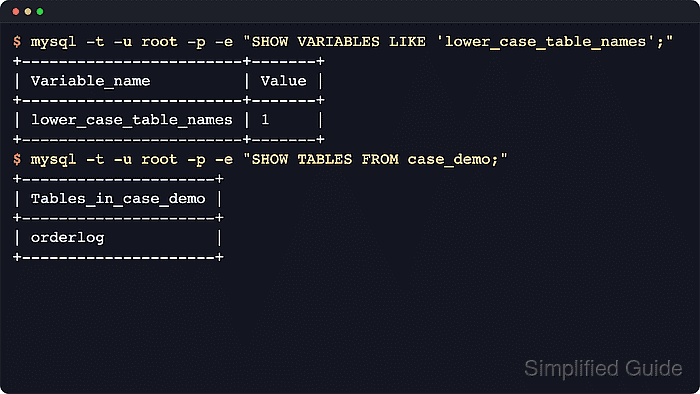
On a case-sensitive Linux filesystem, 0 preserves database and table names and makes their lookup case-sensitive; 1 stores those names in lowercase and makes lookup case-insensitive. This setting does not change how text values compare inside columns, which depends on their collations. A consistent identifier spelling still matters inside queries, views, and stored routines.
The database stays offline from the service stop until the backup is restored, and the disk needs room for a second copy of the data. The old data directory stays on disk under a new name, so the original server can be put back if the restore fails. File paths and service names follow the Ubuntu and Debian packages.
Steps to change MySQL or MariaDB table name case sensitivity on Linux:
- Check the current setting and data directory.
$ sudo mariadb -e "SELECT @@lower_case_table_names, @@datadir;"
+--------------------------+-------------------+
| @@lower_case_table_names | @@datadir         |
+--------------------------+-------------------+
|                        0 | /var/lib/mariadb/ |
+--------------------------+-------------------+
On MySQL, the commands are mysql and mysqldump instead of mariadb and mariadb-dump, the service is mysql, and the data directory is /var/lib/mysql/, as on older MariaDB packages. An administrator with a password connects with mariadb --user=root --password instead of sudo mariadb, except for the restore, which uses sudo mariadb because the new root account has no password yet. A server already using the wanted value needs no change.
- List table names that would collide when changing to 1.
$ sudo mariadb -e "SELECT LOWER(table_schema) AS db, LOWER(table_name) AS name, COUNT(*) AS copies
FROM information_schema.tables GROUP BY db, name HAVING copies > 1;"
No output means no collisions. A listed name is two tables that differ only by lettercase, and the restore keeps only one of them, so one needs a new name first. Databases such as Sales and sales merge into one in the same way, even with different tables, and they show up in SHOW DATABASES.
- Stop the applications that write to the database.
Anything written after the backup is missing from the restored server.
- Back up every database and user account.
$ sudo mariadb-dump --all-databases --routines --events > ~/all-databases.sql
The file holds password hashes as well as data, so it belongs in a private directory. To leave this server untouched, copy the file to a new server running the same version and continue there.
- Confirm that the backup finished.
$ tail -n 1 ~/all-databases.sql
-- Dump completed on 2026-11-06  0:43:43
Any other last line means the dump stopped early. Do not continue without a complete backup, because the next steps take the data out of service.
- Stop the database service.
$ sudo systemctl stop mariadb
- Move the old data directory out of the way.
$ sudo mv /var/lib/mariadb /var/lib/mariadb-before-case
This directory is the way back. With the service stopped and the new option file removed, moving the new directory aside and moving this one back to its original path restores the original server, so it stays useful until the applications have run normally.
- Set the new value in a server option file.
$ sudoedit /etc/mysql/conf.d/99-case-sensitivity.cnf
[mysqld]
lower_case_table_names = 1
A change back to case-sensitive names uses 0. Names already stored in lowercase stay lowercase, so applications, views, and triggers must use that spelling or they fail with a missing-table error. Value 2 needs a case-insensitive filesystem, so it does not suit a normal Linux server. Red Hat family packages read /etc/my.cnf.d/ instead.
- Create an empty data directory.
$ sudo install --directory --owner=mysql --group=mysql --mode=0700 /var/lib/mariadb
The database server cannot create this directory itself on Ubuntu.
- Initialize the new data directory with that setting.
$ sudo -u mysql mariadb-install-db --skip-test-db
For MySQL, the initialization command is:
$ sudo mysqld --initialize-insecure --user=mysql
A MySQL server initialized this way has a root account with no password until the restore brings back the original accounts.
- Start the database service.
$ sudo systemctl start mariadb
- Restore the backup.
$ sudo mariadb < ~/all-databases.sql
Any error means the restore is incomplete, so the applications must stay stopped. The backup and the old data directory are both still available.
- Restart the service to load the restored user accounts.
$ sudo systemctl restart mariadb
- Confirm the new setting.
$ sudo mariadb -e "SELECT @@lower_case_table_names, @@datadir;"
+--------------------------+-------------------+
| @@lower_case_table_names | @@datadir         |
+--------------------------+-------------------+
|                        1 | /var/lib/mariadb/ |
+--------------------------+-------------------+
- Query a restored table with different lettercase.
$ sudo mariadb -e "SHOW TABLES FROM appdb; SELECT COUNT(*) AS row_count FROM appdb.ORDERLOG;"
+-----------------+
| Tables_in_appdb |
+-----------------+
| auditlog        |
| orderlog        |
| recentorders    |
+-----------------+
+-----------+
| row_count |
+-----------+
|         3 |
+-----------+
appdb and ORDERLOG stand for a real database and table. With 0, the query needs the exact stored spelling and any other lettercase fails with a missing-table error.
- Start the applications again.