Server-side imports and exports in MySQL or MariaDB can only use the directory named by secure_file_priv. Setting a new directory in a server option file moves that allowed location, and on MySQL it also turns file access back on when the value is NULL.
The setting is read once at startup, so SET GLOBAL refuses it with a read-only error and the change has to go in an option file. A directory value restricts LOAD DATA INFILE, SELECT … INTO OUTFILE and LOAD_FILE() to that path, while an empty value lifts the restriction and lets those statements reach any path the service can access.
The change needs a service restart, which drops every open database connection, so pick a quiet moment on a busy server. A value pointing at a missing directory stops the server from starting. /var/lib/mysql-files is used here because AppArmor and systemd rules on common packages can block a directory elsewhere, especially under /home.
Steps to change the secure-file-priv directory in MySQL or MariaDB:
- Create the directory on the database server.
$ sudo mkdir -p -m 750 /var/lib/mysql-files
Mode 750 keeps other local users out of imported and exported data.
- Give the database service account ownership of the directory.
$ sudo chown mysql:mysql /var/lib/mysql-files
- Open a new option file in the server’s configuration directory.
$ sudoedit /etc/mysql/conf.d/secure-file-priv.cnf
On RHEL-family systems, edit /etc/my.cnf instead. If secure-file-priv is already set in a loaded file, change the value there rather than adding a second one.
- Enter the following setting in the file.
[mysqld]
secure-file-priv=/var/lib/mysql-files
- Save the file.
- Restart the database service to apply the setting.
The restart drops every open connection. If the service does not come back, undo the change and restart again to return to the previous value.
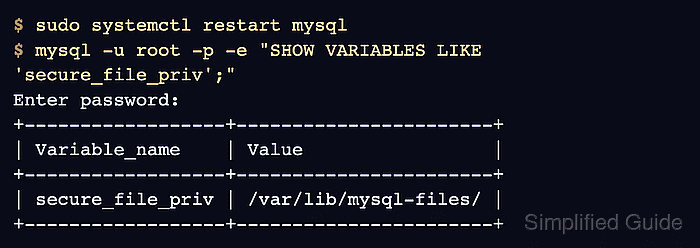
$ sudo systemctl restart mysql
On MariaDB, use sudo systemctl restart mariadb. MySQL RPM packages use the mysqld unit.
- Confirm that the running server reports the new directory.
$ mysql -u root -p -e "SHOW VARIABLES LIKE 'secure_file_priv';"
Enter password:
+------------------+-----------------------+
| Variable_name    | Value                 |
+------------------+-----------------------+
| secure_file_priv | /var/lib/mysql-files/ |
+------------------+-----------------------+
On MariaDB, use mariadb instead of mysql, and log in with the account you normally use if it is not root. A default Ubuntu install signs root in through its socket, so use sudo mysql there. A different value means another option file is still setting it.