A Mastodon server needs at least one privileged local account before instance settings, moderation queues, roles, and recovery tasks can be managed from the administration area. Browser registrations are normally not the path for the first operator account, so the server-side tootctl command creates the account directly against the production application.
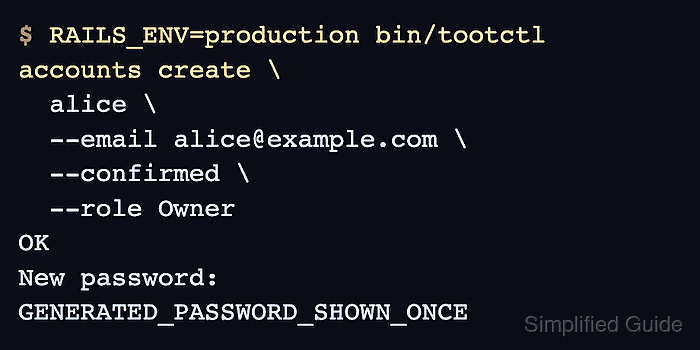
tootctl runs from the Mastodon application directory and needs RAILS_ENV=production on production servers. Mastodon 4.0 and later use named roles rather than the old hard-coded admin value, and the default role names Owner, Admin, and Moderator are case-sensitive.
Use Owner for the first server owner or emergency recovery account because it has all permission flags. Use Admin only when the account should administer the instance without the Owner role's ability to outrank every other role. The create command prints a generated password once, so capture it in a password manager before closing the terminal.
Related: How to install Mastodon from source
Related: How to install Mastodon with Docker
Steps to create a Mastodon admin user with tootctl:
- Open a shell as the Mastodon system user.
$ sudo -iu mastodon
- Change to the Mastodon application directory.
$ cd /home/mastodon/live
tootctl is the executable under the Mastodon bin directory. For Docker-based deployments, run the same tootctl subcommands inside the Mastodon web container instead of the host checkout.
- Create the confirmed Owner account.
$ RAILS_ENV=production bin/tootctl accounts create \
  alice \
  --email alice@example.com \
  --confirmed \
  --role Owner
OK
New password: GENERATED_PASSWORD_SHOWN_ONCE
--force can delete an existing account with the same username when used with --reattach. Do not add it unless a deliberate deleted-account recovery is in progress.
- Store the generated password before leaving the terminal.
The real password is a random string printed only by the create command. Treat the terminal scrollback as sensitive until the password has been saved and replaced.
- Approve the new account.
$ RAILS_ENV=production bin/tootctl accounts modify alice --approve
OK
Approval is needed when account approval mode is active. Running it for the new admin account keeps the setup path aligned with Mastodon's first-instance setup guidance.
- Confirm the saved role, confirmation, and approval state.
$ RAILS_ENV=production bin/rails runner 'user = User.find_by!(email: "alice@example.com"); puts "#{user.account.username} #{user.confirmed?} #{user.approved?} #{user.role.name}"' alice true true Owner - Sign in as alice and open the administration area.
https://social.example.com/auth/sign_in
The Preferences → Administration menu should be visible after login. Change the generated password before using the account for routine administration.

Mohd Shakir Zakaria is a cloud architect with deep roots in software development and open-source advocacy. Certified in AWS, Red Hat, VMware, ITIL, and Linux, he specializes in designing and managing robust cloud and on-premises infrastructures.


