GGUF models need an inference runtime as well as a model file. On Linux ARM64, LM Studio's lms CLI selects an installed runtime for subsequent model loads without opening the desktop app.
Runtime builds depend on the operating system, processor, and GPU support. The compatible download catalog filters those choices for the local machine; a native CPU runtime suits a headless Linux ARM64 host without an NVIDIA GPU.
The local LM Studio service must be running, with lms available under the account that owns its runtimes. A downloaded, unloaded GGUF model provides a way to check a new load after selection; changing the selected runtime does not require deleting model files.
Steps to select an LM Studio runtime from the CLI:
- List the installed inference runtimes. Example output:
$ lms runtime ls
LLM ENGINE                                    SELECTED    MODEL FORMAT
llama.cpp-linux-arm64@2.66.0                     ✓            GGUF
llama.cpp-linux-arm64-nvidia-cuda13@2.66.0                    GGUF
The check mark identifies the selected engine for that model format. A bundled CUDA runtime can appear in the installed list even on a CPU-only machine. On a headless Linux host without lms, LM Studio's llmster setup supplies the CLI; lms daemon up starts its local service.
- Query the compatible llama.cpp runtime downloads. Example output:
$ lms runtime get llama.cpp --list
NAME                     LATEST LOCAL    AVAILABLE
llama.cpp-linux-arm64    2.66.0          2.73.0       update available
–list queries the catalog without downloading. The available versions change over time. This Linux ARM64 host offers llama.cpp-linux-arm64; other systems can return different runtime names.
- Download an available runtime version in place of 2.73.0. Example output:
$ lms runtime get llama.cpp@2.73.0 --yes
Download llama.cpp-linux-arm64@2.73.0...
##### snipped #####
Installing runtime... (this might take a while)
Runtime installed.
Select the runtime using:

  lms runtime select llama.cpp-linux-arm64@2.73.0
@2.73.0 requests that version, and –yes accepts the first matching compatible build. The native ARM64 CPU build is the single match here. The download can also select the new runtime automatically.
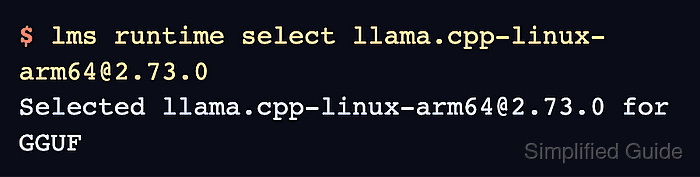
- Select the installed runtime using its versioned engine name from lms runtime ls. Example output:
$ lms runtime select llama.cpp-linux-arm64@2.73.0
Selected llama.cpp-linux-arm64@2.73.0 for GGUF
The full name includes the platform and @version. An Already selected response means that version is already active for GGUF.
Related: Runtime CLI reference - Check that the chosen runtime has the SELECTED check mark. Example output:
$ lms runtime ls
LLM ENGINE                                    SELECTED    MODEL FORMAT
llama.cpp-linux-arm64@2.73.0                     ✓            GGUF
llama.cpp-linux-arm64@2.66.0                                  GGUF
llama.cpp-linux-arm64-nvidia-cuda13@2.66.0                    GGUF
A runtime merely appearing in this list does not mean it is selected. The check mark must be beside the version chosen for the model's format.
- Find the key of a downloaded GGUF model for a fresh load. Example output:
$ lms ls --llm

You have 1 models, taking up 491.40 MB of disk space.

LLM                      PARAMS    ARCH     SIZE         DEVICE
qwen2.5-0.5b-instruct    630M      Qwen2    491.40 MB    Local
If the inventory is empty, lms get downloads a model first. A small model such as Qwen2.5 0.5B Instruct in Q4_K_M quantization fits a modest CPU host.
- Load your GGUF model using its key in place of qwen2.5-0.5b-instruct. Example output:
$ lms load qwen2.5-0.5b-instruct --gpu off \
  --context-length 2048 --identifier runtime-check
##### snipped #####
Model loaded successfully in 605.00ms.
(468.64 MiB)
To use the model in the API/SDK, use the identifier "runtime-check".
–gpu off uses the CPU, 2048 limits the context length, and runtime-check names this loaded instance. On Debian and Ubuntu, CPU loading also requires libgomp1. Loading time and memory use vary. This check requires an unloaded model and an unused identifier, because an existing instance does not test a new runtime load.
- Confirm that runtime-check appears in the loaded-model list. Example output:
$ lms ps

IDENTIFIER       MODEL                    STATUS    SIZE         CONTEXT    PARALLEL    LOAD CONFIG    DEVICE    TTL
runtime-check    qwen2.5-0.5b-instruct    IDLE      491.40 MB    2048       4           LM Studio      Local
The selected runtime's check mark and this successful new load confirm that the runtime is selected and usable for the GGUF model. A missing runtime-check row or a load error leaves that check incomplete.