GPU support in llama.cpp depends on both the compiled backend and the device driver. On Ubuntu 26.04 LTS, a source build with Vulkan produces llama-cli and llama-server binaries that can discover compatible devices through the Vulkan loader.
Vulkan provides a common backend for supported GPUs, including AMD and Intel devices, without requiring the CUDA toolkit. Ubuntu's distribution packages supply the development headers, shader compiler, and Mesa drivers, so a separate LunarG Vulkan SDK is unnecessary for this build method.
Mesa also supplies lavapipe, a software Vulkan implementation that can appear as llvmpipe in device listings. It runs on the CPU and does not demonstrate physical GPU acceleration. Device enumeration needs no model file and does not start a listening server.
Steps to build llama.cpp from source with Vulkan on Ubuntu:
- Refresh the APT package index.
$ sudo apt-get update
- Install the compiler, build tools, and Vulkan dependencies from Ubuntu's repositories.
APT adds system packages and requires sudo; cloning and compiling run as your regular user. libvulkan-dev supplies the loader and development files, glslc compiles shaders, and spirv-headers supplies headers required by the Vulkan backend. mesa-vulkan-drivers includes the software driver and drivers for supported hardware; proprietary GPU drivers have their own installation requirements. libssl-dev enables HTTPS support in the resulting tools.
$ sudo apt-get install --assume-yes ca-certificates git cmake build-essential pkg-config libssl-dev libvulkan-dev glslc spirv-headers mesa-vulkan-drivers vulkan-tools
- Check that the Vulkan loader can find a device.
$ vulkaninfo --summary
##### snipped #####
Devices:
========
GPU0:
##### snipped #####
	deviceType         = PHYSICAL_DEVICE_TYPE_CPU
	deviceName         = llvmpipe (LLVM 21.1.8, 128 bits)
##### snipped #####
The Devices section must contain a deviceName. A hardware driver names the GPU; llvmpipe with deviceType = PHYSICAL_DEVICE_TYPE_CPU indicates software Vulkan. On a headless machine, warnings about display surfaces concern window-system information, while a driver for absent hardware may report VK_ERROR_INCOMPATIBLE_DRIVER. A populated device list can still be used for compute; an empty list or loader initialization failure needs a working driver before compilation.
Related: Upstream Vulkan build requirements - Clone the upstream llama.cpp source into a new directory.
$ git clone --depth 1 https://github.com/ggml-org/llama.cpp llama.cpp
Cloning into 'llama.cpp'...
The destination llama.cpp must be absent or empty. The shallow clone downloads the current source without the full project history.
Related: How to clone a Git repository - Enter the source directory.
$ cd llama.cpp
- Configure the build with the Vulkan backend enabled.
$ cmake -B build -DGGML_VULKAN=ON
##### snipped #####
-- Vulkan found
-- Including Vulkan backend
##### snipped #####
GGML_VULKAN=ON adds Vulkan support alongside the CPU backend. A fresh build directory avoids settings left by another backend build. CMake selects a release build by default on this Linux path; the configure output should include Including Vulkan backend. A missing ccache warning only concerns build caching, and a missing optional glslangValidator does not prevent this build when glslc is found.
- Compile the llama-cli and llama-server targets.
$ cmake --build build --target llama-cli llama-server --parallel 2
##### snipped #####
[100%] Built target llama-cli
##### snipped #####
[100%] Built target llama-server
--parallel 2 limits compilation to two jobs to reduce peak memory use. Shader compilation can take several minutes, and the server build may download web UI assets. The binaries and their runtime libraries remain together under build/bin without a system-wide installation.
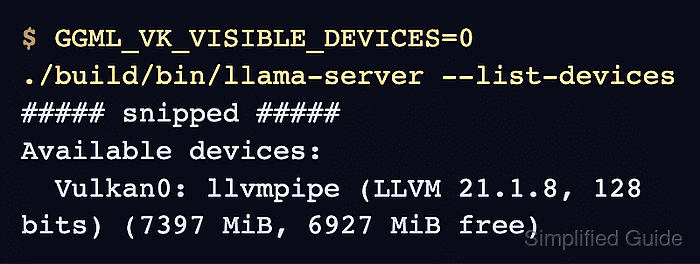
- Confirm that the compiled llama-server lists your Vulkan device using its GPU number from vulkaninfo. Example output:
$ GGML_VK_VISIBLE_DEVICES=0 ./build/bin/llama-server --list-devices
##### snipped #####
Available devices:
  Vulkan0: llvmpipe (LLVM 21.1.8, 128 bits) (7397 MiB, 6927 MiB free)
GGML_VK_VISIBLE_DEVICES=0 selects GPU0 from vulkaninfo. If your intended device has another number, replace 0 with that number. Explicit selection also exposes lavapipe, which llama.cpp skips during automatic GPU discovery. A Vulkan0 entry confirms that the compiled backend exposes the selected device; llvmpipe uses the CPU rather than physical GPU acceleration. The absent-hardware driver warning described above may precede a working device list. An empty list or an error does not establish a working backend, and reported memory varies with system use.