Enabling a network interface restores a host's ability to send and receive traffic after the link was shut down for maintenance, troubleshooting, or temporary isolation. It is the quickest way to return a wired, wireless, bridge, or virtual interface to service without rebooting the machine or restarting the whole network stack.
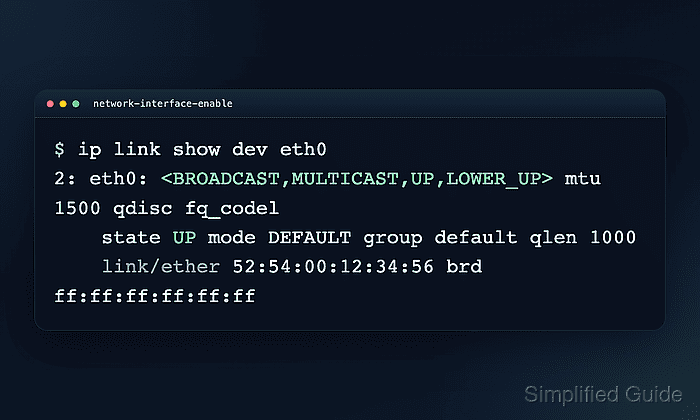
In Linux, ip link set dev IFACE up changes the interface's administrative state in the kernel. Actual connectivity still depends on carrier or a live peer, and the address configuration is checked separately with ip link show and ip address show dev IFACE after the interface is brought back up.
This change is runtime only. If the interface is controlled by NetworkManager, systemd-networkd, or legacy network scripts, the managing service can change the state again after a reconnect or reboot. An enabled interface can also remain unusable if it still has no carrier, no DHCP lease, or no static address, so the final checks should confirm link state, address assignment, and a successful path test.
Steps to enable a network interface with ip in Linux:
- List interfaces and identify the one that is currently down.
$ ip -br link
lo               UNKNOWN        00:00:00:00:00:00 <LOOPBACK,UP,LOWER_UP>
eth0             DOWN           02:00:00:00:00:10 <BROADCAST,MULTICAST>
The state column helps separate interfaces that are already running from ones that are administratively down.
- Bring the selected interface up.
$ sudo ip link set dev eth0 up
Replace eth0 with the actual interface name, such as enp1s0, ens33, or wlp2s0. No output usually means the kernel accepted the change.
- Check the interface flags and operational state after it is enabled.
$ ip link show dev eth0
2: eth0: <BROADCAST,MULTICAST,UP,LOWER_UP> mtu 1500 qdisc fq_codel state UP mode DEFAULT group default qlen 1000
    link/ether 02:00:00:00:00:10 brd ff:ff:ff:ff:ff:ff
UP shows the interface is administratively enabled. LOWER_UP shows carrier or a live peer. If UP appears without LOWER_UP, the interface is enabled but still not ready to pass traffic.
- Confirm that the interface has a usable address.
$ ip address show dev eth0
2: eth0: <BROADCAST,MULTICAST,UP,LOWER_UP> mtu 1500 qdisc fq_codel state UP group default qlen 1000
    link/ether 02:00:00:00:00:10 brd ff:ff:ff:ff:ff:ff
    inet 192.0.2.40/24 brd 192.0.2.255 scope global eth0
       valid_lft forever preferred_lft forever
    inet6 fe80::20:ff:fe00:10/64 scope link
       valid_lft forever preferred_lft forever
If only a link-local address appears, the interface is up but it still needs DHCP or a static address.
Related: How to show IP addresses in Linux - Test traffic through the restored interface.
$ ping -I eth0 -c 4 192.0.2.1
PING 192.0.2.1 (192.0.2.1) from 192.0.2.40 eth0: 56(84) bytes of data.
64 bytes from 192.0.2.1: icmp_seq=1 ttl=64 time=0.342 ms
64 bytes from 192.0.2.1: icmp_seq=2 ttl=64 time=0.026 ms
64 bytes from 192.0.2.1: icmp_seq=3 ttl=64 time=0.057 ms
64 bytes from 192.0.2.1: icmp_seq=4 ttl=64 time=0.168 ms

--- 192.0.2.1 ping statistics ---
4 packets transmitted, 4 received, 0% packet loss, time 3061ms
rtt min/avg/max/mdev = 0.026/0.148/0.342/0.123 ms
If ping is filtered, test the expected gateway, DNS server, or application endpoint through the same interface instead of assuming the link is still down.

Mohd Shakir Zakaria is a cloud architect with deep roots in software development and open-source advocacy. Certified in AWS, Red Hat, VMware, ITIL, and Linux, he specializes in designing and managing robust cloud and on-premises infrastructures.


