Directory trees often hide configuration snippets, backups, and dotfiles several levels below the path an operator is checking. Listing the tree recursively gives a complete view before comparing releases, auditing backup coverage, or deciding what a cleanup command would touch.
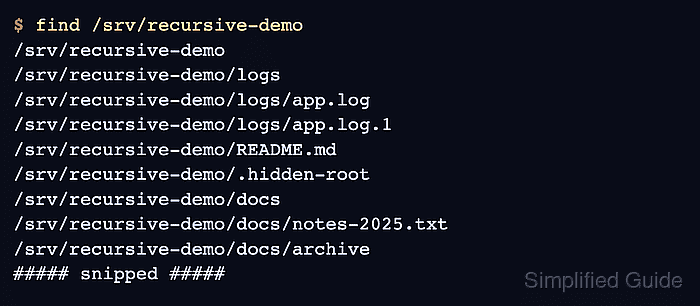
On Linux, GNU find walks the starting directory and prints each visited path when no other action is supplied. It includes hidden entries such as dotfiles by default, and the same command can narrow the listing to regular files, directories, relative names, depth-limited results, or metadata.
Recursive listings can become noisy on large trees or when the starting path includes protected directories, mounted volumes, or network storage. Start from the narrowest directory that contains the files of interest, add -maxdepth when only the first few levels matter, and add -xdev when a scan from a mount root such as / or /var should stay on one filesystem.
Steps to list files and folders recursively in Linux:
- Print every path below the starting directory to get the full recursive view.
$ find /srv/recursive-demo
/srv/recursive-demo
/srv/recursive-demo/logs
/srv/recursive-demo/logs/app.log
/srv/recursive-demo/logs/app.log.1
/srv/recursive-demo/README.md
/srv/recursive-demo/.hidden-root
/srv/recursive-demo/docs
/srv/recursive-demo/docs/notes-2025.txt
/srv/recursive-demo/docs/archive
/srv/recursive-demo/docs/archive/notes-2024.txt
/srv/recursive-demo/config
/srv/recursive-demo/config/app.conf
/srv/recursive-demo/config/.env
find walks the tree directly, so hidden entries such as /srv/recursive-demo/.hidden-root and /srv/recursive-demo/config/.env appear without an extra flag.
- Print names relative to the starting directory when the list should be easier to compare.
$ find /srv/recursive-demo -mindepth 1 -printf '%P\n'
logs
logs/app.log
logs/app.log.1
README.md
.hidden-root
docs
docs/notes-2025.txt
docs/archive
docs/archive/notes-2024.txt
config
config/app.conf
config/.env
-mindepth 1 omits the starting directory itself, and %P removes the starting-path prefix from each printed entry.
- Limit the recursive list to regular files when only file paths matter.
$ find /srv/recursive-demo -type f -printf '%P\n'
logs/app.log
logs/app.log.1
README.md
.hidden-root
docs/notes-2025.txt
docs/archive/notes-2024.txt
config/app.conf
config/.env
-type f excludes directories, symlinks, device nodes, and other non-regular entries.
- Limit the recursive list to subdirectories when the directory structure matters more than the files inside it.
$ find /srv/recursive-demo -mindepth 1 -type d -printf '%P\n'
logs
docs
docs/archive
config
Keeping -mindepth 1 in the directory-only view removes the starting directory from the result set.
- Stop descending after the required number of levels when the top of the tree is enough.
$ find /srv/recursive-demo -maxdepth 2 -mindepth 1 -printf '%P\n'
logs
logs/app.log
logs/app.log.1
README.md
.hidden-root
docs
docs/notes-2025.txt
docs/archive
config
config/app.conf
config/.env
-maxdepth 2 includes the starting directory's children and grandchildren, but it does not descend into deeper entries such as docs/archive/notes-2024.txt.
- Add metadata when the recursive list also needs permissions, owners, sizes, or timestamps.
$ find /srv/recursive-demo -ls
  3014781      4 drwxr-xr-x   5 root     root         4096 Apr 14 01:23 /srv/recursive-demo
  3014784      4 drwxr-xr-x   2 root     root         4096 Apr 14 01:23 /srv/recursive-demo/logs
  3014791      4 -rw-r--r--   1 root     root            3 Apr 14 01:23 /srv/recursive-demo/logs/app.log
  3014792      4 -rw-r--r--   1 root     root            6 Apr 14 01:23 /srv/recursive-demo/logs/app.log.1
  3014793      4 -rw-r--r--   1 root     root            6 Apr 14 01:23 /srv/recursive-demo/README.md
  3014794      4 -rw-r--r--   1 root     root            6 Apr 14 01:23 /srv/recursive-demo/.hidden-root
##### snipped #####
Use -ls for a human-readable audit, and use -print0 instead of newline output when another command must receive paths that may contain spaces or newlines.

Mohd Shakir Zakaria is a cloud architect with deep roots in software development and open-source advocacy. Certified in AWS, Red Hat, VMware, ITIL, and Linux, he specializes in designing and managing robust cloud and on-premises infrastructures.


