Conversation state and user memory have different lifetimes in an agent. LangGraph checkpoints keep each thread's execution state isolated, while a store gives nodes a separate place for facts that should be available to other threads.
The graph compiles an InMemorySaver and InMemoryStore together. The checkpointer records each run by thread ID, while the store organizes a memory under a namespace and key chosen from runtime context rather than checkpoint configuration.
The InMemoryStore implementation loses its contents when the Python process exits, so it is suited to local development and tests. A production deployment should replace it with a database-backed BaseStore implementation while keeping the same namespace and node access pattern.
Steps to add long-term memory to LangGraph with a store:
- Define the graph state and runtime context in a new memory_graph.py file.
from dataclasses import dataclass
from typing import Literal

from langgraph.checkpoint.memory import InMemorySaver
from langgraph.graph import START, StateGraph
from langgraph.runtime import Runtime
from langgraph.store.memory import InMemoryStore
from typing_extensions import TypedDict


class State(TypedDict):
    action: Literal["save", "recall"]
    preference: str
    recalled: str


@dataclass
class Context:
    user_id: str
- Add the user-scoped store node below the Context class in memory_graph.py.
def memory_node(state: State, runtime: Runtime[Context]):
    namespace = ("users", runtime.context.user_id, "memories")
    key = "meal-preference"

    if state["action"] == "save":
        runtime.store.put(namespace, key, {"preference": state["preference"]})
        return {"recalled": ""}

    item = runtime.store.get(namespace, key)
    return {"recalled": item.value["preference"] if item else "missing"}
The user ID belongs in the namespace rather than the thread configuration, which lets separate threads recall the same user's memory without sharing their checkpoint state.
- Compile the graph with an InMemorySaver checkpointer plus an InMemoryStore instance below memory_node.
builder = StateGraph(State, context_schema=Context)
builder.add_node("memory", memory_node)
builder.add_edge(START, "memory")

store = InMemoryStore()
checkpointer = InMemorySaver()
graph = builder.compile(checkpointer=checkpointer, store=store)
- Add the two-thread invocation block below the compiled graph.
context = Context(user_id="customer-42")
write_config = {"configurable": {"thread_id": "support-2026-01"}}
read_config = {"configurable": {"thread_id": "support-2026-02"}}

graph.invoke(
    {"action": "save", "preference": "vegetarian", "recalled": ""},
    write_config,
    context=context,
)
result = graph.invoke(
    {"action": "recall", "preference": "", "recalled": ""},
    read_config,
    context=context,
)
- Add the fail-capable verification block below the recall run.
namespace = ("users", context.user_id, "memories")
item = store.get(namespace, "meal-preference")
write_state = graph.get_state(write_config).values
read_state = graph.get_state(read_config).values

assert item is not None
assert result["recalled"] == "vegetarian"
assert write_state["action"] == "save"
assert read_state["action"] == "recall"

print(f"namespace: {item.namespace}")
print(f"stored preference: {item.value['preference']}")
print(f"write thread action: {write_state['action']}")
print(f"read thread action: {read_state['action']}")
print(f"recalled preference: {result['recalled']}")
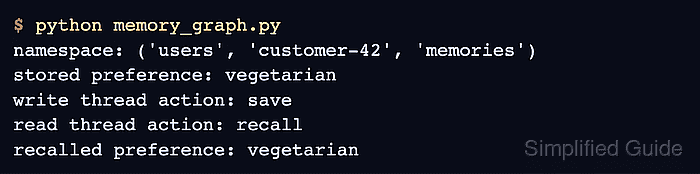
- Run memory_graph.py to verify cross-thread memory without merging thread checkpoints.
$ python memory_graph.py
namespace: ('users', 'customer-42', 'memories')
stored preference: vegetarian
write thread action: save
read thread action: recall
recalled preference: vegetarian

Mohd Shakir Zakaria is a cloud architect with deep roots in software development and open-source advocacy. Certified in AWS, Red Hat, VMware, ITIL, and Linux, he specializes in designing and managing robust cloud and on-premises infrastructures.


