kubectl is the standard command-line client for working with Kubernetes clusters from a shell. Installing it from the Kubernetes APT repository keeps the client in the operating system package inventory while still using the current upstream packages from pkgs.k8s.io.
The Kubernetes package repository is organized by minor release, so the repository URL contains a version segment such as v1.36. Match that minor release to the cluster versions the workstation needs to manage; Kubernetes supports kubectl clients that are within one minor version of the API server.
A completed install should resolve kubectl from /usr/bin/kubectl, report the expected client version, and read from a configured cluster without using the host's default fallback endpoint. The cluster check is read-only, but it requires an existing kubeconfig for a reachable cluster.
Steps to install kubectl on Ubuntu or Debian:
- Open a terminal with sudo privileges.
- Refresh the package index.
$ sudo apt-get update
- Install the packages needed to add the Kubernetes APT repository.
$ sudo apt-get install --yes apt-transport-https ca-certificates curl gnupg
On current Ubuntu and Debian releases, apt-transport-https may be a compatibility package. The ca-certificates, curl, and gnupg packages are still needed on minimal systems.
- Create the APT keyring directory.
$ sudo mkdir -p -m 755 /etc/apt/keyrings
- Add the Kubernetes repository signing key.
$ curl -fsSL https://pkgs.k8s.io/core:/stable:/v1.36/deb/Release.key | sudo gpg --dearmor -o /etc/apt/keyrings/kubernetes-apt-keyring.gpg
The same signing key is used across Kubernetes package repositories. Replace v1.36 in the URL only when choosing a different Kubernetes minor release.
- Allow APT helpers to read the Kubernetes keyring.
$ sudo chmod 644 /etc/apt/keyrings/kubernetes-apt-keyring.gpg
- Add the Kubernetes v1.36 APT repository.
$ echo 'deb [signed-by=/etc/apt/keyrings/kubernetes-apt-keyring.gpg] https://pkgs.k8s.io/core:/stable:/v1.36/deb/ /' | sudo tee /etc/apt/sources.list.d/kubernetes.list
deb [signed-by=/etc/apt/keyrings/kubernetes-apt-keyring.gpg] https://pkgs.k8s.io/core:/stable:/v1.36/deb/ /
- Allow APT helpers to read the repository file.
$ sudo chmod 644 /etc/apt/sources.list.d/kubernetes.list
- Refresh package metadata from the Kubernetes repository.
$ sudo apt-get update
Get:1 https://prod-cdn.packages.k8s.io/repositories/isv:/kubernetes:/core:/stable:/v1.36/deb  InRelease [1227 B]
Get:2 https://prod-cdn.packages.k8s.io/repositories/isv:/kubernetes:/core:/stable:/v1.36/deb  Packages [5666 B]
Reading package lists...
- Install kubectl.
$ sudo apt-get install --yes kubectl
The following NEW packages will be installed:
  kubectl
Get:1 https://prod-cdn.packages.k8s.io/repositories/isv:/kubernetes:/core:/stable:/v1.36/deb  kubectl 1.36.2-2.1 [9936 kB]
Setting up kubectl (1.36.2-2.1) ...
- Confirm that the shell resolves the packaged binary.
$ command -v kubectl
/usr/bin/kubectl
- Check the installed client version.
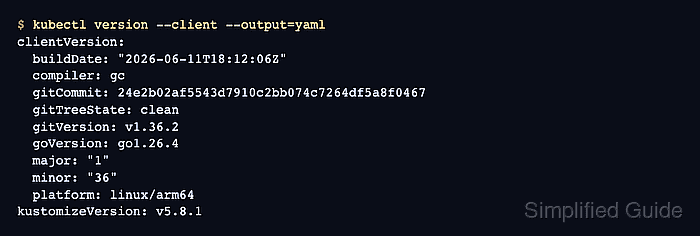
$ kubectl version --client --output=yaml
clientVersion:
  buildDate: "2026-06-11T18:12:06Z"
  compiler: gc
  gitCommit: 24e2b02af5543d7910c2bb074c7264df5a8f0467
  gitTreeState: clean
  gitVersion: v1.36.2
  goVersion: go1.26.4
  major: "1"
  minor: "36"
  platform: linux/arm64
kustomizeVersion: v5.8.1
The exact patch version, build date, Go version, and platform string change with repository updates and CPU architecture. The gitVersion minor release should match the repository line chosen earlier.
- Verify that kubectl can read from a configured cluster.
$ kubectl get nodes
NAME              STATUS   ROLES           AGE   VERSION
control-plane-1   Ready    control-plane   3m    v1.36.1
If this command reports that no connection is available, configure a kubeconfig or switch to the intended context before retrying.
Related: How to configure kubectl with a kubeconfig file
Related: How to check Kubernetes cluster access

Mohd Shakir Zakaria is a cloud architect with deep roots in software development and open-source advocacy. Certified in AWS, Red Hat, VMware, ITIL, and Linux, he specializes in designing and managing robust cloud and on-premises infrastructures.


