A Python environment can contain standalone Keras alongside TensorFlow's Keras interface. Checking the Keras version identifies the API release your project imports, while the backend name identifies its execution engine.
TensorFlow 2.16 and later normally expose Keras 3 through tf.keras. The environment variable TF_USE_LEGACY_KERAS can redirect that interface to the separate legacy tf-keras package, so the standalone version alone does not identify what a TensorFlow application uses.
Keras 3 and a working backend must already be installed in the Python environment used by your project. Reading tf.keras requires TensorFlow 2.16 or later, and legacy resolution also requires the tf-keras package. A running Python process keeps the Keras implementation it has already loaded, so a notebook or server started earlier can differ from a new command.
Steps to check the Keras version:
- Print the Keras version and backend with your project's Python interpreter.
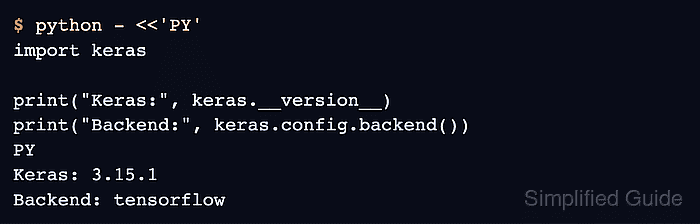
$ python - <<'PY'
import keras

print("Keras:", keras.__version__)
print("Backend:", keras.config.backend())
PY
Keras: 3.15.1
Backend: tensorflow
The backend name reflects the current Keras configuration, and the version number can differ in another environment. An error ending in No module named 'tensorflow' means Keras is using its default backend and TensorFlow is not installed. A JAX or PyTorch project puts its backend before the command, such as KERAS_BACKEND=jax python - <<'PY', and python -m pip show keras reads the version without importing a backend.
Related: How to set the Keras backend - Read TensorFlow's active Keras module if your project uses TensorFlow.
$ python - <<'PY'
import os
import tensorflow as tf

flag = os.environ.get("TF_USE_LEGACY_KERAS", "unset")

print("TensorFlow:", tf.__version__)
print("Legacy flag:", flag)
print("Dense module:", tf.keras.layers.Dense.__module__)
PY
TensorFlow: 2.21.0
Legacy flag: unset
Dense module: keras.src.layers.core.dense
A module starting with keras.src identifies Keras 3, and one starting with tf_keras.src identifies legacy Keras 2. The flag value alone does not prove legacy mode, so read the module line. TensorFlow 2.21 wheels cover CPython 3.10 through 3.13.
Related: How to install TensorFlow with pip
Related: How to check the TensorFlow version - Check legacy Keras resolution if your project depends on Keras 2.
$ TF_USE_LEGACY_KERAS=1 python - <<'PY'
import tensorflow as tf
import tf_keras

print("TensorFlow:", tf.__version__)
print("Legacy Keras:", tf_keras.__version__)
print("Dense module:", tf.keras.layers.Dense.__module__)
PY
TensorFlow: 2.21.0
Legacy Keras: 2.21.0
Dense module: tf_keras.src.layers.core.dense
The variable applies only to this command, so the result shows what legacy mode loads, while the previous step shows the current selection. A missing tf-keras package produces an import error. A mismatched release still prints a result, so the TensorFlow and Legacy Keras minor versions need to match, and python -m pip check reports a mismatch. Keras documents the legacy package requirements.