Training metrics are easier to interpret when their history is visible across epochs instead of reduced to the last line printed by model.fit(). The built-in TensorBoard callback sends a Keras run's loss and compiled metrics to event files that TensorBoard can read while training or afterward.
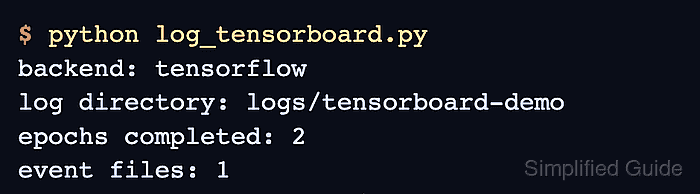
The callback uses the TensorFlow backend because its event writer comes from TensorFlow. Epoch-level updates capture the useful scalar trend without the synchronization overhead of writing after every batch.
Each execution writes to a UTC-stamped child of logs/tensorboard so separate experiments remain selectable in the TensorBoard interface. The final inspection checks for three recorded steps of epoch_loss and epoch_accuracy, proving that the handoff contains training data rather than an empty log directory.
Steps to log to TensorBoard in Keras:
- Install the TensorFlow-backed Keras stack in the active Python environment.
$ python -m pip install --upgrade keras tensorflow tensorboard
- Create log_tensorboard.py with the TensorFlow-backed run-directory setup.
- log_tensorboard.py
import os
from datetime import datetime, timezone
from pathlib import Path

os.environ["KERAS_BACKEND"] = "tensorflow"
os.environ["TF_CPP_MIN_LOG_LEVEL"] = "2"

import keras
import numpy as np


keras.utils.set_random_seed(31)

run_name = datetime.now(timezone.utc).strftime("run-%Y%m%d-%H%M%S")
log_dir = Path("logs/tensorboard") / run_name
- Add the training data and binary classifier below the run-directory setup.
x_train = np.linspace(0.0, 1.0, 80, dtype="float32").reshape(20, 4)
y_train = ((x_train[:, 0] + x_train[:, 1]) > 0.8).astype("float32")

model = keras.Sequential(
    [
        keras.Input(shape=(4,), name="features"),
        keras.layers.Dense(8, activation="relu"),
        keras.layers.Dense(1, activation="sigmoid"),
    ]
)
model.compile(
    optimizer=keras.optimizers.Adam(learning_rate=0.03),
    loss=keras.losses.BinaryCrossentropy(),
    metrics=[keras.metrics.BinaryAccuracy(name="accuracy")],
)
- Add the TensorBoard callback and training call below the model configuration.
tensorboard_callback = keras.callbacks.TensorBoard(
    log_dir=log_dir,
    histogram_freq=0,
    update_freq="epoch",
)

model.fit(
    x_train,
    y_train,
    epochs=3,
    batch_size=5,
    callbacks=[tensorboard_callback],
    verbose=0,
)
A distinct log_dir keeps experiments selectable. The histogram_freq=0 and update_freq="epoch" settings avoid weight-distribution work and batch-level write overhead.
- Add the event-file summary below the training call.
event_files = list(log_dir.rglob("events.out.tfevents.*"))
print(f"Run directory: {log_dir}")
print(f"TensorBoard event files: {len(event_files)}")
- Review the complete log_tensorboard.py file before execution.
- log_tensorboard.py
import os
from datetime import datetime, timezone
from pathlib import Path

os.environ["KERAS_BACKEND"] = "tensorflow"
os.environ["TF_CPP_MIN_LOG_LEVEL"] = "2"

import keras
import numpy as np


keras.utils.set_random_seed(31)

run_name = datetime.now(timezone.utc).strftime("run-%Y%m%d-%H%M%S")
log_dir = Path("logs/tensorboard") / run_name

x_train = np.linspace(0.0, 1.0, 80, dtype="float32").reshape(20, 4)
y_train = ((x_train[:, 0] + x_train[:, 1]) > 0.8).astype("float32")

model = keras.Sequential(
    [
        keras.Input(shape=(4,), name="features"),
        keras.layers.Dense(8, activation="relu"),
        keras.layers.Dense(1, activation="sigmoid"),
    ]
)
model.compile(
    optimizer=keras.optimizers.Adam(learning_rate=0.03),
    loss=keras.losses.BinaryCrossentropy(),
    metrics=[keras.metrics.BinaryAccuracy(name="accuracy")],
)

tensorboard_callback = keras.callbacks.TensorBoard(
    log_dir=log_dir,
    histogram_freq=0,
    update_freq="epoch",
)

model.fit(
    x_train,
    y_train,
    epochs=3,
    batch_size=5,
    callbacks=[tensorboard_callback],
    verbose=0,
)

event_files = list(log_dir.rglob("events.out.tfevents.*"))
print(f"Run directory: {log_dir}")
print(f"TensorBoard event files: {len(event_files)}")
- Run the completed training script from its working directory.
$ python log_tensorboard.py
Run directory: logs/tensorboard/run-20260713-005913
TensorBoard event files: 1
- Start TensorBoard for the parent log directory in a terminal that can remain open.
$ tensorboard --logdir logs/tensorboard
Serving TensorBoard on localhost; to expose to the network, use a proxy or pass --bind_all
TensorBoard 2.21.0 at http://localhost:6006/ (Press CTRL+C to quit)
- Inspect the recorded tags from another terminal to confirm that TensorBoard received all three epochs.
$ tensorboard --inspect --logdir logs/tensorboard
======================================================================
Processing event files... (this can take a few minutes)
======================================================================

Found event files in:
logs/tensorboard/run-20260713-005913/train

These tags are in logs/tensorboard/run-20260713-005913/train:
##### snipped #####
tensor
   epoch_accuracy
   epoch_learning_rate
   epoch_loss
   keras
##### snipped #####
tensor
   first_step           0
   last_step            2
   max_step             2
   min_step             0
   num_steps            3
   outoforder_steps     []
======================================================================
The interface at http://localhost:6006/ presents the timestamped run's loss and accuracy curves.

Mohd Shakir Zakaria is a cloud architect with deep roots in software development and open-source advocacy. Certified in AWS, Red Hat, VMware, ITIL, and Linux, he specializes in designing and managing robust cloud and on-premises infrastructures.


