Keras training needs a loss to minimize, an optimizer to update weights, and metrics to report while the model learns. Calling compile() records those choices before fit() builds the training function for the selected backend.
Standalone Keras reads its backend setting before the first import keras statement. The same compile() call can run on JAX, TensorFlow, or PyTorch, but execution options such as jit_compile are interpreted by the backend that is active for the Python process.
Choose the loss function from the target encoding, then add metrics that report the training signal you need to inspect. Recompile after changing layer trainable flags because Keras determines trainable variables at compile() time.
Steps to compile a Keras model for training:
- Create compile_model.py with backend selection and imports.
- compile_model.py
import os

os.environ["KERAS_BACKEND"] = "jax"

import keras
import numpy as np

keras.utils.set_random_seed(7)
The KERAS_BACKEND value must be set before import keras. Use tensorflow or torch instead when the project dependencies and runtime are built for that backend.
Related: How to install Keras with pip - Add a small training batch with input and target arrays.
x_train = np.array(
    [
        [0.0, 0.0],
        [0.0, 1.0],
        [1.0, 0.0],
        [1.0, 1.0],
    ],
    dtype="float32",
)
y_train = np.array([0.0, 1.0, 1.0, 0.0], dtype="float32")
BinaryCrossentropy expects binary labels or probabilities for each output value. Use a categorical or sparse categorical loss when the targets encode class IDs or one-hot vectors.
- Add the model definition before the compile call.
model = keras.Sequential(
    [
        keras.layers.Input(shape=(2,)),
        keras.layers.Dense(8, activation="relu"),
        keras.layers.Dense(1, activation="sigmoid"),
    ]
)
- Compile the model with an optimizer, loss, metric, and JIT setting.
model.compile(
    optimizer=keras.optimizers.Adam(learning_rate=0.01),
    loss=keras.losses.BinaryCrossentropy(),
    metrics=[keras.metrics.BinaryAccuracy(name="accuracy")],
    jit_compile="auto",
)
jit_compile=“auto” lets JAX and TensorFlow use XLA when the model supports it. Set jit_compile=False while isolating backend compile errors.
Related: How to disable JIT compilation in Keras - Run one training epoch after the compile call.
history = model.fit(x_train, y_train, epochs=1, batch_size=4, verbose=0)
- Print the compile and training evidence.
print(f"backend: {keras.backend.backend()}")
print(f"optimizer: {model.optimizer.__class__.__name__}")
print(f"loss: {model.loss.__class__.__name__}")
print(f"jit_compile: {model.jit_compile}")
print("history keys:", ", ".join(sorted(history.history.keys())))
print("epochs completed:", len(history.history["loss"]))
history.history contains the loss and metric names produced by fit(). If a metric is missing, check that it was passed through metrics during compile().
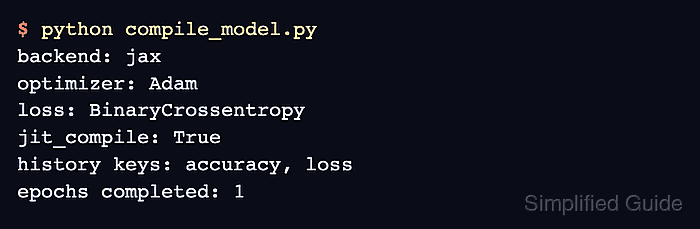
- Run the script and confirm that fit() completes with the compiled settings.
$ python compile_model.py
backend: jax
optimizer: Adam
loss: BinaryCrossentropy
jit_compile: True
history keys: accuracy, loss
epochs completed: 1

Mohd Shakir Zakaria is a cloud architect with deep roots in software development and open-source advocacy. Certified in AWS, Red Hat, VMware, ITIL, and Linux, he specializes in designing and managing robust cloud and on-premises infrastructures.


