Reviewers often need Jupyter Notebook results without access to the live server, kernel, or project environment. Exporting the saved notebook to a static HTML file turns the markdown, code, and output cells into a browser-openable artifact that can be attached, archived, or published.
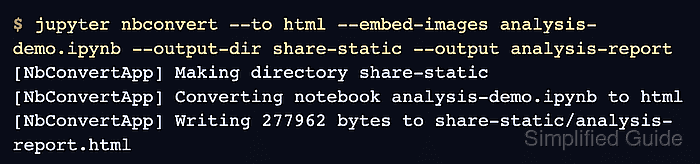
The nbconvert HTML exporter handles the handoff with one command for a notebook that should remain view-only. The --embed-images flag keeps image output inside the generated HTML file, while --output-dir keeps the share copy separate from the working .ipynb file.
The static file reflects the notebook state saved on disk. It does not run cells, expose a kernel, or carry the Jupyter server token, so run or clean the notebook before export when the reviewer must see fresh output or when old output may contain private data.
Steps to share a static Jupyter Notebook as HTML:
- Save the notebook with the markdown, code, and output cells that should appear in the static copy.
nbconvert exports the saved notebook state by default. Execute the notebook first when the static copy must include fresh calculations.
Related: How to execute a Jupyter Notebook from the command line - Export the notebook as a self-contained HTML file in a share directory.
$ jupyter nbconvert --to html --embed-images analysis-demo.ipynb --output-dir share-static --output analysis-report
[NbConvertApp] Making directory share-static
[NbConvertApp] Converting notebook analysis-demo.ipynb to html
[NbConvertApp] Writing 277962 bytes to share-static/analysis-report.html
Replace analysis-demo.ipynb with the notebook file to share. --output is the output basename, and nbconvert adds the .html extension.
- Verify that the static file contains the expected notebook title and output text.
$ python - <<'PY'
from pathlib import Path

html = Path("share-static/analysis-report.html").read_text(encoding="utf-8")
print("Quarterly revenue summary:", "found" if "Quarterly revenue summary" in html else "missing")
print("monthly revenue: 125000:", "found" if "monthly revenue: 125000" in html else "missing")
print("status: complete:", "found" if "status: complete" in html else "missing")
PY
Quarterly revenue summary: found
monthly revenue: 125000: found
status: complete: found
Replace the strings with text that must be visible to the reviewer, such as the report title and one expected output value.
- Check the static file before handoff.
$ ls -lh share-static/analysis-report.html
-rw-r--r-- 1 user user 272K Jul  6 12:50 share-static/analysis-report.html
Do not include the source .ipynb file when the reviewer should not see hidden cells, previous outputs, credentials, or editable code.
- Open share-static/analysis-report.html in a browser and confirm that the notebook title, markdown cells, code cells, and output render without a Jupyter login prompt.

Mohd Shakir Zakaria is a cloud architect with deep roots in software development and open-source advocacy. Certified in AWS, Red Hat, VMware, ITIL, and Linux, he specializes in designing and managing robust cloud and on-premises infrastructures.


