Browser ES modules can load relative URLs directly, but a bare specifier such as currency-format has no built-in URL for the browser to fetch. An inline import map gives the document that resolution table, which fits small module-based pages that do not use a bundler.
The map lives in an inline <script type="importmap"> element, and its body is strict JSON. Place it before any <script type="module"> element that imports the mapped names, because the browser resolves module specifiers while it loads the module graph.
A small two-module page can map one bare specifier to a local module file, serve the files over HTTP, and check the page output in the browser console. The map affects import declarations and import() calls inside document modules; it does not rewrite the src URL of the module script itself.
Related: How to use JavaScript import and export
Related: How to load JavaScript with defer
Steps to configure a browser JavaScript import map:
- Create index.html with an inline import map before the module script.
- index.html
<!doctype html>
<html lang="en">
<head>
  <meta charset="utf-8">
  <meta name="viewport" content="width=device-width, initial-scale=1">
  <title>Import map demo</title>
  <script type="importmap">
{
  "imports": {
    "currency-format": "./modules/currency-format.js"
  }
}
  </script>
  <script type="module" src="./app.js"></script>
</head>
<body>
  <h1>Import map demo</h1>
  <p id="mapped-specifier">Mapped specifier: currency-format</p>
  <p id="import-map-status" role="status">Waiting for module.</p>
</body>
</html>
The import map body is strict JSON, not a JavaScript object literal. Use double-quoted keys and values, and remove comments or trailing commas before loading the page.
Tool: JSON Validator - Create the mapped module file at modules/currency-format.js.
- modules/currency-format.js
export function formatPrice(amount) {
  return `USD ${amount.toFixed(2)}`;
}
- Create app.js and import the module by its bare specifier.
- app.js
import { formatPrice } from "currency-format";

const status = document.querySelector("#import-map-status");
const price = formatPrice(49);

status.textContent = `Import map resolved: ${price}`;
window.catalogPrice = price;
console.log(`currency-format => ${price}`);
The browser resolves currency-format through the import map and fetches /modules/currency-format.js. Without the map, the bare specifier cannot resolve as a browser URL.
- Serve the files from the directory that contains index.html.
$ python3 -m http.server 8000
Serving HTTP on :: port 8000 (http://[::]:8000/) ...
A file:// URL does not match normal browser module loading. Use HTTP so the module graph and import map are tested through the browser's web loading path.
- Open the page through the local server and confirm the mapped module updated the page.
http://localhost:8000/

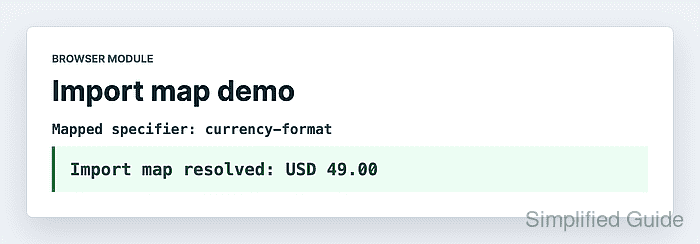
Mapped specifier: currency-format
Import map resolved: USD 49.00
- Confirm the module result from the browser console.
> document.querySelector("#import-map-status").textContent "Import map resolved: USD 49.00" > window.catalogPrice "USD 49.00" - Confirm the mapped module URL was fetched.
> performance.getEntriesByName(new URL("./modules/currency-format.js", location.href).href).length 1 - Stop the local HTTP server after verification.
Press Ctrl+C in the terminal that is running python3 -m http.server.

Mohd Shakir Zakaria is a cloud architect with deep roots in software development and open-source advocacy. Certified in AWS, Red Hat, VMware, ITIL, and Linux, he specializes in designing and managing robust cloud and on-premises infrastructures.


