Running a Hyperledger Fabric Gateway application proves that a client identity can connect to a peer gateway, call deployed chaincode, submit ledger updates, and read the committed result. Use it after the local test network and the sample basic chaincode are ready, or before adapting the Gateway client code for another application.
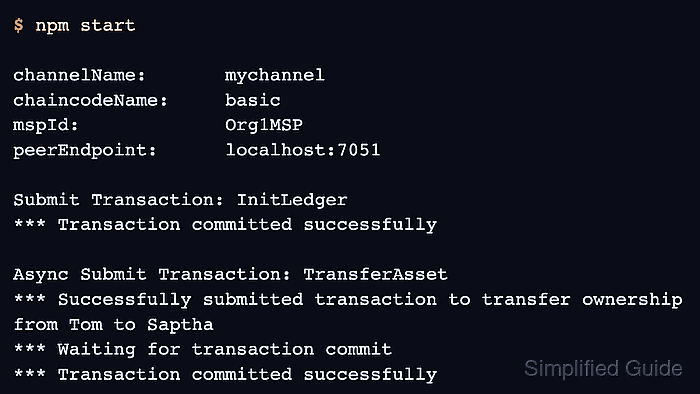
The TypeScript sample uses the Fabric Gateway client API for Node.js. It reads the Org1 user certificate, private key, and peer TLS certificate from the test network, connects to peer0.org1.example.com, and calls the basic chaincode on mychannel.
The sample run initializes assets, queries the ledger, creates a new asset, transfers it asynchronously while waiting for commit status, reads the changed asset, and catches an expected missing-asset error. Keep production identities, hostnames, MSP IDs, channel names, and TLS material out of shared transcripts when replacing the sample values.
Steps to run a Hyperledger Fabric Gateway application:
- Change to the Fabric test network directory.
$ cd fabric-samples/\
test-network
- Start a CA-backed test network and create the sample channel.
$ ./network.sh up createChannel \
  -c mychannel \
  -ca
The Gateway sample expects CA-generated Org1 user material. The -ca option creates those identities for the default sample network.
Related: How to run the Hyperledger Fabric test network - Deploy the TypeScript asset-transfer-basic chaincode.
$ ./network.sh deployCC \
  -ccn basic \
  -ccp ../asset-transfer-basic/\
chaincode-typescript/ \
  -ccl typescript
Version: 1.0, Sequence: 1
Chaincode initialization is not required
The application can use TypeScript, Go, or Java chaincode, but the TypeScript chaincode keeps the sample paths aligned with the TypeScript Gateway application.
Related: How to deploy Hyperledger Fabric chaincode - Change to the asset-transfer sample directory.
$ cd ../asset-transfer-basic
- Change to the TypeScript Gateway application directory.
$ cd application-gateway-typescript
- Install the application dependencies and build the generated JavaScript.
$ npm install
npm run build
tsc
added 128 packages
audited 129 packages in 11s
The sample package requires Node.js 20 or later and uses npm start to run node dist/app.js.
- Run the Gateway application.
$ npm start

channelName:       mychannel
chaincodeName:     basic
mspId:             Org1MSP
peerEndpoint:      localhost:7051

Submit Transaction: InitLedger
*** Transaction committed successfully

Evaluate Transaction: GetAllAssets
*** Result: [
  {
    ID: 'asset1',
    Owner: 'Tomoko',
    AppraisedValue: 300
  },
##### snipped #####
]
The displayed parameters should match the channel, chaincode, MSP, peer endpoint, and peer TLS host alias for the network being tested.
- Check the asynchronous transfer section for a successful commit.
Async Submit Transaction: TransferAsset
*** Submitted transfer
*** Owner changed from Tom to Saptha
*** Waiting for transaction commit
*** Transaction committed successfully
submitAsync() returns the smart-contract response first, then getStatus() waits for the transaction commit result.
- Confirm the final read shows the transferred owner.
Evaluate Transaction: ReadAsset
*** Result: {
    AppraisedValue: 1300,
    Color: 'yellow',
    ID: 'asset123',
    Owner: 'Saptha',
    Size: 5
}
The asset ID includes a timestamp in the sample application, so the exact asset<number> value changes on each run.
Related: How to query Hyperledger Fabric chaincode - Confirm the expected missing-asset error is caught.
Submit Transaction: UpdateAsset asset70
*** Successfully caught the error:
EndorseError: 10 ABORTED
##### snipped #####
message: asset70 does not exist
A caught asset70 endorsement error is part of the sample program. A connection error, certificate error, or commit failure means the Gateway endpoint, TLS host alias, identity material, channel, or chaincode name does not match the network.
- Return to the test network directory.
$ cd ../../test-network
- Bring down the sample network when the application test is finished.
$ ./network.sh down
This removes the test-network containers, generated organizations, channel artifacts, Docker volumes, and generated chaincode images for the sample network.

Mohd Shakir Zakaria is a cloud architect with deep roots in software development and open-source advocacy. Certified in AWS, Red Hat, VMware, ITIL, and Linux, he specializes in designing and managing robust cloud and on-premises infrastructures.


