Running Hyperledger Fabric chaincode as an external service lets a peer connect to a long-running smart contract process instead of building and launching the chaincode container itself. Operators use this pattern when chaincode must run under a separate runtime, deployment pipeline, or platform such as Kubernetes.
The Fabric external builder reads a lifecycle package that contains endpoint metadata instead of chaincode source. For the asset-transfer sample, metadata.json marks the package as external and connection.json tells the peer how to reach the chaincode server.
The sample path uses fabric-samples, the default mychannel channel, and TLS disabled between the peer and chaincode service. Enable TLS and run one service instance per organization or peer group before using the same pattern outside a disposable test network.
Steps to run Hyperledger Fabric chaincode as an external service:
- Change to the external asset-transfer chaincode directory.
$ cd fabric-samples/asset-transfer-basic/chaincode-external
The sample connection.json address is asset-transfer-basic.org1.example.com:9999, which must match the server address in chaincode.env.
- Check the external chaincode package metadata.
$ cat metadata.json
{
    "type": "external",
    "label": "basic_1.0"
}
The type value tells the peer external builder to claim the package instead of treating it as normal source chaincode.
- Check the peer connection metadata.
$ cat connection.json
{
  "address": "asset-transfer-basic.org1.example.com:9999",
  "dial_timeout": "10s",
  "tls_required": false
}
TLS is disabled only for the sample. For production, use a TLS-enabled connection.json with the chaincode server certificate and client authentication material expected by the peer.
- Create the code archive that carries the peer connection metadata.
$ tar cfz code.tar.gz connection.json
- Create the external chaincode lifecycle package.
$ tar cfz asset-transfer-basic-external.tgz metadata.json code.tar.gz
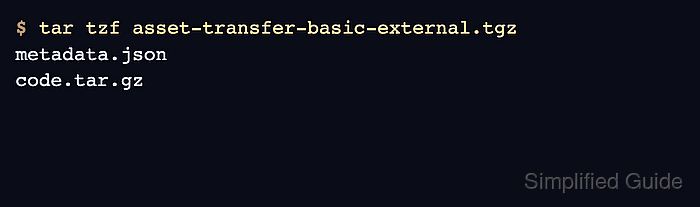
- List the package contents.
$ tar tzf asset-transfer-basic-external.tgz metadata.json code.tar.gz - Change to the Fabric test network directory.
$ cd ../../test-network
- Start the test network and create the channel.
$ ./network.sh up createChannel -c mychannel -ca
Creating channel 'mychannel'.
##### snipped #####
Channel 'mychannel' joined
The test-network peer configuration includes the ccaas_builder external builder. For a custom peer, add an externalBuilders entry under the chaincode section of the peer core.yaml before installing the package.
Related: How to run the Hyperledger Fabric test network - Add the Fabric binaries and sample config directory to the current shell.
$ export PATH="$PWD/../bin:$PATH"
$ export FABRIC_CFG_PATH="$PWD/../config/"
- Load the test-network identity helper functions.
$ . ./scripts/envVar.sh
- Set the Org1 admin environment.
$ setGlobals 1
- Install the external chaincode package on the Org1 peer.
$ peer lifecycle chaincode install ../asset-transfer-basic/chaincode-external/asset-transfer-basic-external.tgz
2026-06-21 06:44:12.918 UTC [chaincodeCmd] install -> INFO 001 Installed remotely: response:<status:200 payload:"\nJbasic_1.0:ecfc83f251b7c2d9ef376bc3fc20fc6b9744c0fc0a8923092af6542af94790c3\022\tbasic_1.0" >
2026-06-21 06:44:12.918 UTC [chaincodeCmd] install -> INFO 002 Chaincode code package identifier: basic_1.0:ecfc83f251b7c2d9ef376bc3fc20fc6b9744c0fc0a8923092af6542af94790c3
- Set the Org2 admin environment.
$ setGlobals 2
- Install the same external chaincode package on the Org2 peer.
$ peer lifecycle chaincode install ../asset-transfer-basic/chaincode-external/asset-transfer-basic-external.tgz
2026-06-21 06:44:39.807 UTC [chaincodeCmd] install -> INFO 001 Installed remotely: response:<status:200 payload:"\nJbasic_1.0:ecfc83f251b7c2d9ef376bc3fc20fc6b9744c0fc0a8923092af6542af94790c3\022\tbasic_1.0" >
2026-06-21 06:44:39.807 UTC [chaincodeCmd] install -> INFO 002 Chaincode code package identifier: basic_1.0:ecfc83f251b7c2d9ef376bc3fc20fc6b9744c0fc0a8923092af6542af94790c3
Install the same package on every endorsing peer that should connect to this external service endpoint.
- Set the Org1 admin environment again.
$ setGlobals 1
- Query the installed package ID from the Org1 peer.
$ peer lifecycle chaincode queryinstalled \
  --peerAddresses localhost:7051 \
  --tlsRootCertFiles organizations/peerOrganizations/org1.example.com/peers/peer0.org1.example.com/tls/ca.crt
Installed chaincodes on peer:
Package ID: basic_1.0:ecfc83f251b7c2d9ef376bc3fc20fc6b9744c0fc0a8923092af6542af94790c3, Label: basic_1.0
- Save the package ID returned by the peer.
$ export CHAINCODE_ID=basic_1.0:ecfc83f251b7c2d9ef376bc3fc20fc6b9744c0fc0a8923092af6542af94790c3
The package ID depends on the package content. Do not reuse an ID from another network or from a rebuilt package.
- Set the package ID in the chaincode server environment file.
- chaincode.env
CHAINCODE_SERVER_ADDRESS=asset-transfer-basic.org1.example.com:9999
CHAINCODE_ID=basic_1.0:ecfc83f251b7c2d9ef376bc3fc20fc6b9744c0fc0a8923092af6542af94790c3
The CHAINCODE_ID value must match the installed package ID. The CHAINCODE_SERVER_ADDRESS value must match connection.json.
- Return to the external chaincode directory.
$ cd ../asset-transfer-basic/chaincode-external
- Build the external chaincode service image.
$ docker build -t hyperledger/asset-transfer-basic .
- Start the external chaincode service container.
$ docker run --detach --rm \
  --name asset-transfer-basic.org1.example.com \
  --hostname asset-transfer-basic.org1.example.com \
  --env-file chaincode.env \
  --network=fabric_test \
  hyperledger/asset-transfer-basic
0a7a63cb01a0d91a2bd38e4eb8b3630d25ca8f4785cf42d63f9bd2ce77988952
- Confirm that the chaincode service container is running.
$ docker ps --filter name=asset-transfer-basic.org1.example.com
CONTAINER ID   IMAGE                              COMMAND                  CREATED          STATUS          PORTS      NAMES
0a7a63cb01a0   hyperledger/asset-transfer-basic   "chaincode-external"     4 seconds ago    Up 3 seconds    9999/tcp   asset-transfer-basic.org1.example.com
- Return to the test network directory.
$ cd ../../test-network
- Set the Org2 admin environment again.
$ setGlobals 2
- Approve the external chaincode definition for Org2.
$ peer lifecycle chaincode approveformyorg \
  -o localhost:7050 \
  --ordererTLSHostnameOverride orderer.example.com \
  --tls \
  --cafile "$PWD/organizations/ordererOrganizations/example.com/orderers/orderer.example.com/msp/tlscacerts/tlsca.example.com-cert.pem" \
  --channelID mychannel \
  --name basic \
  --version 1.0 \
  --package-id "$CHAINCODE_ID" \
  --sequence 1
2026-06-21 06:45:48.231 UTC [chaincodeCmd] ClientWait -> INFO 001 txid [a0adf34f0ac82e51f4e7a10f2b354c74897a561638c3bcb415a85d65c3ab33b0] committed with status (VALID) at localhost:9051
- Set the Org1 admin environment again.
$ setGlobals 1
- Approve the external chaincode definition for Org1.
$ peer lifecycle chaincode approveformyorg \
  -o localhost:7050 \
  --ordererTLSHostnameOverride orderer.example.com \
  --tls \
  --cafile "$PWD/organizations/ordererOrganizations/example.com/orderers/orderer.example.com/msp/tlscacerts/tlsca.example.com-cert.pem" \
  --channelID mychannel \
  --name basic \
  --version 1.0 \
  --package-id "$CHAINCODE_ID" \
  --sequence 1
2026-06-21 06:46:09.514 UTC [chaincodeCmd] ClientWait -> INFO 001 txid [bf2f44a54a01e93009c7e733a7b969ab173093fcd3b48d8c21806f5fb0e8bb38] committed with status (VALID) at localhost:7051
- Check whether both organizations are ready to commit the definition.
$ peer lifecycle chaincode checkcommitreadiness \
  --channelID mychannel \
  --name basic \
  --version 1.0 \
  --sequence 1 \
  --tls \
  --cafile "$PWD/organizations/ordererOrganizations/example.com/orderers/orderer.example.com/msp/tlscacerts/tlsca.example.com-cert.pem" \
  --output json
{
        "approvals": {
                "Org1MSP": true,
                "Org2MSP": true
        }
}
A false approval means at least one organization has not approved this exact name, version, sequence, and package ID.
- Commit the external chaincode definition to the channel.
$ peer lifecycle chaincode commit \
  -o localhost:7050 \
  --ordererTLSHostnameOverride orderer.example.com \
  --tls \
  --cafile "$PWD/organizations/ordererOrganizations/example.com/orderers/orderer.example.com/msp/tlscacerts/tlsca.example.com-cert.pem" \
  --channelID mychannel \
  --name basic \
  --peerAddresses localhost:7051 \
  --tlsRootCertFiles "$PWD/organizations/peerOrganizations/org1.example.com/peers/peer0.org1.example.com/tls/ca.crt" \
  --peerAddresses localhost:9051 \
  --tlsRootCertFiles "$PWD/organizations/peerOrganizations/org2.example.com/peers/peer0.org2.example.com/tls/ca.crt" \
  --version 1.0 \
  --sequence 1
2026-06-21 06:46:33.119 UTC [chaincodeCmd] ClientWait -> INFO 001 txid [3b8bfb8d8f593c1ec9c1e32b1a90d351cc03ccbd97c2a6bb44e720dc6125dd70] committed with status (VALID) at localhost:7051
2026-06-21 06:46:33.120 UTC [chaincodeCmd] ClientWait -> INFO 002 txid [3b8bfb8d8f593c1ec9c1e32b1a90d351cc03ccbd97c2a6bb44e720dc6125dd70] committed with status (VALID) at localhost:9051
- Query the committed external chaincode definition.
$ peer lifecycle chaincode querycommitted --channelID mychannel --name basic
Committed chaincode definition for chaincode 'basic' on channel 'mychannel':
Version: 1.0, Sequence: 1, Endorsement Plugin: escc, Validation Plugin: vscc
- Invoke the external chaincode service through the peer.
$ peer chaincode invoke \
  -o localhost:7050 \
  --ordererTLSHostnameOverride orderer.example.com \
  --tls \
  --cafile "$PWD/organizations/ordererOrganizations/example.com/orderers/orderer.example.com/msp/tlscacerts/tlsca.example.com-cert.pem" \
  -C mychannel \
  -n basic \
  --peerAddresses localhost:7051 \
  --tlsRootCertFiles "$PWD/organizations/peerOrganizations/org1.example.com/peers/peer0.org1.example.com/tls/ca.crt" \
  --peerAddresses localhost:9051 \
  --tlsRootCertFiles "$PWD/organizations/peerOrganizations/org2.example.com/peers/peer0.org2.example.com/tls/ca.crt" \
  -c '{"function":"InitLedger","Args":[]}'
2026-06-21 06:47:14.322 UTC [chaincodeCmd] chaincodeInvokeOrQuery -> INFO 001 Chaincode invoke successful. result: status:200
The successful invoke proves the peers can reach the external chaincode service and commit a transaction through the normal endorsement path.
Related: How to invoke Hyperledger Fabric chaincode - Query sample ledger state from the external chaincode.
$ peer chaincode query -C mychannel -n basic -c '{"Args":["GetAllAssets"]}'
[{"Key":"asset1","Record":{"ID":"asset1","color":"blue","size":5,"owner":"Tomoko","appraisedValue":300}},
{"Key":"asset2","Record":{"ID":"asset2","color":"red","size":5,"owner":"Brad","appraisedValue":400}},
##### snipped #####
{"Key":"asset6","Record":{"ID":"asset6","color":"white","size":15,"owner":"Michel","appraisedValue":800}}]
The query confirms that the committed chaincode definition is using the external server to read world state.
Related: How to query Hyperledger Fabric chaincode

Mohd Shakir Zakaria is a cloud architect with deep roots in software development and open-source advocacy. Certified in AWS, Red Hat, VMware, ITIL, and Linux, he specializes in designing and managing robust cloud and on-premises infrastructures.


