PostgreSQL can keep document text and vectors together for retrieval applications. Haystack's PgvectorDocumentStore creates a document table in a pgvector-enabled database so the same stored documents can be retrieved by embedding similarity or keyword search.
The document store manages its table, while the extension supplies the vector type and PostgreSQL supplies full-text search. The vector extension must already be enabled in the target database, and the application role needs permission to create tables in the target schema.
A three-dimensional pair of hand-written vectors is enough to exercise storage and both retrievers without downloading a model. These vectors demonstrate the database connection rather than semantic relevance; an application needs document and query embeddings from the same model, with the store's dimension matching that model's output.
Steps to create a pgvector document store in Haystack:
- Install the pgvector integration in an active Python 3.11 or later virtual environment.
The pinned install replaces any other Haystack version in that environment, so a Haystack 2.x project moves to 3.4.1.
Related: How to migrate from Haystack 2 to 3$ python -m pip install \ haystack-ai==3.4.1 pgvector-haystack==8.1.2
Tested with Python 3.12, Haystack 3.4.1, PostgreSQL 17 and pgvector 0.8.7.
Related: How to create a virtualenv for Haystack - Enter the test database connection URI at a hidden Bash prompt, using your own values in this format.
postgresql://USER:PASSWORD@HOST:5432/DB_NAME
If no test database exists, a database administrator can run CREATE DATABASE haystack_demo OWNER appuser; with your login role in place of appuser. Owning the database lets that role create the document table. If the vector extension is not enabled there, the administrator must connect to that database and run CREATE EXTENSION vector;. The server needs the pgvector files before that statement can work.
Related: How to create roles in PostgreSQL
Related: How to manage extensions in PostgreSQL
Related: pgvector installation$ read -r -s -p 'PostgreSQL URI: ' PG_CONN_STR
The URI contains the database password. Bash hides the input and keeps it out of shell history, but after the next step every process started from this shell can read it. A password with special characters must be percent-encoded. A dedicated test database keeps the demonstration rows away from application data.
- Export the connection variable for the Python process.
$ export PG_CONN_STR
- Create a file named pgvector_demo.py in your text editor with the imports for the store and retrievers.
- pgvector_demo.py
from haystack import Document
from haystack.document_stores.types import DuplicatePolicy
from haystack_integrations.components.retrievers.pgvector \
    import PgvectorEmbeddingRetriever, PgvectorKeywordRetriever
from haystack_integrations.document_stores.pgvector import (
    PgvectorDocumentStore,
)
- Append the document-store initialization to pgvector_demo.py.
- pgvector_demo.py
store = PgvectorDocumentStore(
    table_name="haystack_demo_documents",
    create_extension=False,
    embedding_dimension=3,
)
print("Before write:", store.count_documents())
The store reads its connection from PG_CONN_STR by default, which is why the constructor shows no URI. create_extension=False stops the store running CREATE EXTENSION, which needs administrator rights, so the application role never attempts it. embedding_dimension=3 matches the three numbers in each sample vector.
The store creates haystack_demo_documents when that table does not exist and leaves an existing table in place, so a table of that name already holding rows changes the counts shown later. Setting recreate_table=True deletes the existing table and its documents.
- Append the two sample documents to pgvector_demo.py.
- pgvector_demo.py
documents = [
    Document(
        id="postgres",
        content="PostgreSQL stores documents and vectors.",
        embedding=[1.0, 0.0, 0.0],
    ),
    Document(
        id="gardening",
        content="Tomatoes grow in sunny gardens.",
        embedding=[0.0, 1.0, 0.0],
    ),
]
store.write_documents(documents, policy=DuplicatePolicy.SKIP)
print("Stored:", store.count_documents())
The explicit IDs let the skip policy leave those rows unchanged on a rerun.
- Append the embedding retrieval to pgvector_demo.py.
- pgvector_demo.py
embedding_retriever = PgvectorEmbeddingRetriever(
    document_store=store, top_k=1,
)
vector_result = embedding_retriever.run(
    query_embedding=[1.0, 0.0, 0.0],
)
print("Vector:", [d.id for d in vector_result["documents"]])
The query vector matches the PostgreSQL document vector, so the nearest result should have ID postgres.
- Append the keyword retrieval to pgvector_demo.py.
- pgvector_demo.py
keyword_retriever = PgvectorKeywordRetriever(
    document_store=store, top_k=1,
)
keyword_result = keyword_retriever.run(query="PostgreSQL")
print("Keyword:", [d.id for d in keyword_result["documents"]])
The keyword query searches document text using PostgreSQL full-text search independently of the embedding vector.
- Save pgvector_demo.py in your editor.
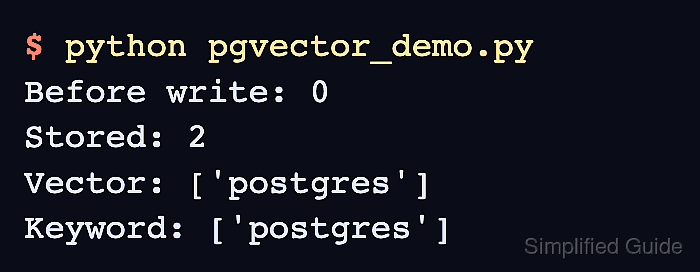
- Run pgvector_demo.py to confirm that the documents are stored and returned by both retrievers.
$ python pgvector_demo.py
Before write: 0
Stored: 2
Vector: ['postgres']
Keyword: ['postgres']
On the first run, the count rises from 0 to 2 and both queries return postgres. A rerun starts at 2 because the rows remain in PostgreSQL. A connection or table error stops the program; an empty or different ID list means retrieval did not match the expected document.
Related: Haystack pgvector document store